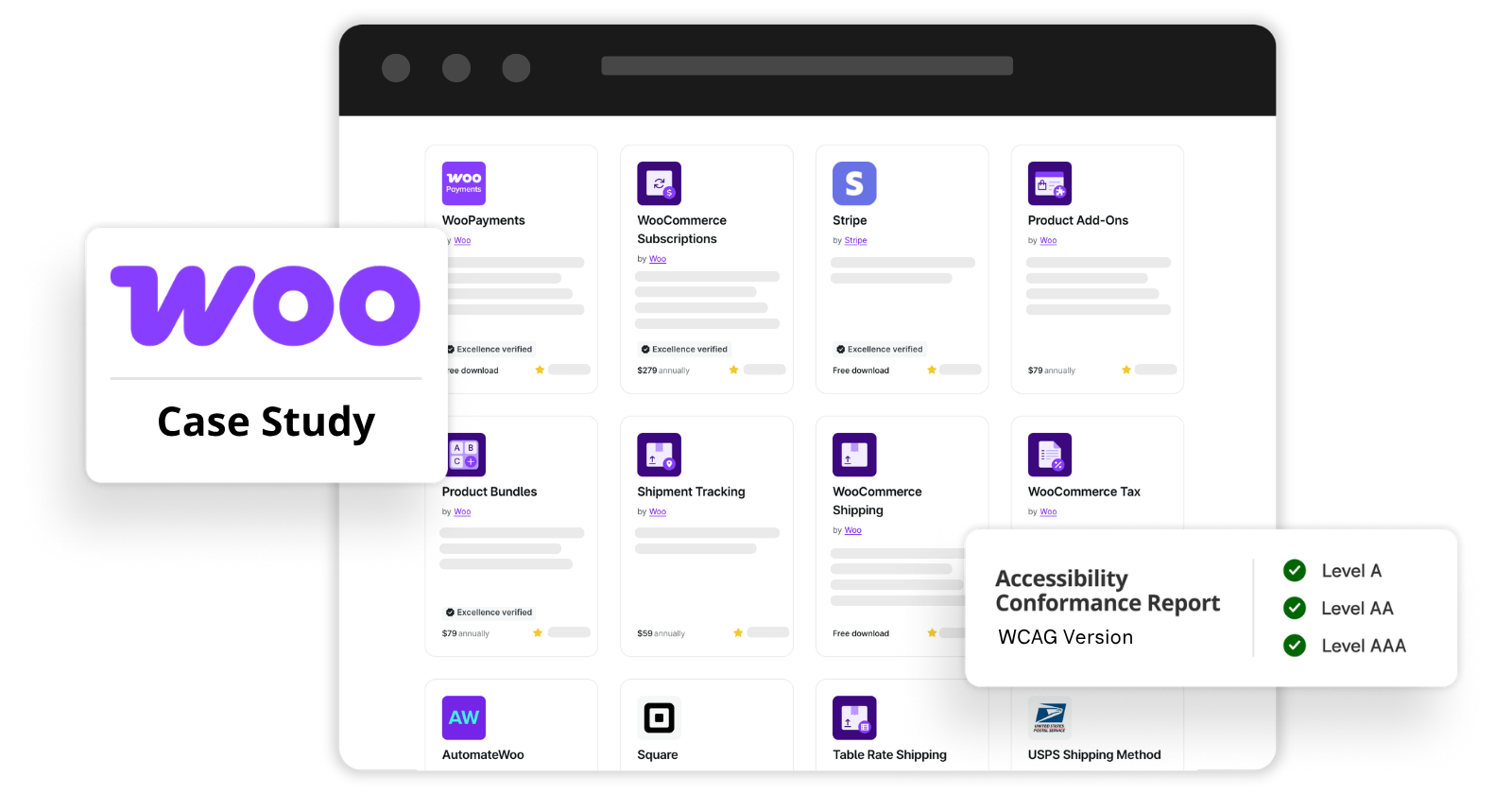
How Equalize Digital partnered with WooCommerce to identify and remediate accessibility barriers, document WCAG 2.2 conformance, and make accessibility information more transparent in the WooCommerce Marketplace.
Project Background
About WooCommerce
WooCommerce is a WordPress plugin that adds ecommerce functionality to websites built with the WordPress content management system. WooCommerce powers over 7 million online stores worldwide, helping businesses sell everything from physical products and subscriptions to bookings, memberships, and digital downloads.
WooCommerce has an extensive ecosystem of extensions that allow merchants to customize their stores with advanced functionality not built into the core plugin. Many of these extensions are built and maintained by Automattic, the company behind WooCommerce, and are considered official extensions.
WooCommerce’s focus on accessibility
Since 2024, WooCommerce has partnered with Equalize Digital to improve accessibility across its plugin ecosystem. The project began with front-end accessibility improvements to the core WooCommerce plugin, which were completed in June 2025.
After completing work on its core plugin, WooCommerce expanded its commitment to include front-end accessibility in official WooCommerce extensions. James Kemp, Core Product Manager at WooCommerce, identified 43 WooCommerce extensions to prioritize for accessibility auditing and remediation, and WooCommerce committed significant resources and team focus to both auditing and remediating these plugins.
Project at a Glance
Between June 2025 and August 2026, our team evaluated 43 WooCommerce extensions, provided detailed remediation recommendations, tested fixes, and prepared Accessibility Conformance Reports documenting how the extensions meet Web Content Accessibility Guidelines (WCAG) 2.2.
Teams at Automattic and Fueled, a vendor that develops for WooCommerce, completed the remediation work. Two audited extensions were determined to be outside WooCommerce’s control, so we reported those issues upstream.
By the numbers
- 43 extensions audited for accessibility barriers.
- 519 accessibility issues identified that failed 32 WCAG success criteria.
- 41 plugins maintained by WooCommerce, Automattic, or Fueled remediated for WCAG conformance.
- 2 plugins maintained by outside vendors had issues reported upstream.
- 41 Accessibility Conformance Reports published (for all WooCommerce/Automattic maintained plugins).
Meaningful results
The project went beyond auditing and identifying problems. It delivered meaningful improvements to the accessibility of WooCommerce extensions, as all WooCommerce-controlled issues were fully remediated.
Additionally, merchants can now find accessibility conformance information when choosing extensions for their stores. These reports help merchants and developers understand how extensions may affect a store’s WCAG conformance, as required by accessibility laws worldwide. This allows developers and merchants to make informed decisions when comparing extensions.
The Challenge: Making an Extensive Extension Ecosystem Accessible
WooCommerce extensions add powerful capabilities to online stores. They let merchants offer subscriptions, configure complex products, manage bookings, customize shipping options, accept payments, and more.
Many of these features introduce interactive components that require careful accessibility implementation. For example, a product configuration tool may need to dynamically update pricing and announce those changes to screen reader users. A booking calendar must allow customers to select dates without a mouse. A payment form must provide properly labeled fields, clear error messages, and a logical keyboard focus order.
These aren’t simply technical details. They directly affect whether people with disabilities can shop independently. And accessible ecommerce is required by law in many parts of the world.
WooCommerce needed a systematic way to evaluate accessibility across a broad range of extensions, advice to help developers resolve issues, and a way to communicate results transparently.
The project had three primary goals:
- Identify accessibility barriers in the front-end functionality generated by WooCommerce extensions.
- Support remediation and verify fixes so extensions could achieve WCAG 2.2 Level AA conformance wherever WooCommerce had direct control.
- Document and communicate accessibility conformance through published Accessibility Conformance Reports that merchants could reference when evaluating extensions.
Our Approach: Comprehensive Testing with Real Assistive Technology
Accessibility testing requires more than running an automated scanner. Automated tools can identify certain code-level problems, but many of the most significant barriers only become apparent when someone interacts with a website using a keyboard, screen reader, or other assistive technology.
For this project, Equalize Digital combined automated testing with extensive manual evaluation.
Creating consistent testing environments
We installed and configured each extension that supported blocks on a WordPress website using the Twenty Twenty-Five theme (version 1.3) with default settings. One extension, Product Vendors, required a classic theme, so we tested it on a website set up with the Storefront theme (version 4.6.1) with default settings.
Using a consistent theme baseline helped us distinguish accessibility problems introduced by the extension we wanted to test from issues that originated in the theme or other customizations. We chose the current WordPress core theme as that testing baseline because we knew it wouldn’t introduce accessibility issues in components like links, buttons, or colors. For Product Vendors, which required a classic theme, we tested with the Storefront theme because WooCommerce owns and maintains it, so the WooCommerce team could have addressed any theme-specific issues if needed.
After choosing the theme environment, our team populated the test websites with demo content and configured the extensions to expose all available front-end functionality.
This included setting up and testing:
- Blocks and shortcodes
- Forms and interactive controls
- Product configuration options
- Checkout and payment interfaces
- Dynamic content and status messages
- Different extension settings and display variations
Some settings required multiple testing environments so we could surface and test conflicting settings.
Automated testing with Accessibility Checker
All of our WordPress testing environments include our Accessibility Checker plugin. We used Accessibility Checker to test blocks, shortcodes, and templates for issues such as empty or ambiguous link and button names, color contrast failures, missing form-field labels, and more. See all issues that Accessibility Checker can identify here.
Testing with screen readers, keyboards, and magnification
In addition to automated testing, our accessibility specialists evaluated the extensions using a combination of industry-standard automated tools and manual testing techniques. Manual testing included:
- Screen readers: We tested all components with NVDA and VoiceOver. Blind users tested some key components with JAWS.
- Keyboard navigation: Testing functionality without a mouse, including focus order and interactive controls.
- Screen magnification and zoom: Evaluating content at increased magnification and browser zoom levels up to 400%.
- Visual inspection: Checking contrast, focus indicators, instructions, and looking for information communicated through color alone.
- Semantic and programmatic review: Evaluating HTML structure, accessible names, roles, states, and relationships
Testing was completed by certified accessibility professionals and, for some extensions, included testing by a blind screen reader user. This combination was especially important for identifying barriers in dynamic e-commerce interactions that automated testing alone cannot reliably detect.
What We Found: 519 Accessibility Issues Across 43 Extensions
Our audits identified 519 accessibility issues spanning interactive controls, color contrast, forms, focus management, screen reader announcements, semantic structure, and other areas.
Issues identified
Here’s a summary of the types of issues identified and resolved during the project.
| Issue group | Count | Summary |
|---|---|---|
| Links, buttons & interactive controls | 111 | Incorrect link/button roles, unclear or duplicate accessible names, links opening new windows without warning, missing button states, inaccessible accordions/tabs/toggles, and other control implementation problems. |
| Color, contrast & visual cues | 82 | Insufficient text/UI contrast and information, states, errors, or links communicated through color alone. Contrast was the largest contributor, including 46 instances of insufficient color contrast. |
| Forms, labels, instructions & validation | 81 | Missing or improperly associated labels, required fields not identified, missing fieldsets/legends, placeholder-dependent labels, and help/instruction text not programmatically associated with fields. |
| Structure, headings, landmarks & reading order | 40 | Incorrect/missing headings, missing landmarks, improper list markup, and content or reading order problems. |
| Dialogs/modals & focus management | 38 | Missing modal semantics/labels, focus not moved into or contained within dialogs, Escape-key problems, and focus not returned to the triggering control. |
| Dynamic/status/error announcements | 36 | Status messages, errors, countdowns, suggestions, and dynamically loaded content not announced to screen reader users. |
| Keyboard access & focus | 29 | Controls that could not be operated with the keyboard, incorrect focus order, focus placed on noninteractive content, and missing/insufficient focus indicators. |
| ARIA, names, states & screen-reader semantics | 27 | Invalid/missing ARIA, accessible names that do not match visible labels, hidden content exposed to assistive technology, and incorrect screen reader announcements. |
| Zoom, reflow & text spacing | 25 | Content cropping, overlapping, disappearing, or requiring two-dimensional scrolling at 200–400% zoom, plus text-spacing failures. |
| Hover/focus content & tooltips | 14 | Tooltips or hover content unavailable to keyboard users, not dismissible, or not hoverable. |
| Images, SVGs & non-text content | 12 | Missing/incorrect alt text, incorrectly handled decorative images/SVGs, inaccessible charts, and images of text. |
| Tables | 10 | Missing table headers, row headers, or incorrect use of table semantics. |
| Calendars & date pickers | 6 | Calendar/date-picker controls that are not keyboard or screen-reader accessible or that lack appropriate structure and labeling. |
| Timed/dynamic content | 4 | Important information disappearing automatically after a time interval. |
| Page metadata & language | 4 | Missing page titles and missing language declarations. |
WCAG success criteria affected
This table shows the number of accessibility failures identified for each Web Content Accessibility Guidelines (WCAG) success criterion during our audit. The findings are organized by success criterion, with the most frequently identified failures listed first. Because a single accessibility issue can violate multiple WCAG success criteria, the number of recorded failures exceeds the 519 individual accessibility issues identified during the audit.
| WCAG Success Criterion | Count |
|---|---|
| 4.1.2 Name, Role, Value | 107 |
| 1.3.1 Info and Relationships | 94 |
| 1.4.3 Contrast (Minimum) | 50 |
| 3.3.2 Labels or Instructions | 36 |
| 4.1.3 Status Messages | 35 |
| 2.1.1 Keyboard | 32 |
| 1.4.11 Non-text Contrast | 20 |
| 2.4.6 Headings and Labels | 19 |
| 2.4.3 Focus Order | 17 |
| 3.2.2 On Input | 16 |
| 2.5.3 Label in Name | 13 |
| 1.1.1 Non-text Content | 12 |
| 2.4.4 Link Purpose (In Context) | 12 |
| 1.4.10 Reflow | 11 |
| 1.4.1 Use of Color | 10 |
| 1.4.4 Resize Text | 9 |
| 1.4.13 Content on Hover or Focus | 7 |
| 2.4.7 Focus Visible | 7 |
| 2.4.13 Focus Appearance | 6 |
| 1.3.5 Identify Input Purpose | 6 |
| 2.2.1 Timing Adjustable | 4 |
| 1.4.12 Text Spacing | 4 |
| 3.1.1 Language of Page | 3 |
| 1.3.2 Meaningful Sequence | 3 |
| 3.3.1 Error Identification | 2 |
| 2.4.9 Link Purpose (Link Only) | 2 |
| 2.4.10 Section Headings | 2 |
| 2.5.7 Dragging Movements | 1 |
| 2.4.2 Page Titled | 1 |
| 2.1.2 No Keyboard Trap | 1 |
| 2.1 Keyboard | 1 |
| 1.4.5 Images of Text | 1 |
In addition to WCAG failures, we also flagged several issues that didn’t fail WCAG but could be considered accessibility best practices, non-WCAG accessibility issues, or simple usability issues. Our audit was so thorough that in a couple of the extensions, we identified non-accessibility bugs that affected all users, not just people with disabilities.
From Audit Findings to Verified Fixes
Identifying accessibility issues was only the first phase of the project. After delivering the findings, Equalize Digital used a structured process to help WooCommerce developers understand and address the barriers identified during testing, then retest to confirm fixes.
Remediation workflow and communication
For each issue, our team documented the accessibility problem and provided actionable remediation recommendations. Our audit reports were imported from CSVs into WooCommerce’s Linear account, allowing the relevant developer teams to review, prioritize, and address accessibility issues within their existing project management workflows.
Rather than requiring WooCommerce to adopt separate tools or processes, Equalize Digital integrated directly into the development workflows their teams were already using. We worked within WooCommerce’s Linear and GitHub environments to review pull requests, provide feedback on proposed fixes, document retesting results, track remediation status, and share ongoing project updates. This made accessibility testing and remediation part of the normal development process rather than a separate activity requiring additional coordination.
We also used a shared Slack channel to connect Equalize Digital’s accessibility specialists with multiple development teams at Automattic and developers from Fueled. This provided a central place to ask questions, clarify recommendations, troubleshoot complex accessibility issues, and coordinate work across teams.
By meeting developers where they already worked, we reduced unnecessary back-and-forth and made it easier for multiple teams to collaborate on accessibility improvements. This approach helped keep this large, multi-team remediation project organized, provided visibility into progress, and enabled developers to get timely accessibility guidance without disrupting their established workflows.
Remediation scope
Of the 43 extensions audited, 41 were included in the remediation effort.
Two WooCommerce payment extensions, Amazon Pay and Affirm, were determined to have accessibility barriers outside WooCommerce’s direct control and were not remediated as part of the project. We reported these issues directly to Amazon Pay and Affirm so they could work to make their plugins accessible.
Remediation Outcomes
With limited exceptions, the WooCommerce teams fixed all accessibility issues identified in the remaining 41 extensions.
Accessibility results
Front-end components generated by these 41 extensions conform to WCAG 2.2 Level AA, and in some cases Level AAA, when used with Twenty Twenty-Five or another accessibility-ready theme, subject to the documented exceptions.
As noted above, these improvements span a wide range of e-commerce functionality, from forms and product controls to screen reader announcements, keyboard navigation, dialogs, and responsive layouts. The extensions now provide a much stronger foundation for creating accessible WooCommerce stores that people with disabilities can use.
Remaining exceptions
Accessibility issues outside WooCommerce’s control
Unfortunately, not every accessibility barrier could be resolved by WooCommerce.
Some extensions rely on third-party components, including payment interfaces or embedded content delivered through iframes. Examples include Stripe’s Link element, components from Afterpay and Klarna, and Pinterest pin buttons. Because external providers control these interfaces, WooCommerce cannot directly modify their underlying code.
Rather than leaving these issues undocumented, Equalize Digital reported the identified accessibility barriers to the responsible third-party developers and included the outstanding limitations in the relevant Accessibility Conformance Reports.
Deprecated functionality
A small number of remaining issues involved the Product Vendors extension’s reporting functionality. This reporting functionality in Product Vendors was built using underlying reporting functionality in WooCommerce Core that had already been deprecated and was being rebuilt.
Instead of investing in remediation for functionality scheduled for replacement, we documented the remaining issues with a path forward: incorporating the new reporting functionality into Product Vendors when it becomes available.
These exceptions demonstrate the importance of evaluating accessibility within the context of product ownership, third-party dependencies, and planned development.
Documenting Accessibility with 41 Accessibility Conformance Reports
A key deliverable of the project was creating Accessibility Conformance Reports (ACRs) for the 41 extensions included in the remediation effort.
An Accessibility Conformance Report documents how a product conforms to accessibility standards and identifies any known limitations. For this project, Equalize Digital prepared reports evaluating each extension’s front-end user interface against WCAG 2.2 Levels A, AA, and AAA.
These reports provide merchants, developers, procurement teams, and accessibility professionals with detailed information about the accessibility of specific WooCommerce extensions. They also establish transparency about any remaining issues involving third-party components or functionality awaiting replacement.
Extensions with published Accessibility Conformance Reports
The published ACRs are available on WooCommerce’s accessibility page or may be viewed at the links below:
- Accommodations Bookings
- All Products for WooCommerce Subscriptions
- Australia Post Shipping Method
- AutomateWoo for WooCommerce
- AutomateWoo – Birthday Addons
- AutomateWoo -Refer A Friend
- Back in Stock Notifications
- Box Office
- Canada Post Shipping Method
- Composite Products
- Conditional Shipping and Payments for WooCommerce Extension
- Deposits
- EU VAT Number for WooCommerce Accessibility Conformance Report
- FedEx Shipping Method
- Flat Rate Box Shipping for WooCommerce
- Gift Cards
- Gifting for WooCommerce Subscriptions
- Min/Max Quantities for WooCommerce Extension
- Payfast Payment Gateway for WooCommerce
- PayPal Braintree for WooCommerce
- Per Product Shipping for WooCommerce
- Pinterest for WooCommerce
- Product Add-ons
- Product Bundles
- Product Recommendations
- Product Vendors
- Royal Mail Shipping Method
- Square for WooCommerce
- Stripe Extension for WooCommerce
- Subscription Downloads
- Table Rate Shipping
- UPS Shipping Method
- USPS Shipping Method
- WooCommerce Bookings
- WooCommerce Bookings Availability
- WooCommerce Distance Rate Shipping
- WooCommerce Order Barcodes
- WooCommerce Payments
- WooCommerce Pre-orders
- WooCommerce Shipping
- WooCommerce Subscriptions
Why This Project Matters for WooCommerce Merchants
A website’s accessibility depends on more than its theme. Even when a merchant starts with an accessibility-ready WordPress theme, extensions can introduce inaccessible forms, controls, dialogs, or other interfaces.
Improving these 41 WooCommerce extensions reduces accessibility barriers in the functionality they provide, helping merchants build more inclusive shopping experiences and move their websites closer to compliance with laws like the European Accessibility Act or the Americans with Disabilities Act.
The published Accessibility Conformance Reports also give merchants more information to evaluate extension accessibility before purchasing or installing new functionality. We applaud WooCommerce for providing this level of transparency for merchants and encourage other WordPress plugin developers to do the same.
Far-Reaching Impact Across the WooCommerce Ecosystem
Over 14 months, Equalize Digital and WooCommerce led a major accessibility initiative across 43 extensions and hundreds of identified barriers.
The work resulted in verified remediation across 41 extensions and published Accessibility Conformance Reports, making accessibility information easier for merchants and the general public to discover.
The project demonstrates what’s possible when accessibility testing, development, remediation, and transparent reporting are treated as connected parts of a product improvement process. It also represents meaningful progress toward making WooCommerce-powered shopping experiences more inclusive for people with disabilities.
Because WooCommerce powers more than 7 million online stores, accessibility improvements across its extension ecosystem can have far-reaching impact. By addressing accessibility barriers at the extension level, these improvements can benefit not just one website, but potentially hundreds of thousands of stores and the millions of customers who shop on them. This is the power of improving accessibility at scale: making changes once, at the source, that can create more inclusive experiences across the web.
Need Help Improving the Accessibility of Your WordPress Plugin or Website?
At Equalize Digital, we help organizations identify and resolve accessibility barriers through comprehensive accessibility audits, assistive technology testing, remediation guidance, and Accessibility Conformance Reports.
Whether you’re developing a WordPress plugin, maintaining a WooCommerce store, or managing a complex website, our team can help you understand accessibility issues and create a practical path toward WCAG conformance.
Contact Equalize Digital to discuss your accessibility project.