
WordPress Plugin for Displaying Board Meeting Minutes and Agendas
Make public transparency easier for your organization and the people you serve, while complying with website accessibility requirements.
-
Keep Board Records Organized
Manage each board meeting as a structured record in WordPress, with dedicated fields for the meeting date, agenda, minutes, and meeting status.
-
Make Agendas & Minutes Easy to Find
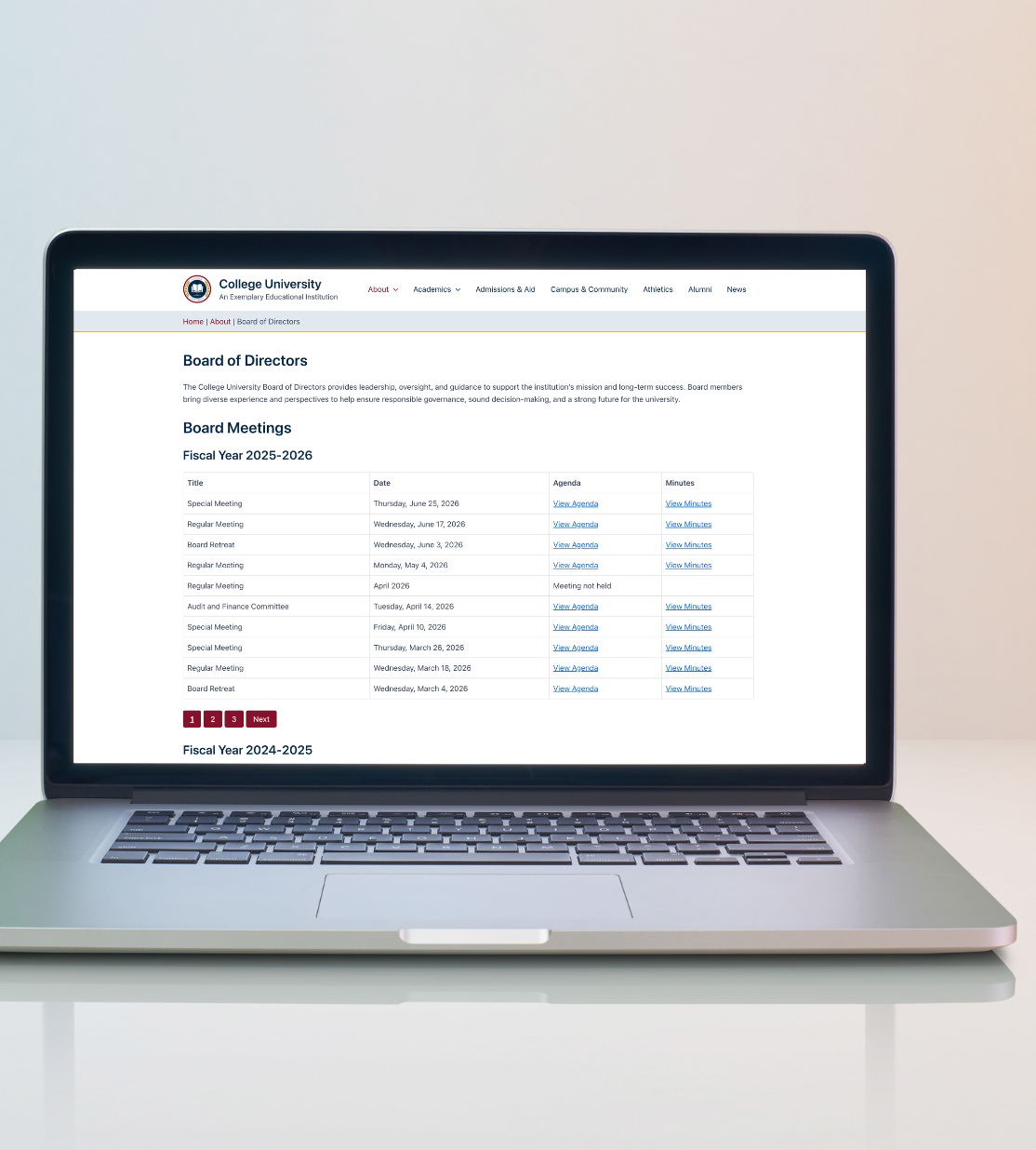
Display meeting records in organized tables that make it easy for visitors to find agendas and minutes from current or previous meetings.
-
Build Accessibility In from the Start
BoardScribe was designed with accessibility in mind, including properly structured tables, descriptive links, accessible pagination, keyboard support, and responsive layouts.
-
Save Staff Time
Stop manually adding rows to tables or reformatting your meeting page every time your board meets. Add the meeting information once and let BoardScribe handle the display.
-
Publish Upcoming Meetings
Meeting dates are separate from WordPress publication dates, allowing you to publish upcoming meetings and agendas in advance.
-
Use the WordPress Tools You Already Know
Add meeting listings with a WordPress block or shortcode. BoardScribe works with the Block Editor, full-site editing themes, and page builders that support shortcodes.
Get an Instant Demo
Fill out the form below to access a live demo of BoardScribe on InstaWP.
How BoardScribe Works
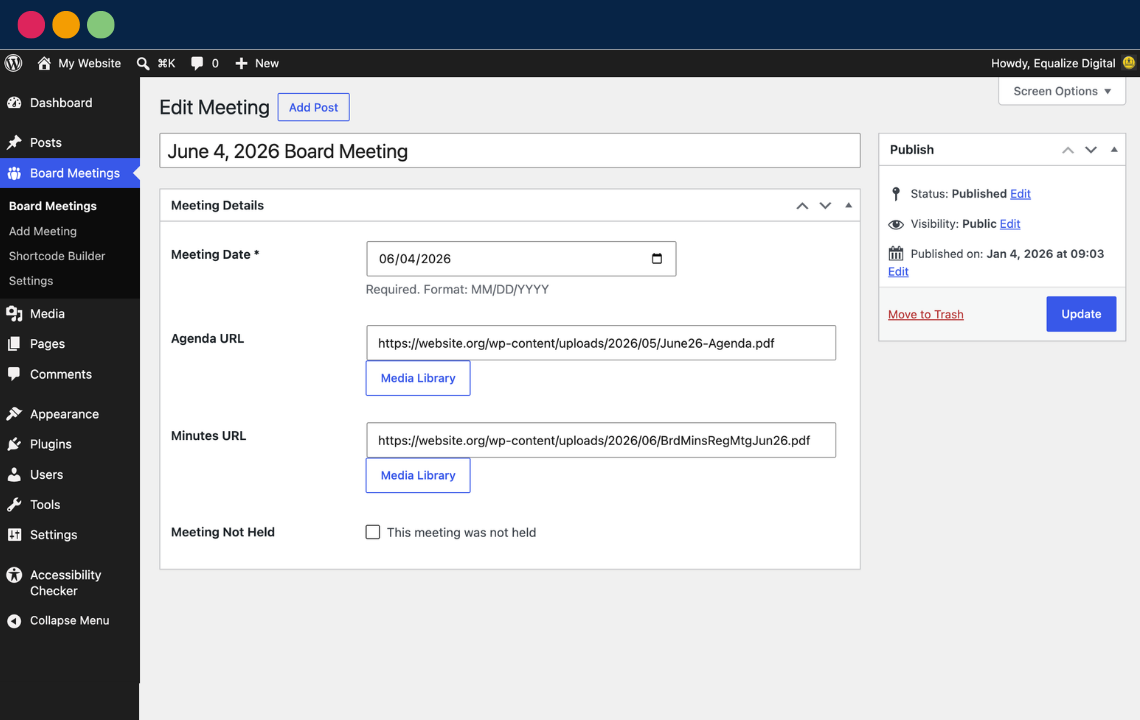
Board Meetings Post Type
- Store all meeting information in a consistent format.
- Integrates with the WordPress Media Library: attach files to meetings in a few clicks.
- Supports any file type for agendas and minutes: PDF, DOC, TXT, and more.
Accessible Tables You Can Put Anywhere
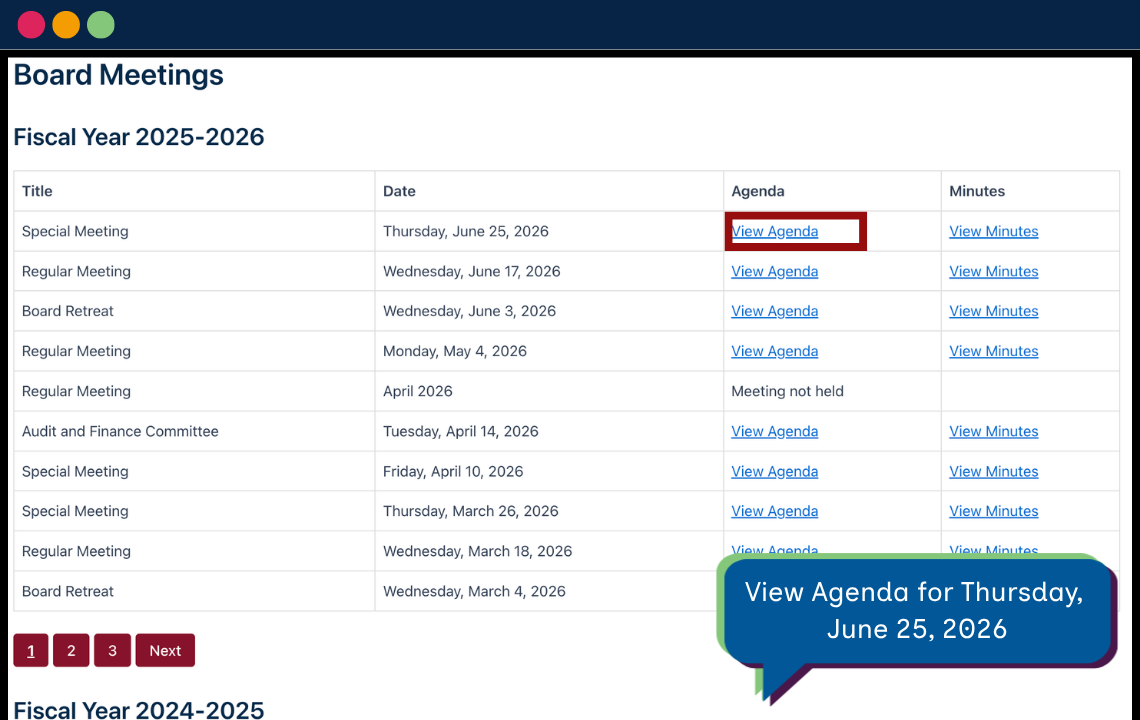
- WordPress blocks and shortcodes to display meeting information and documents in an accessible table.
- Screen reader accessible links and pagination.
- WCAG 2.2 AA conformant.
- Adopts styles from your theme for consistent design.
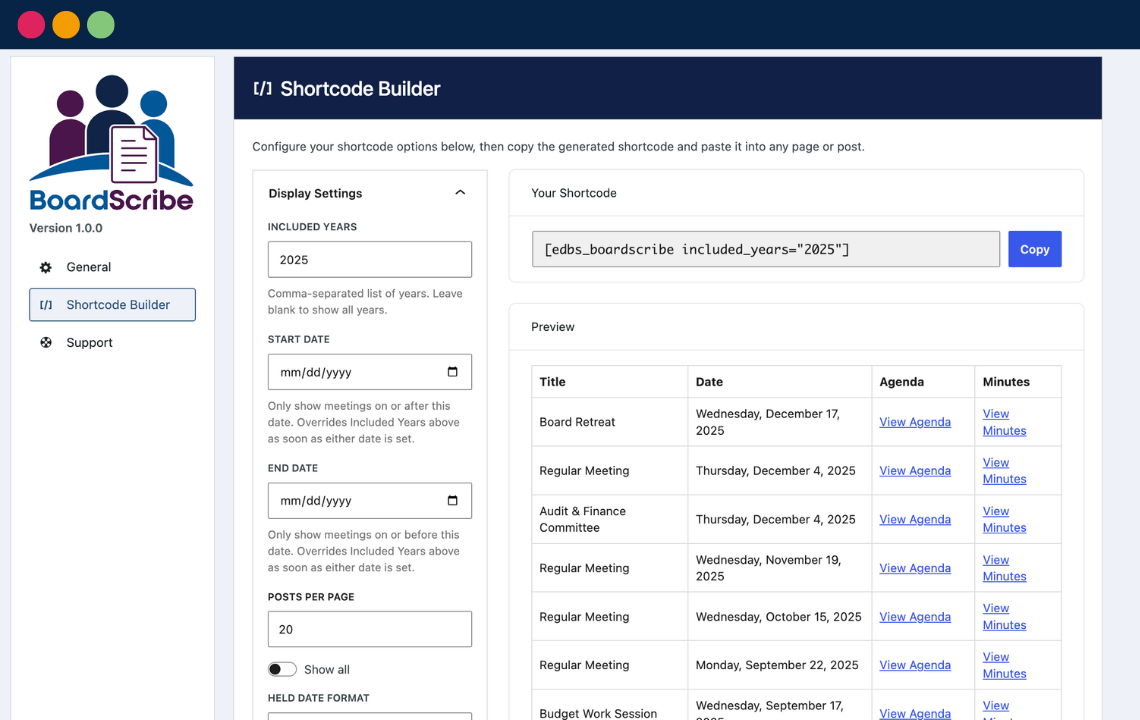
Easy Shortcode Builder
- Display meetings and documents in the classic editor or any page builder.
- Create and copy shortcodes in seconds.
- Customizable display and link labels.
- List meetings all together, grouped by year, or custom fiscal years.
See What’s Coming Next
Watch an in-depth walkthrough of the plugin and get a sneak peek of BoardScribe Pro in this video with Equalize Digital CTO Steve Jones and software developer William Patton.
Frequently Asked Questions
BoardScribe is coded in accordance with WordPress Coding Standards and accessibility best practices. All components created by BoardScribe have been tested and confirmed WCAG 2.2 AA conformant. Learn more about accessibility in BoardScribe.
It helps, but no plugin can make a site compliant on its own. BoardScribe’s output follows WCAG 2.2 Level AA patterns. WCAG is the standard referenced by the ADA Title II web rule, Section 508, EN 301 549, and most government accessibility policies. Your overall compliance still depends on your theme, your other content, and, importantly, the agenda and minutes documents themselves. A perfectly accessible table linking to scanned image PDFs is still an accessibility barrier.
If you want to test your whole site, our free Accessibility Checker plugin scans your pages for issues and can help you identify what needs to be fixed for full conformance.
Add the [edbs_boardscribe] shortcode to any page or post, or use the Board Meetings block in the editor. Both render a paginated, accessible table of your meetings with links to each agenda and minutes document. Go to Board Meetings > Settings > Shortcode Builder to configure columns, date formats, and more, then generate a shortcode you can copy/paste into any page or post.
Yes. BoardScribe outputs a standard, accessible HTML table through a shortcode, a Gutenberg block, or a public REST endpoint, so it works with the block editor, the classic editor, and popular page builders. Use the class attribute or your theme’s CSS to match the table to your site’s styling.
Yes. Use the included_years shortcode attribute or block settings with a comma-separated list of years: [edbs_boardscribe included_years="2023,2024"].
Yes. Use the start_date and end_date shortcode attributes or block settings for an arbitrary date range: [edbs_boardscribe start_date="2025-07-01" end_date="2026-06-30"].
Equalize Digital provides support for BoardScribe via the WordPress support forums. You can create a WordPress.org account and start a support thread if you need assistance.
Software support is limited to helping you use the plugin, including information about its functionality and troubleshooting.
BoardScribe Pro is currently only available to Equalize Digital remediation customers. We don’t yet have a timeline for when we expect to have it available to the public.
If you need additional features in BoardScribe now or would like pre-release access to BoardScribe Pro, please contact our sales team.
 Spanish
 French
 German
 Italian