We’re excited to announce the latest major update to Accessibility Checker Pro, version 2.0, along with a companion update to Accessibility Checker Free, version 1.44.1. Both updates are available now.
This release represents the culmination of several months of progressive improvements to Accessibility Checker’s user interface and functionality. Our goal has been to make the plugin feel more streamlined, consistent, and aligned with where modern WordPress is headed.
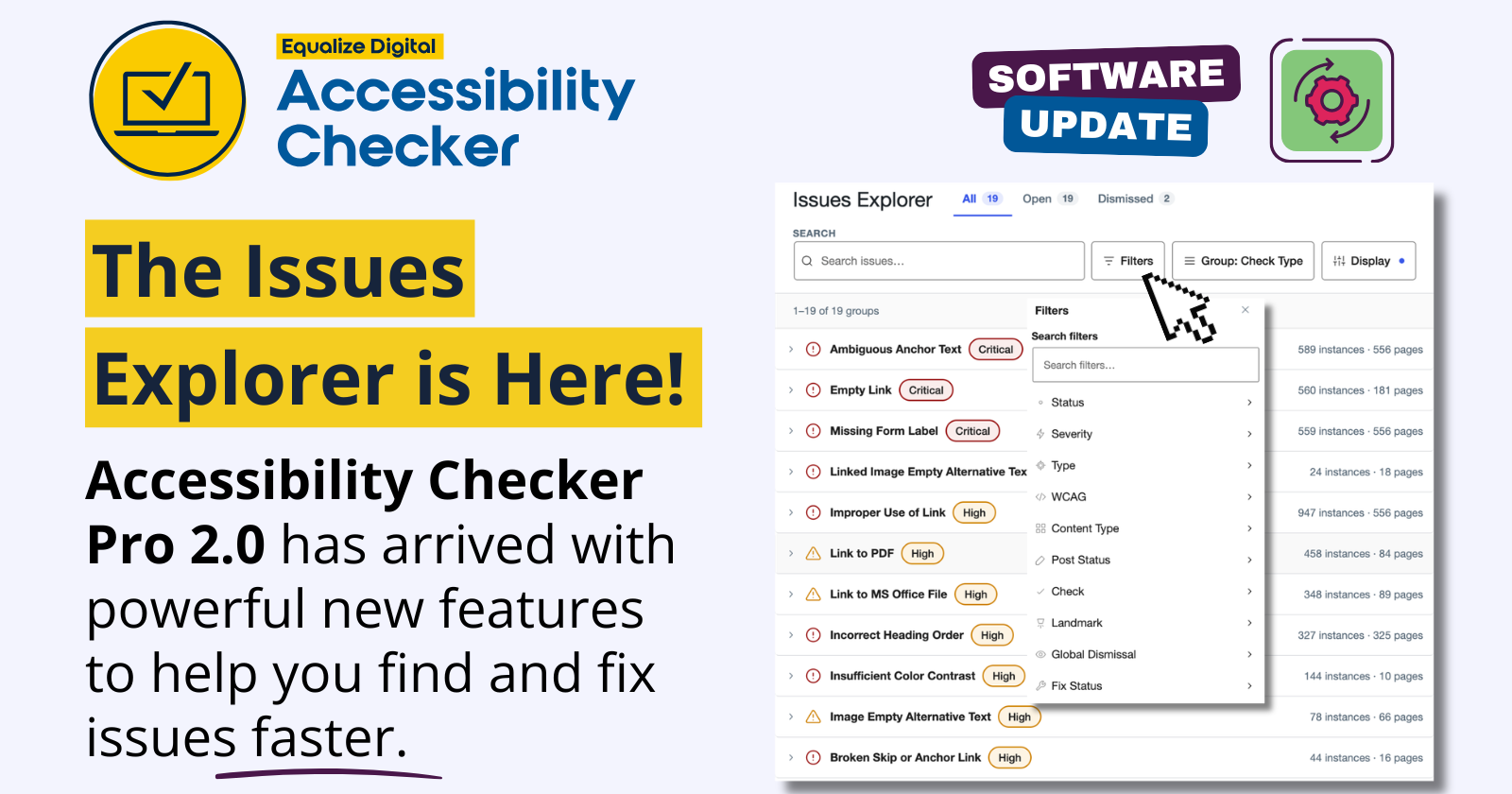
The biggest change in this release is the new Issues Explorer in Accessibility Checker Pro: a faster, more unified way to review and act on accessibility issues across your site.
Here is a quick look at what’s new.
Major Improvements in Accessibility Checker Pro 2.0
Meet the New Issues Explorer
The most significant change in Accessibility Checker Pro 2.0 is the new Issues Explorer. Issues Explorer is a centralized issue management experience for Accessibility Checker Pro. It replaces several older Pro admin pages and brings related workflows together into one modern interface.
Previously, users often needed to move between separate screens to review open issues, dismissed issues, Fast Track items, and global dismissals. Issues Explorer brings those workflows into one place so you can search, filter, group, review, dismiss, reopen, and act on issues without constantly jumping between different pages.
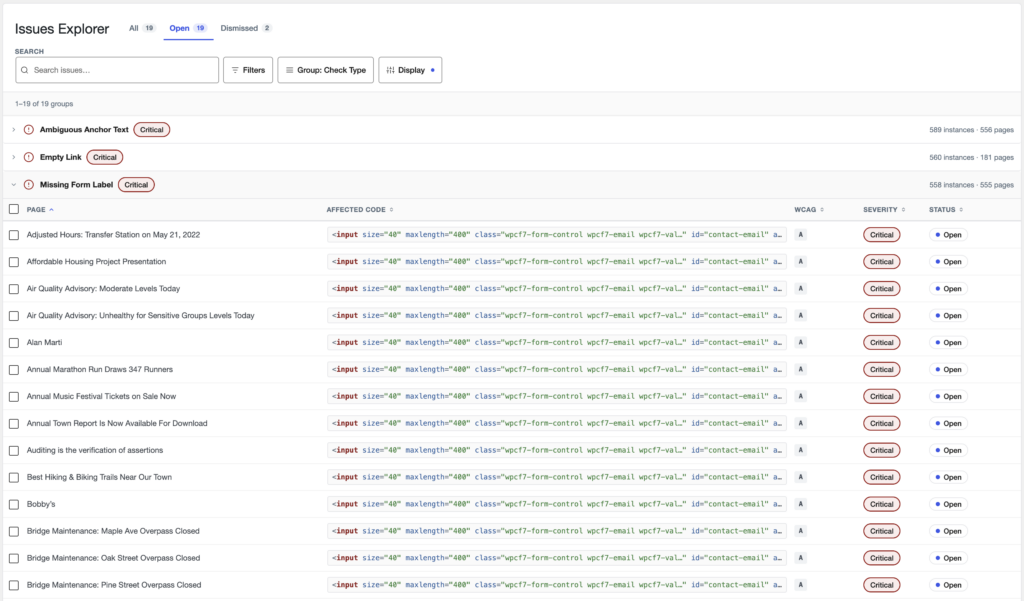
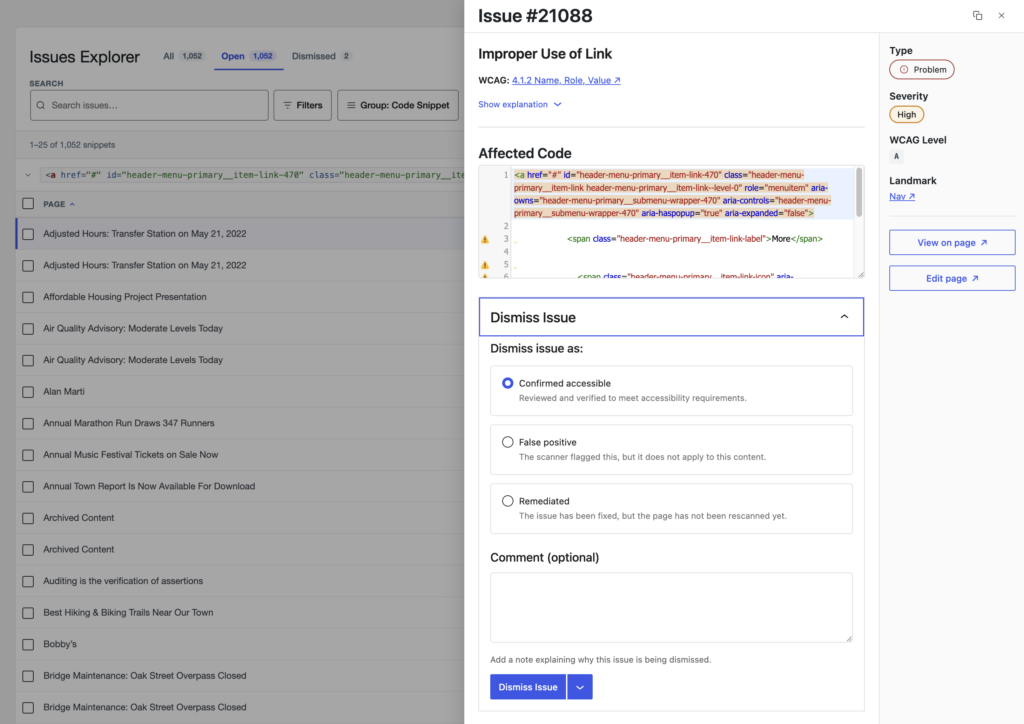
The default Issues Explorer view gives you a site-wide table of accessibility issues, with controls for status, search, filters, grouping, sorting, and customizable column display options. Clicking an issue opens a side panel where you can review details, see affected code, view guidance, dismiss or reopen the issue, access available fixes, view the issue on the page, or edit the related page.
Issues Explorer also adds several workflow improvements, including:
- Status views for Open, Dismissed, and All issues.
- Keyword search to quickly narrow issue results.
- Ten powerful filters to narrow down issues lists, including issue status, severity, type, WCAG level, content type, post status, related check, landmark, global dismissal status, and fix status.
- Grouping issues by check type or by the affected code snippet (this is the new “Fast Track” view, and it’s way more powerful when paired with filters).
- Sortable and customizable display columns.
- Bulk dismiss and bulk reopen actions.
- Direct links to individual issues.
- Unified interface when viewing details about a single issue.
For users managing large sites or large remediation projects, this is a major improvement. Issues Explorer is designed to help you move from “there are a lot of issues here” to “I know exactly what I need to review next.”
A More Unified User Interface
Accessibility Checker Pro 2.0 also wraps up our work to create a more unified and predictable experience inside the WordPress admin.
As part of the Issues Explorer rollout, we removed the older legacy views that are now represented in the new interface. Instead of maintaining separate workflows for Open Issues, dismissed issues, Fast Track, and global dismissals, those related workflows now live together in Issues Explorer.
We also made many smaller interface refinements throughout. The result is an interface across the entire software that feels more consistent and easier to learn.
Performance Improvements, Streamlined Code
Performance and maintainability were major priorities in this release.
Issues Explorer was built with large sites in mind. Grouped views load top-level group data first, then load individual issue instances when a group is expanded. This helps keep the interface responsive while still giving users access to detailed issue data when they need it. The result is a ~50% performance improvement on sites with very large issue tables, compared to previous internal benchmarks. Even smaller sites will probably notice a speed boost when interacting with site-wide reports.
Perhaps less exciting for many of you, but very exciting for us: This release also allowed us to remove a significant amount of legacy code. This release included multiple waves of codebase reduction, as multiple parts of the old interface were made “obsolete” with the release of the Issues Explorer.
Here’s the TL;DR on performance and code: Issues Explorer is way, way more than just a new screen to look at. It is part of our continuous work to build the most stable, performant, and useful accessibility tool for WordPress we possibly can.
Accessibility Checker Itself is Still… Accessible!
Because Accessibility Checker is an accessibility tool, the accessibility of the interface itself matters. And really, ensuring an accessible admin experience should be a priority for every WordPress plugin.
A significant amount of work in this release focused on ensuring usability and accessibility of Issues Explorer before public release. It had to be easy to use for everyone, and it needed to work with assistive technology. These details may not be as flashy as a new feature, but they are absolutely essential. No matter who you have on your team, no matter what tools or technology they use on the web, we want them to be able to use all of Accessibility Checker.
Improvements in Accessibility Checker Free v1.44.1
Accessibility Checker Free 1.44.1 includes several helpful improvements of its own, along with updates that support the new Pro experience.
The biggest addition in the free plugin is a new “Link text is URL” check. This check helps identify links that use a bare URL as the anchor text, rather than meaningful, descriptive link text. This new check helps content creators find and improve those links.
The companion free release also includes refinements to existing checks and fixes:
- Improved handling of separator blocks in ARIA-related checks.
- Fewer false positives from the Empty Paragraph check related to live regions.
- New Window Warning fix better handles both text and image labeling.
If you use Accessibility Checker Pro, make sure to update the free plugin as well. Accessibility Checker Free 1.44.1 includes companion updates that help support the new Issues Explorer experience in Pro 2.0. In the overwhelming majority of cases, when updating Pro, your Free plugin should also update seamlessly.
Why are we calling it 2.0?
We are calling this Accessibility Checker Pro 2.0 because Issues Explorer is a major shift in the Pro plugin experience.
This release fundamentally changes how users manage accessibility issues across a site. It consolidates multiple older workflows into one interface, introduces a new and more performant management experience, adds new filtering and grouping capabilities, and lays the groundwork for future improvements to site-wide accessibility remediation.
Calling this version 2.0 reflects the significance of that change.
Accessibility Checker has grown a lot over the years, and so have the needs of the teams using it. Issues Explorer is a response to that growth. It gives Pro users a more scalable, organized, and modern way to work through accessibility issues.
Accessibility Checker Pro 2.0 is Available Right Now!
Accessibility Checker Pro 2.0 and Accessibility Checker Free 1.44.1 are available now.
To access the new Issues Explorer, update both plugins to the latest versions. Once updated, Accessibility Checker Pro users can open Issues Explorer from the Accessibility Checker admin area and start using the new site-wide issue management experience.
If you want a closer look at what changed, check out the Change Log 14 summary. It includes more detail about the release, plus a live demonstration of the new Issues Explorer. And don’t forget to update Accessibility Checker Pro today and take the new Issues Explorer for a spin!