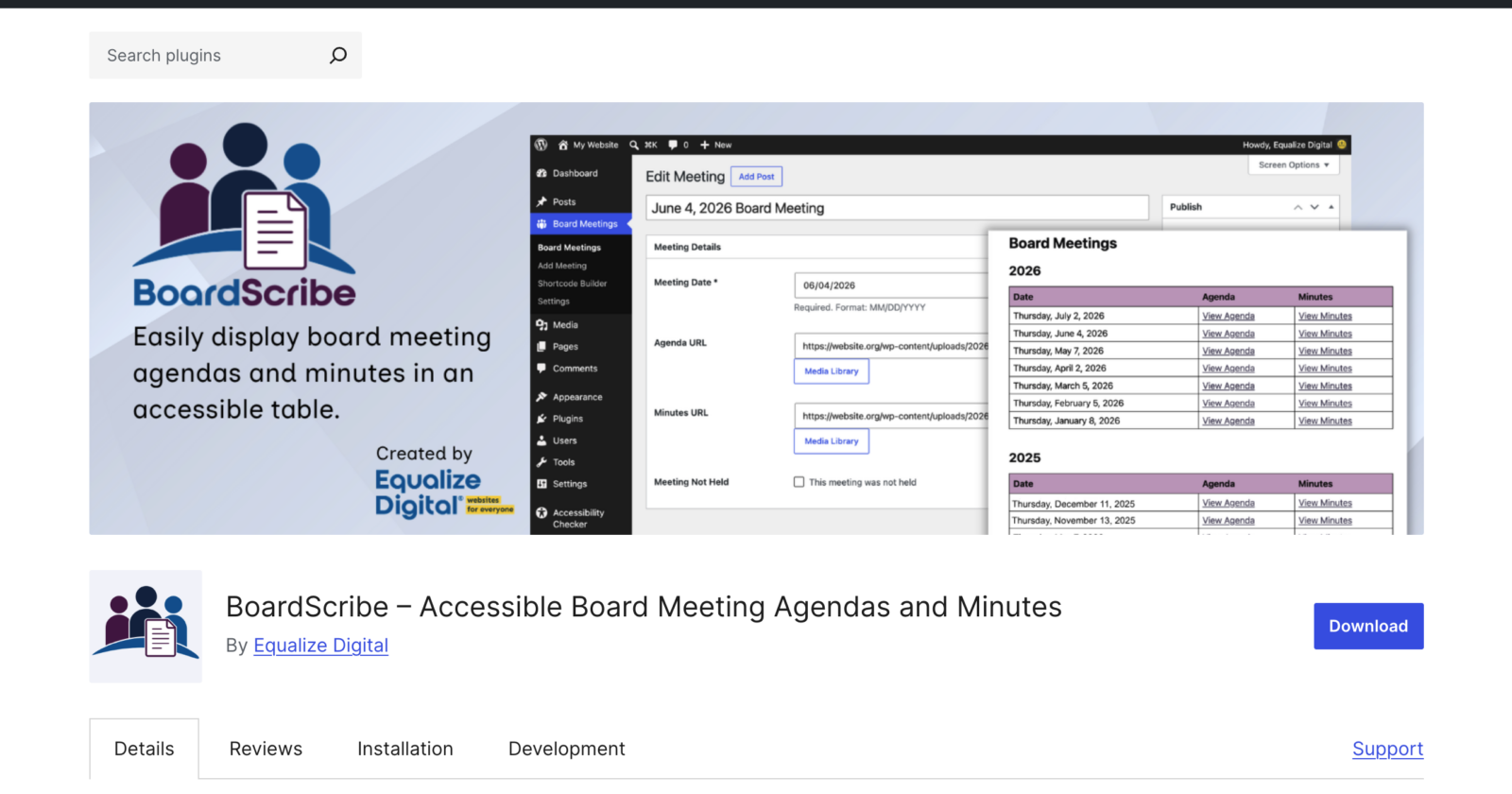
We’re excited to announce that BoardScribe, our WordPress plugin for displaying board meeting minutes and agendas, is now available for free on WordPress.org!
About BoardScribe
How it came to be
BoardScribe was built to address UI and accessibility issues we commonly encountered during accessibility audits or accessibility remediation on WordPress websites. Over the past few years, we’ve seen many different ways of displaying board meeting agendas and minutes, most of which had a similar set of problems:
- No semantic list or table structure grouping meetings.
- Missing column and/or row headers when a table was used.
- Many links using the same anchor text (“Agenda” or “Minutes”), with no way for screen reader users to know which meeting date each link referred to.
- No indication when links open documents instead of HTML pages.
After fixing this many times over, we realized government, school, and nonprofit websites needed an easier way to display board meeting information that was accessible and didn’t require technical knowledge or huge amounts of manual work.
And so, BoardScribe was born.
How BoardScribe helps
Open-meeting and public-records laws (such as state “sunshine” laws in the U.S.), along with the transparency policies many nonprofits and HOAs adopt, require organizations to post meeting notices in advance and make agendas and minutes available to the public. If meeting dates or documents are not shared in an accessible format, organizations may be failing to meet their obligations under transparency and accessibility laws.
BoardScribe makes it easy for board secretaries or staff members to post meeting information and documents in an accessible format, eliminating UI and accessibility problems common in other solutions. BoardScribe:
- Gives the public a single, reliable place to find every agenda and minutes document, and see upcoming meetings.
- Provides content in an accessible table format, following HTML and accessibility best practices.
- Eliminates ambiguous links so screen reader users can quickly find the document they need.
- Saves staff time. No more manually reordering lists of links, and cuts down on records requests via email.
BoardScribe Features
BoardScribe is simple to use and works with all themes and page builders, including Elementor, Divi, Beaver Builder, WPBakery, and more.
- Dedicated Board Meeting content type.
- Integrates with the WordPress Media Library: attach files to meetings in a few clicks.
- Supports any file type for agendas and minutes: PDF, DOC, TXT, and more.
- Gutenberg block to quickly insert meetings and documents in the block editor.
- Shortcode to display meetings and documents in the classic editor or page builders.
- Visual shortcode builder so anyone can create and copy a shortcode in seconds.
- Adopts your theme’s styles for a consistent design.
- Straightforward admin editing experience, easy for non-technical WordPress users.
- Includes file type and size information via integration with Accessibility Checker.
- Supports displaying meetings all together, grouped by year, or custom fiscal years.
- Mark meetings as canceled so they remain in the public record, but with a unique format.
- Mobile-responsive tables that can be read on any device without sideways scrolling.
Who it’s built for
BoardScribe is built for city councils, county boards, school boards, public libraries, nonprofits, Homeowners associations (HOAs), and other community organizations that are required, or simply committed, to keeping their meeting records open.
Learn More About BoardScribe
There are several ways to learn more about BoardScribe. Visit our BoardScribe landing page for additional details and a video walkthrough with CTO Steve Jones and software developer William Patton. You can also read BoardScribe documentation, try a live demo, or just install it on your website.
BoardScribe is available for free on WordPress.org, making it easy to install on your website today.
Have questions or feedback after you try it? We’re happy to help and would love to hear what features you want next. Get support on WordPress.org.