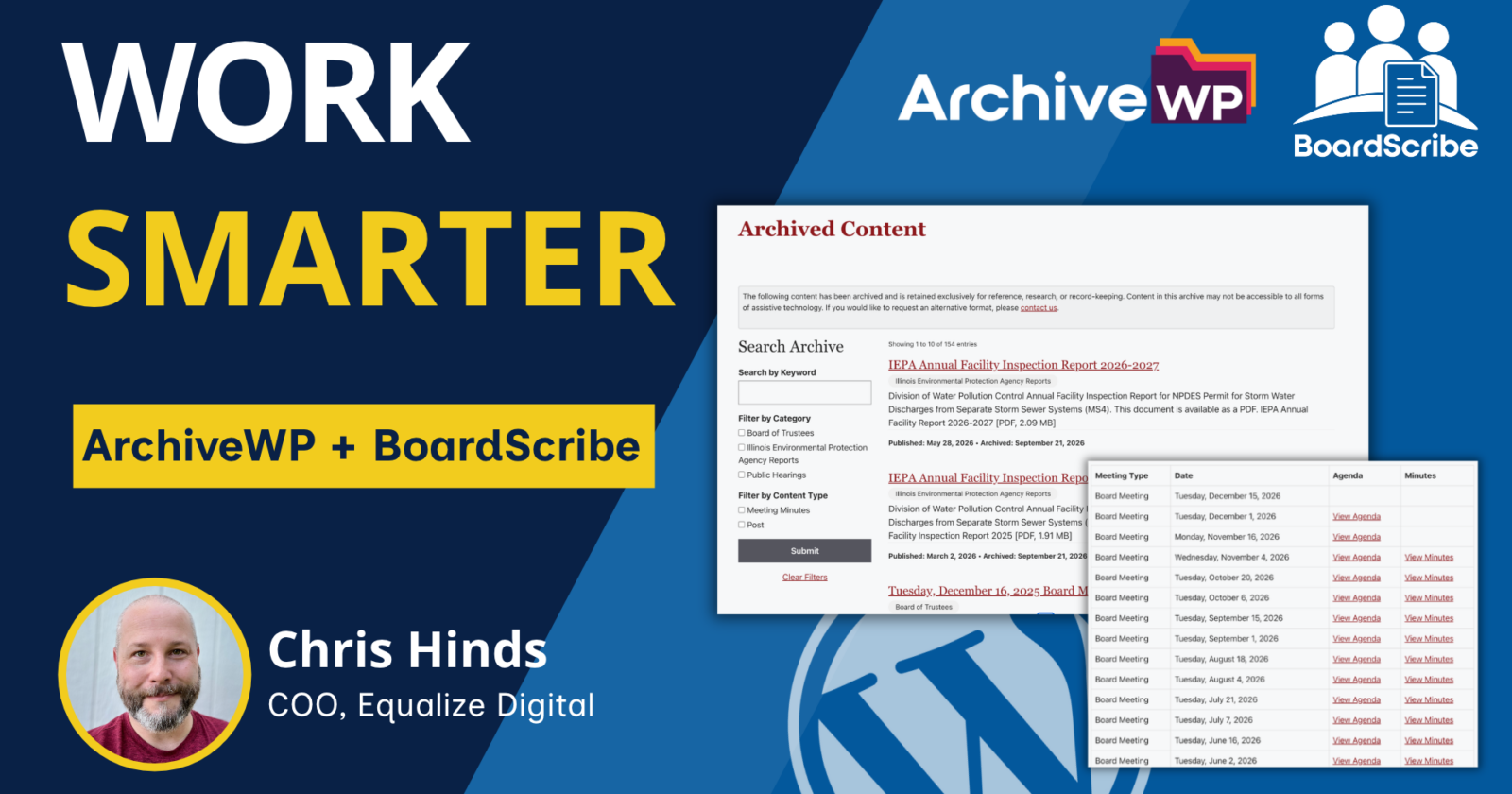
Equalize Digital has worked on public sector WordPress projects for over a decade, and in that time we’ve built plugins to make accessibility remediation easier on these websites. In this webinar, Chris Hinds shares ArchiveWP and BoardScribe, two companion products that support Accessibility Checker as part of our growing remediation suite.
Watch the Webinar
Transcript & Resources
[00:00:00] Welcome
[00:00:00] Chris Hinds: Hey, everybody. Hey, Adrienne. Hey, June. It’s good to see you both in the chat. Hi, Peggy. Good to see you as well. And we got some people filtering in here. We’re gonna get started in just a couple minutes. But yes the cold that has been at least sweeping Central Texas where we are has impacted Amber.
[00:00:16] I am thankfully spared, at least for now, although I feel like any day now the other shoe’s probably gonna drop. But I I’m excited to be here. I’m excited to talk about ArchiveWP and BoardScribe our two companion products as a part of our growing remediation suite. We got a few people here, and it’s 10:03, so out of respect for everybody’s time and to make sure we have some time for Q&A at the end, we’re gonna go ahead and dive right in.
[00:00:40] So today’s webinar is called How Our Accessibility Remediation Suite Helps Teams Work Smarter and Not Harder. So what does that fundamentally mean? What is Equalize Digital’s remediation suite? It’s not really a term we’ve thrown around all that much on our website or anywhere else, but we kinda do have one.
[00:01:00] It’s maybe a poorly kept secret at this point almost. But we’ve worked in public sector WordPress projects for over a decade at this point, no exaggeration. And in that time as Amber and the rest of the team can attest as well as myself, we have learned a thing or two about what it takes to do that work.
[00:01:19] Whether it’s making something more accessible, building from scratch, remediating, whatever it is there’s a lot that goes into it. And we’ve also learned in that work that many of the tools and the systems that claim to support doing this work in a way that’s accessible just don’t measure up always.
[00:01:37] I’m not saying across the board every tool, there’s some great ones out there, but a lot of the time they’re not quite up to snuff or up to the level that we would expect them to be as a service provider. And so we started with, as many of you know, Accessibility Checker, which is a tool that provides accessibility testing and remediation of some issues directly inside of WordPress.
[00:02:00] From there, we extended to ArchiveWP, which helps teams move outdated content into a labeled archive, which moves things also outside of active remediation, saves that team some time. We’ll go into that more later. And then just more recently, we’ve added BoardScribe, both a free and a paid version of that tool, which gives recurring meeting records one accessible structure on a WordPress website and can replace the need for PDFs and event calendars in certain situations, which we will get into.
[00:02:32] But the interesting thing is each time we built one of these, an internal version had already existed and been battle tested, if you will, across multiple public sector projects, and we wanted these great tools that did the job inside of WordPress and that made doing the work that we do easier to be available to more people.
[00:02:52] So after building them ourself for internal use, one by one we’ve started to share them, to put them out there. And while these tools exist, I threw out the idea of a poorly kept secret. These tools exist, we use them all the time, but I actually don’t think we’ve done the best job telling other people about them, how powerful they are, and how much time they can save you, and that’s why we’re here today.
[00:03:16] ArchiveWP
[00:03:16] Chris Hinds: So first up is ArchiveWP, and if any of you have worked on really big websites, especially really big websites that have a lot of people working on them concurrently, adding, changing content all the time, you come across an acronym that Amber likes to bring up quite frequently, which is called ROT, R-O-T, or redundant, outdated, and trivial content.
[00:03:42] Think your company’s picnic announcement from seven years ago that’s still on your website, or if you’re like a municipality, it might be a road closure notice for a lane expansion whose work finished six months back and people are already using the lane. That would be ROT, redundant, outdated, or trivial.
[00:03:59] We were dealing with ROT in pretty much the same way every time. We just hadn’t given that internal tool a name or turned it into something that others could use easily and set up themselves, and that’s where ArchiveWP came into the picture. So I wanna start with the problem we kept seeing over and over again.
[00:04:20] So we talked about ROT, like what that is, but basically these organizations had years of historical content. Sometimes it was ROT, which could just be gotten rid of but other times it needed to be kept for record-keeping purposes. You couldn’t just delete it. It had historical significance or maybe they were required by law to keep it on hand for a certain number of years.
[00:04:40] But essentially we needed a way to retain that content, but remediating every single old piece of content or document, including ones that, if you have the analytics data, you might notice get like zero hits a year literally it could be very time-consuming and expensive, and there doesn’t really seem to be a lot of public benefit for doing that work when quite literally no one’s looking at it.
[00:05:05] So this content that’s just sitting there, it can really muddy the accessibility reports inside of Accessibility Checker and it can also make it less clear how accessibility is progressing on key pages and where we need to be focusing next when there’s just a bunch of this this fluff. Some of it has to be retained, some of it may be able to be gotten rid of but that’s the kind of stuff we’re dealing with.
[00:05:25] So that’s the problem Also, there’s the legal landscape and how that’s evolving. So anyone that’s doing work on or adjacent to, ADA Title II accessibility remediation or auditing and helping organizations hit those deadlines coming up in 2027 and 2028 you may already be aware that there is an exception to those new rules for archived content.
[00:05:49] So around the world, not just in the US, but around the world there are laws that exempt archived content from accessibility requirements if that content does not provide critical information about products or services and was created before whatever the compliance deadline was. So that’s, The various laws have provisions for this.
[00:06:09] One is ADA, another is European Accessibility Act, the Canadian Standard on Web Accessibility. There’s stuff in the UK and Australia as well. But basically all of these laws tend to have some kind of exemption for an archive. So you pair the need to get the fluff out of the website and into a separate space where it can be managed differently and perhaps more appropriately, I would argue, and that there’s laws that also make exceptions for this.
[00:06:33] There’s a really strong case to have some kind of formal tool, and not just an informal process that only Equalize Digital was doing in the background. Just for anyone who’s curious, I’m going to read all of this out loud, but ADA’s specific definition of archived web content is that the web content must meet all of the following criteria to be archivable, which is, one, it was created before the date the public entity was required to comply.
[00:07:00] Two, it’s retained exclusively for reference, research, or record keeping. Three, it is not altered or updated after the date of archival. And four, it is organized and stored in a dedicated area or areas clearly identified as being archived. So those are the requirements we need to meet. Here is what ArchiveWP does and how it works.
[00:07:27] So on the one side, it it gives you the ability to archive your content. So you can archive posts in any post type, either one at a time or in bulk. You can archive posts, the… Or excuse me, the posts that you archive can move or move to an archive content post type where they can be searched through, sorted, filtered as needed, and the post type can be excluded from accessibility checker scans and reports.
[00:07:56] Isn’t that nice? And the archive is clearly identified, both on the individual content level as well as on the archive page itself or in the archived area. So archive URLs include /archived-content in the slug, and the tool can automatically set up 301 redirects to send old URLs where the content used to exist over to the archived URL.
[00:08:18] And there is a disclaimer that is placed on every post that gets archived that says the content is archived and when, as well as how to request an accessible version. And that particular message is something that can be altered or adjusted inside the software settings I’m gonna show you a couple of examples of archive pages.
[00:08:37] So first I’m gonna start by just describing these screenshots. So on the left is an archived content page on a t- a Rockford Township website. It has a very clear Archived Content heading at the top, and it has a notice that says, “The following content has been archived and is retained exclu- exclusively for reference, research, or record keeping.
[00:08:57] Content in this archive may be, may not be accessible to all forms of assistive technology. If you would like to request an alternative format, please contact us,” and the Contact Us is linked. And then below that notice and that heading, there is on the left-hand sidebar a search archive function.
[00:09:13] So there’s a search and there’s different filters that can be enabled, as well as a submit and a clear filter option. And then in the center of the page is a list of content. It is currently showing content items 1 to 10 of 154 entries. And this is an archive page example on a live website.
[00:09:31] Another example i- to the right-hand side is a similar view on New York eHealth Collaborative, which has the basically almost the exact same notice as well as the same interface with the search and filters and with the list. But notably, you may see the styles look a bit distinct on each one and there’s a reason for that.
[00:09:53] Archive WP we put a lot of work into making sure that it will adopt or adapt to the styles that have been defined on the website on which it is installed, and that these archives have been set up. So we don’t define styles by default for buttons, links, fields, lists. I could go on. We really want to adapt to what your website looks like.
[00:10:15] So that’s, that can be a double edge- edged sword, right? So f- on the one side, that means that it will look cohesive with the website. But on the flip side of that if you have not yet maybe solved all of your color contrast problems or made sure your links get underlined et cetera, that may mean that it is inheriting some accessibility deficiencies from the settings in your theme.
[00:10:37] But the good news is if you’re using this in conjunction with an accessibility scanning solution as well as having an accessibility specialist helping you do manual testing, you should be able to detect and resolve those global issues so that Archive WP is inheriting proper accessible styles and appropriate color contrast.
[00:10:53] But the nice thing is you don’t have to worry about it looking like a weird third-party, iframe that’s been inserted on a page that looks totally different than everything else. It’ll look nice and cohesive. Also just a quick note that Amber asked me to make for our accessibility specialists in the audience.
[00:11:10] There is a hidden screen reader readable heading denoting the results list area so that screen reader users can access that, and it’s clear what it’s for. So the nice thing to know about all of this is tons of due diligence has been done and testing has been done around the accessibility of this interface and of all of the stuff in the searchable, filterable archive, what I’m showing here in these screenshots.
[00:11:33] So while the archive itself may be pointing to inaccessible pieces of archived content that are retained for record keeping or historical purposes the archive itself is accessible.
[00:11:49] So the quick benefits of ArchiveWP in a nutshell and how it’s helping you, us, and you hopefully work smarter is, number one, it lets you focus your remediation efforts on active content that is seeing active use and then is not just, sitting there. It also keeps historical and required public records available in a clearly labeled area.
[00:12:13] It declutters highly, high visibility areas of your site, so it helps get things out of, lists, whether it’s a, a newsfeed or a resource directory or just, notes and minutes that you need to retain. All of those things can get a bit decluttered. It also helps preserve your SEO value with automatically set up 301 redirects, and it keeps archived content out of Accessibility Checker reports if you’re using Accessibility Checker as part of your overall accessibility strategy.
[00:12:45] And finally, it does adapt to your website’s theme.
[00:12:52] BoardScribe
[00:12:52] Chris Hinds: But that’s just one of two things. So we weren’t done with creating these tools because in doing this public sector work, there was another glaring area where problems kept coming up over and over again, and these problems were happening for many of the same reasons we already covered, which is, there, there may have been a few tools out there but they weren’t the best, and the solutions weren’t exactly what we were looking for.
[00:13:20] And it’s not it’s not like solutions weren’t out there. It’s that s- the solutions were often expensive, cumbersome, outside of WordPress not inside of it, and some weren’t accessible or maybe not even remediatable in some cases with particularly some of the board solutions out there. So enter our product team, Steve and his team again, as well as Amber. And we have BoardScribe.
[00:13:46] So here are some common problems with board documents. One we came across quite frequently is that they are linking to agendas and minutes for individual board meetings, but the links just read agenda or minutes with no context. And I remember sitting in on some screen reader testing sessions and reading about them after the fact where I was just listening to it say “Agenda agenda,” like ad nauseam for dozens of entries in a row.
[00:14:15] And it… Sitting there in that moment, you can kinda laugh at the absurdity of it. But at the same time, if it’s someone that actually needs to access that information that’s a really frustrating and horrible experience for them. So that was definitely no good. And also meeting tables would often lack header cells, so screen reader users would very quickly lose context of where they were in these giant tables if a table was being used for listing all of the meeting notes and details.
[00:14:43] And listings that were built by hand, which we do come across this particularly with like smaller public sector organizations or nonprofits it’ll be like hand-built lists of their agendas or their minutes or their meetings. The formatting, the setup of those would vary from page to page and year to year.
[00:15:01] Nothing was consistent, and so in some areas, maybe the person that put that particular one together did a relatively good job labeling, their links properly and having things in a proper list format with clear headings, like great. But in other cases, it was just this jumbled mess that was completely unusable by a screen reader user or a keyboard.
[00:15:22] And minutes and agendas being posted as PDFs or as inaccessible PDFs, I should clarify. You can have, for example, this very nicely laid out, maybe even totally accessible list of agendas and minutes for your upcoming and previous meetings, but the second someone clicks into any or one of those, maybe the PDF itself is completely unusable for an individual who needs to use assistive technology.
[00:15:48] And on the right here, we have a screenshot of an actual instance of, someone trying to set up a, a list themselves with links and with dates underneath some maybe just bolded text, maybe not even a heading. I’m not totally sure. But Amber noted in the chat that this was a before.
[00:16:07] So the screenshot here is a before. And, this is the kind of thing that we would see occasionally, is just a, a raw list of information. Here’s how BoardScribe works. BoardScribe allows you to input data for each meeting as a post type inside of WordPress, as a custom post type so that data is stored and can be consistently referenced and used wherever that meeting gets referenced to or posted on your website.
[00:16:36] We have fields in there that cover dates, time, location, agenda, minutes, and supporting documents, and even live stream/ recording links. So all of that can go in there, and meetings can be marked as not held and organized by group or meeting type as well. So there’s a lot here. We put a lot of thought into it because, again, we have had a version of this, that has been in use for multiple public sector organizations before we ever gave it a name.
[00:17:05] And so we’ve iterated on it quite a bit and basically battle tested this on real websites before it was even called BoardScribe. And on the right-hand side, we have a screenshot that shows the individual post configuration for an event, and what this shows is kind of the WordPress Classic Editor setup where we have custom fields for a board meeting, including all of the dates and fields that I just mentioned, the ability to add agendas and minutes and add or replace files, and add supporting documents links to videos and live streams, et cetera.
[00:17:37] And then on the right-hand WordPress sidebar, they can set meeting types and meeting groups as well to associate that meeting with different sorts of things.
[00:17:50] One thing we say quite often is why make it a PDF when it could be a webpage? And we still do believe that whenever possible, it is better to make something as a webpage if there’s not a really compelling reason to make it into a PDF. And so one of the things that BoardScribe Pro does is allowing PDFs to be eliminated where they aren’t strictly necessary.
[00:18:13] Agendas, minutes, and other docs could conceivably be created as HTML webpages rather than linked as documents. They can still be accessed from anyone with a connection, and yeah, you can’t send them as email attachments or possibly maybe print them as easily. But you can definitely get the information out there in a public fashion just having it be a webpage.
[00:18:35] And for some organizations, particularly organizations where perhaps resources are a little hard to come by, they need to be really smart with how they’re doing things, they can’t add a bunch of overhead to evaluate and remediate PDFs that can be a really useful approach. And by removing some of that overhead where the PDFs are maybe superfluous and not necessary we can help with that.
[00:19:00] And we also block enabled post type for documents and allowing patterns to be created for easy creation of agendas and minutes moving forward. So you can basically like in the example here, we have a particular agenda for Rockford Township. Again, this is like a, a live customer website screenshot with public information on it.
[00:19:21] One thing about them that was particularly interesting is all of their board minutes or agendas had basically an identical format. And so they were able to create a block pattern that they could just insert with a single click and change two things on and boom, agenda done. So leveraging the power that’s already baked into WordPress with the capabilities of BoardScribe Pro, they can also save time operationally and not just on the PDF side.
[00:19:53] Yeah. So I think that about covers this one, and on this slide is a screenshot of an agenda, and it shows all of the information you would expect, including the location, the date and the time, the specifics of the agenda in a list format as well as a date there at the bottom of when it was published
[00:20:13] So next is table views. These are particularly helpful in cases where we need to list a lot of data or historical data going back in time. But essentially it’s the same kind of situation where we have on the left side, a screenshot of a table that shows the meeting type, the date, and links to agendas and minutes that is more reminiscent of what would be available in the free version of BoardScribe.
[00:20:41] And then on the right side, we have a table listing of meetings that show title, date, agenda, minutes, location as well as live stream links, recording links transcripts, and supporting documents. And that more robust table with additional information in it is more reminiscent of what would be in BoardScribe Pro with its custom configuration settings for lists and tables, et cetera.
[00:21:06] But the, the nice thing about all of this is it is very customizable. Again, it adapts to the style of the website, just like with ArchiveWP’s archive pages. And the columns can be turned on or off, so you can customize. And this can pair with Accessibility Checker if you would like to have our automated fix that adds the file size and the type to your hyperlinks.
[00:21:28] It can pair up with that and function in that way.
[00:21:35] Next up, we have list views. Again, this is a BoardScribe Pro feature, but the real reason that we created the list view option was to allow organizations to replace inaccessible event calendars if all they really needed to display was board minutes or board events upcoming or past. We came across this a lot where there, they would be like smaller municipalities or small nonprofits where they needed the ability to show events, but pretty much their only event ever was a board meeting upcoming or in the past.
[00:22:10] And so we created a system whereby they could just leverage BoardScribe to post those in different formats. So on the left side, we have a screenshot of a heading that says Calendar with upcoming events, and there’s two listed upcoming events. The first one is a board meeting with a date, agenda, and location noted, and the second is a board meeting with just a date and a location noted that is booked further out which means the agenda hasn’t been defined yet.
[00:22:38] So the nice thing about these is they are a bit self-condensing. And in the list view, if you haven’t filled out a particular field or detail about an event, it’s not going to show like a blank cell like it did if I backtrack a little bit in the table here. I didn’t describe this properly earlier, but on these tables in some of the cells for agendas and minutes and transcripts and recordings, the cell is actually blank because that data isn’t available.
[00:23:02] But in a list view, if that data isn’t available, it’s just not going to output that particular data item. So a, a bit elegant in that way. And then on the right-hand screenshot, we have a schedule of regular meetings of the board of the town of Rockford for the calendar year, and it is showing every meeting in chronological order starting from January and going through March is what makes it into the screenshot, but presumably it keeps going for the entire year, and it shows the title of the event, the date, and links to agendas and minutes for everything.
[00:23:34] So there are, just like with the tables and like what columns you can put in there are multiple configuration options for these and for our for our list views, we support both blocks and shortcodes. So we try to be fairly agnostic in terms of how you’re building and you should be able to get BoardScribe onto a page virtually no matter what you’re building with as long as it’s still WordPress.
[00:23:58] And yeah, BoardScribe is accessible because we’re Equalize Digital. But as far as accessible output, all of the links have their actual meeting name and not just a generic view agenda. So if you saw the view agenda over and over again in those screenshots before those do actually have screen reader announcements that read out the name of the event.
[00:24:21] Sorry if I’m butchering the terminology there. But that’s essentially how they function. And then we have column and row headers on all the tables, as you might expect. And then meeting titles and dates are also row headers. And missing documents have screen reader text that say, “Not available,” instead of empty cells.
[00:24:37] Isn’t that nice? So people won’t be confused. Navigation and layout. So pagination is announced to screen readers. The focus moves into the new results when those are available. And tables stack into labeled cards on phones, which is again, super nice.
[00:24:56] How We Use These Tools
[00:24:56] Chris Hinds: So how do we use these in our remediation suite?
[00:25:00] Typically the way it will work if someone engages Equalize Digital for a remediation project is we’ll use some sort of export plugin. We really like WP All E-Exports or Export URLs as a secondary option. And we get that into tabular format, and then we ask the customer to review all of their content.
[00:25:23] And basically we ask them to give it three statuses. Remediate it, so fix the accessibility problems. Delete it, that would be for that ROT acronym I mentioned earlier, or archive it. So maybe it’s, very old, but it has to be retained for one reason or another. Then we will install and configure ArchiveWP, and we will get all of that archivable content out of there.
[00:25:48] Accessibility Checker won’t scan it. It’ll have the notice. The redirects are done automatically by ArchiveWP. That content is moved. It is good and it’s siloed off in its own little area where it can be kept but not have to be muddying the waters, as it were, as we do the rest of the work. Then once that’s done, we run a fresh full-site scan with Accessibility Checker to get updated reports for only the content that has to be remediated.
[00:26:16] And from there, we work on usually the next thing we’ll do, And by the way, this isn’t the whole process. This is just how we use these tools, so there’s other things going on developer review of the website’s code and structure. There’s our accessibility specialist starting to usually they’ll be evaluating the header and footer and some primary pages by this point.
[00:26:34] So there’s other stuff going on. This is just how we’re using the software. Once we get to number four, if they have the board meeting minutes or they’re doing public meetings, we will work on converting the board meetings for the current calendar and fiscal years to use BoardScribe during the remediation process.
[00:26:52] And then we will either convert PDFs to BoardScribe docs or client or the client will remediate PDFs for any any public records items that they want to, that they’ve put in kind of their remediate column, right? So we’ve had organizations where they’re like, “Let’s just do the current year.
[00:27:10] We’re gonna archive everything before that.” We’ve had other organizations where they’re like, “We want to go back a year or two years and make sure that’s all good, but anything more than a couple years old, we’re gonna archive that.” So there’s different approaches with this depending on the organization.
[00:27:23] B- And then finally, we’ll use WP All Import to import older board meetings as individual posts into ArchiveWP so that those posts are clearly archived. So that’s essentially how we leverage these tools as part of a broader remediation effort. Now the nice thing about this is Equalize Digital are not the only ones that could be taking this approach.
[00:27:46] Pricing
[00:27:46] Chris Hinds: So the, the two tools that I really focused on today are available for purchase if you would like. And there’s a free version for BoardScribe that you could start using for exactly $0 if you would like to. So BoardScribe has a free and a pro version. The pro version starts at $59 a year for one site and goes up to $299 a year for 25 sites.
[00:28:07] And ArchiveWP starts at $59 a year for one site and goes all the way up to an unlimited plan for $399 a year. And right now we are offering for attendees at this webinar a 20% off coupon for all of our software and courses. So that’s not just these two, it’s also Accessibility Checker. It’s also all of our screen reader testing courses, our positioning and selling accessibility offer course.
[00:28:31] All of that’s available on our website, and you can use the coupon SW263A11Y at checkout to get that 20% off. And that coupon is valid through November 25th, 2026. And now we can get to any questions that folks may have.
[00:28:53] Questions
[00:28:53] Amber Hinds: Yeah, let me come back on. I’m wondering actually if you wanna stop sharing. I have a few things that I can pull up if we need to share again. I did see someone asked if this could be used when all of the archive documents are stored in folders in an HTML/CSS static site. So worth noting initially these are both currently just WordPress plugins, so depending on how that site is built, if it’s like a local WordPress that you’re converting into HTML or static, then yes, it would work. I pulled up something, let me share my screen, that shows how you could handle documents that are not but basically this, this sheet, this is from
[00:29:41] one of our clients. When Chris shared and he showed this list… Let me find that again. Right here where we can see there’s a bulleted list of meetings and agendas.
[00:29:52] These aren’t posts that can be easily archived ’cause these are documents that just exist in the media library. What we do with this is I usually copy and paste this into AI, and I’m like, “Give this to me in CSV format.” And then it will all build a spreadsheet that kind of looks, like this. It’s got a title, which is the date and different things.
[00:30:16] And then I’m, like, calculating a published date based on we’ll ask them, “How far in advance of your meetings were you supposed to have published these?” Or, “When did you actually publish them?” And then we’ll calculate. They were like, “Okay, it needs to be published two months before actual date,” right?
[00:30:33] ‘Cause you don’t wanna publish it when you import it. And then this is where the, your documents can be, like someone was asking, in HTML sort of folders. You could just put whatever your link is to your documents. And then I just use a concatenate function, which AI can help you build these, that basically puts in a paragraph that’s “Find information about the date, board meeting below,” and then it’s got a heading 2 for agenda, and then it has a link to read the agenda, and then a heading 2 for minutes, and a link to read the minutes, and it just fills it all in, right? And then I use a tool like WP All Import to import that into ArchiveWP, because ArchiveWP does have the ability to just archive it with bulk actions it’s a post or if you’re editing an individual post you can also archive. But when it’s a doc, you need to have a workaround, and that’s what I figured out.
[00:31:34] And so this would work pretty well for you if you have your files somewhere else. You can still move them into the archive. And then what this ends up looking like, I can this up for example on this exact client’s example is they get imported in and and then it’s in the archive, and then it’s just linking to the document where the document lives and exists.
[00:32:00] But it’s still in that archive, and it still has the warning and all of that kind of stuff. Hopefully that answers that question. Let me know if there was more about that. And Peggy asked, Chris, do you wanna take this one? I’ll figure out how to stop sharing. What if board meeting notes include images
[00:32:22] I
[00:32:23] Chris Hinds: Should I take that one? Yeah I’m not sure. I’m not… I know you can tag images inside of a PDF with alternative text but I’m not sure if you’re hinting at something beyond that.
[00:32:33] Amber Hinds: Okay. Yeah so there are a couple of ways to handle that. If you’re using BoardScribe documents instead of creating a Word doc or whatever you can… it is just like the block editor, so you can insert any images just like you would in any post and build out your meeting or agenda with images in it.
[00:32:55] Chris Hinds: I misunderstood the question. Okay
[00:32:57] Amber Hinds: Where this gets, I think, a little more complex is if you have a process… the example that we showed in the webinar is a very basic agenda. But we’ve had community colleges where their board packets are 500 page long, and they are getting people that are submitting things to them. And I have even worked with a college where their process was somebody actually puts a physical thing in an inbox on campus, and then they go get it, and they scan it, and they put it in a PDF.
[00:33:37] Now it’s just an image, right? So sometimes you have to first figure out what is your process for gathering all of the documents, first start with don’t have them give you physical files have them give you digital files so that if it is an image, like a map image or something, you have the digital version of it and you’re not scanning and just creating an image. I think, too, sometimes looking at what amount of the board packet is required to legally be published. Not that I want to advocate for take less away from the public, but I think this is a reality that a lot of public sector organizations are talking about right now, is what needs to be published publicly and what can just be handed out to board members? So figuring that out is, I think, important, and only your, like, legal team is going to be able to answer that question for you. But BoardScribe will support being able to have images. And you can continue to use PDFs. I know, The college that was doing that where they were scanning everything, they were running everything through basically OCR to get the images converted into text, and then running… and then accessibility remediating and tagging that. We have also done we did this for Rockford. Hold on. I’ll pull up a link, ’cause it is interesting how they handled a couple of their older documents. Let’s see if I can find one. So I can put a link in the chat and also re-share my screen. But they had this 2024 decennial report. It’s an 81-page PDF that’s just a scan. It’s from 2024, so it’s before they needed to comply, but they were like, “Okay, we do want this information to be as accessible as possible.” But this whole thing is just an image. It’s not even text if you open the PDF. So I gave it to ChatGPT, ChatGPT was able to generate all of the text.
[00:35:44] And they had to QA it to make
[00:35:47] sure that it didn’t make things up, but it was able to generate all of the text and give it proper semantic headings where the headings are nested appropriately and all of that. And so this is what we came up with as a way to make this an accessible alternative to the PDF, because the PDF itself, like, remediating that wasn’t really going to happen. I don’t even know if they had the original files anymore, ’cause this was years ago. So I would say this is another approach that you could potentially do if you have board meeting documents like that .
[00:36:24] Chris Hinds: The nice thing about that too is now it’s searchable and indexable.
[00:36:28] Just being an 80-page image.
[00:36:31] Amber Hinds: Yeah, the 80-page image PDF was definitely not coming up in search results.
[00:36:35] So Yeah. Any other questions we can answer? I don’t think so. This is gonna be a short one, but honestly, that’s not always bad. You can always reach out to me or Chris if you have any questions. and we hope everybody has a good, if you’re in the US, a good Thanksgiving next week.
[00:37:05] Chris Hinds: Yeah. Bye everybody. Thanks for coming out.
[00:37:11] Amber Hinds: Bye.
[00:37:12]
View the presentation on Google Slides or access a plain text version below.
How Our Accessibility Remediation Suite Helps Teams Work Smarter, Not Harder
Presented by Chris Hinds
November 2026
Our WordPress Plugins
Accessibility Checker
Accessibility testing and remediation for some issues.
ArchiveWP
Moves outdated content into a labeled archive, outside active remediation.
BoardScribe
Gives recurring meeting records one accessible structure. Can replace the need for PDFs and event calendars.
The Problem
- Organizations keep years of historical content that frequently has many accessibility problems. They may be required to keep this information published for public reference, even if it is not being visited on a regular basis.
- Remediating every old page or document can be very time consuming and expensive.
- This content muddies accessibility reports, making it less clear how accessibility is progressing on key pages or where to focus next.
Exemptions Exist for Archived Content
Laws around the world exempt archived content from accessibility requirements if that content does not provide critical information about products or services and was created before the compliance deadline.
- Americans with Disabilities Act (ADA)
- European Accessibility Act
- Canadian Standard on Web Accessibility
- UK Public Sector Bodies Accessibility Regulations 2018
- Western Australia Accessibility and Inclusivity Standard
ADA Definition of “Archived Web Content”
Archived web content means web content that meets all of the following:
- Was created before the date the public entity is required to comply.
- Is retained exclusively for reference, research, or recordkeeping.
- Is not altered or updated after the date of archiving.
- Is organized and stored in a dedicated area or areas clearly identified as being archived.
ArchiveWP: How It Works
Archive
- Archive posts one at a time or in bulk.
- Archived posts move to an Archive Content post type, where they can be searched as needed.
- Post type can be excluded from Accessibility Checker scans and reports.
Clearly identified
- Archived URLs include /archived-content/. 301 redirects send old URLs to the archived versions.
- A disclaimer on every post says the content is archived and when, as well as how to request an accessible version.
Archive Page Examples
Screenshot of the Rockford Township archive page titled “Archived Content.” A disclaimer says the content is archived. Keyword search and category and content type filters are on the left, and a list of archived documents, such as inspection reports and board meeting minutes, is on the right.
Screenshot of an archive page titled “Archived Content” for NYeC. A disclaimer says the content is archived. Keyword search and category filters are on the left, and a list of archived news items with published and archived dates is on the right.
ArchiveWP: Benefits
- Focuses remediation effort on active content.
- Keeps historical and required public records available in a labeled area.
- Declutters high-visibility areas of the site.
- Preserves SEO value with 301 redirects.
- Keeps archived content out of Accessibility Checker reports.
- Adopts your website theme styles.
Common Problems with Board Docs
Screenshot of a hand-built page titled “Board Agendas and Approved Minutes.” It is a long bulleted list of meetings grouped by fiscal year. Each meeting has several small links labeled “agenda,” “minutes,” or “handout,” followed by PDF file sizes.
- Links to agendas and minutes often all read “Agenda” or “Minutes” with no context.
- Meeting tables often lack header cells, so screen reader users lose context.
- Listings built by hand vary from page to page and year to year.
- Minutes and agendas posted as inaccessible PDFs.
BoardScribe: How It Works
Screenshot of the BoardScribe Board Meeting editing screen in WordPress. Fields cover meeting date, time, location, agenda and minutes documents, supporting documents, and livestream, recording, and transcript links. Meeting group and meeting type boxes are in the sidebar.
- Data for each meeting is stored in a board meeting post type.
- Fields cover date, times, location, agenda, minutes, other supporting documents, and livestream/recording links.
- Meetings can be marked as not held and organized by group or meeting type.
Eliminate PDFs (Pro)
Screenshot of a published web page titled “November 4, 2026 Board Meeting Agenda” for Rockford Township. It shows the location, date and time, and a numbered order of business as regular page content instead of a linked PDF.
- Agendas, minutes, and other docs can be created as HTML web pages rather than linked as documents.
- Remove the overhead of having to remediate PDFs.
- Block enabled post type for documents allows patterns to be created for easy creation of agendas and minutes moving forward.
Example Table Views
Screenshot of a BoardScribe table with columns for meeting type, date, agenda, and minutes. It lists board meetings with “View Agenda” and “View Minutes” links, and some recent meetings have empty cells.
Screenshot of a wider BoardScribe table with columns for title, date, agenda, minutes, location, livestream, recording, closed caption transcript, and documents. Each row is one meeting, with links in the matching columns.
Example List Views (Pro)
Screenshot of a list view with the headings “Calendar” and “Upcoming Events.” Two board meetings are listed, each with its date, time, location, and phone number. The first also has a “View Agenda” link.
Screenshot of a list view titled “Schedule of Regular Meetings of the Board of Town Trustees of Rockford Township for the Calendar Year 2026.” Each board meeting or public hearing shows its date, a “View Agenda” link, and a “View Minutes” link.
BoardScribe: Accessible Output
Links and tables
- Links name their meeting, not a generic “View Agenda.”
- Column and row headers on tables.
- Meeting titles or dates are row headers.
- Missing documents have screen reader text “not available” instead of empty cells.
Navigation and layout
- Pagination is announced to screen readers.
- Focus moves into new results.
- Tables stack into labeled cards on phones.
How We Use These
- Use a plugin like WP All Export or Export All URLs and ask the client to review their content, indicating if needs to be remediated, deleted, or archived.
- Install and configure ArchiveWP, then archive or delete whatever content we can.
- Run a new full site scan with Accessibility Checker to get updated reports only for the content that needs to be remediated.
- Convert board meetings from the current calendar/fiscal year to use BoardScribe during remediation. Either convert PDFs to BoardScribe docs or client remediates PDFs.
- Use WP All Import to import older board meetings as individual posts in ArchiveWP.
Pricing
BoardScribe
- Free: basic table view with PDF agendas and minutes
- Pro: List views, documents post type, grouping and filtering meetings, and more
Plans and prices
| Number of sites | BoardScribe Pro | ArchiveWP |
|---|---|---|
| 1 site | $59/year | $59/year |
| 5 sites | $159/year | $159/year |
| 25 sites | $299/year | $299/year |
| Unlimited | Not available | $399/year |
20% off software and courses
Coupon code: SW263A11Y
Valid through Nov. 25, 2026.
Webinar Summary
Why a remediation suite
After more than a decade of public sector WordPress work, the Equalize Digital team built internal tools to make accessibility work easier inside WordPress. Each tool was battle tested across multiple public sector projects before it was shared publicly. Accessibility Checker came first, followed by ArchiveWP and, most recently, BoardScribe, which has both a free and a paid version.
ArchiveWP and the problem of ROT
Websites that are very old frequently have hundreds of thousands of pages of legacy content. This content is what we call “ROT”: an acronym that stands for redundant, outdated, and trivial. Examples Chris provides are seven-year-old notices of an annual company picnic or road lane closure notifications when the work has long been completed. Some old content can safely be deleted, but other content has to be kept for record keeping or because the law requires it.
Remediating every old page and document is time consuming and expensive. This may not be the best use of resources, especially if you can tell in your website analytics data that almost no one visits the pages. This old content also muddies the reports in Accessibility Checker, making it difficult to know where you are in the remediation process for the pages that do matter.
For this reason, laws around the world, including the Americans with Disabilities Act (ADA), the European Accessibility Act, the Canadian Standard on Web Accessibility, and rules in the UK and Australia, make exceptions for archived content, saying that it does not need to be remediated.
Under the ADA definition, content does not need to be remediated when all the following is true:
- It was created before the date the public entity is required to comply.
- It has been retained exclusively for reference, research, or recordkeeping.
- It is not altered or updated after the date of archiving.
- It is organized and stored in a dedicated area or areas clearly identified as being archived.
ArchiveWP was created to help organizations maintain these legacy content archives.
What ArchiveWP does
ArchiveWP lets you archive posts in any post type, one at a time or in bulk, and moves them into an archive content post type that can be searched, sorted, and filtered. That post type can be excluded from Accessibility Checker scans and reports. Archived URLs include /archived-content, the tool can set up 301 redirects from the old URLs, and every archived post carries an adjustable disclaimer that says the content is archived, when it was archived, and how to request an accessible version.
The archive search and results list adopt the styles of your site’s theme instead of defining their own, so they look cohesive. The archive interface itself is accessible, including a hidden screen reader heading for the results list, even though it may point to content that is not.
BoardScribe and board documents
The second product discussed in this webinar is our BoardScribe plugin. This plugin was created to solve a recurring issue we ran into on client sites. Lots and lots of poorly formatted board pages that were not living up to accessibility standards.
Examples of issues we frequently saw include: links that all read just “agenda” or “minutes” with no context as to what meeting they were for, tables without header cells, hand-built listings that vary from page to page, and agendas and minutes posted as inaccessible PDFs. BoardScribe was created to solve all these problems.
BoardScribe stores each meeting in its own post type with fields for dates, time, location, agendas, minutes, supporting documents, and livestream or recording links. Meetings can be marked as not held and organized by group or meeting type.
BoardScribe Pro goes further. It can replace PDFs with web pages, using a block-enabled documents post type and block patterns that make agendas and minutes quick to create. It offers customizable table views with columns you can turn on or off, and list views that can replace an inaccessible event calendar when board meetings are the only events you need to show. All views can be created with both blocks and shortcodes so you can use it no matter how your website is built.
And, of course, the output is built to be accessible. Links name their meeting, tables have column and row headers, missing documents have “not available” text for screen readers, pagination is announced, focus moves into new results, and tables stack into labeled cards on phones.
How Equalize Digital uses these tools in remediation
Chris gave a brief explanation of how we use these tools in our own workflows.
In a remediation project, we always start by exporting the site’s content to a spreadsheet and asking the client to mark each item they want us to remediate, delete, or archive. Content planning and determining the scope of what needs to be remediated is a core part of being able to roadmap.
Once we know how various content is going to be handled, we then install and configure ArchiveWP and move the archivable content out of its previous area (whether that’s posts, pages, or any other WordPress post type) and into the archive. After deleting and archiving content, we run a fresh full-site Accessibility Checker scan so the reports cover only the content that needs fixing.
For organizations with public meetings, we typically convert board meetings from the current calendar or fiscal year to BoardScribe, and either convert PDFs to BoardScribe documents or has the client remediate the PDFs. Older meetings are imported as individual posts into ArchiveWP with WP All Import (during the Q&A, I show an example import sheet and how it looks in ArchiveWP).
Plans and pricing
BoardScribe has a free version and a Pro version. ArchiveWP and BoardScribe Pro both start at $59 a year for one site. BoardScribe Pro goes up to $299 a year for 25 sites, and ArchiveWP offers an unlimited plan for $399 a year. Webinar attendees can get 20% off all Equalize Digital software and courses with the coupon code SW263A11Y through November 25, 2026.
Q&A highlights
Both plugins are currently WordPress plugins, so they work with a static HTML site only if it is a WordPress site that has been converted to static. For documents that live in the media library or elsewhere rather than as posts, my workaround is to put the list into a spreadsheet, build a title, a calculated publish date, and the page content for each meeting, and import it into ArchiveWP with WP All Import. For meeting documents that include images, BoardScribe documents work like the block editor, so images can be added directly. For large scanned PDFs, I described one Rockford Township report that was converted to accessible text with AI, checked for accuracy, and published as an accessible, searchable alternative.
The biggest takeaway
Work smarter by focusing remediation on the content people actually use, moving required historical records into a clearly labeled archive, and giving recurring meeting records one accessible structure instead of a pile of PDFs.
Need Help Making Progress on Accessibility?
Whether you’re just getting started or already have a long list of accessibility issues, you don’t have to figure it out on your own. Equalize Digital helps public sector organizations find accessibility barriers, prioritize improvements, and build sustainable accessibility practices.
Not sure what your next step should be? Contact us to talk through your challenges. You can also learn more about ArchiveWP and BoardScribe, and use coupon code SW263A11Y for 20% off software and courses through November 25, 2026.