
BoardScribe settings allow you to configure how the plugin works on your WordPress website. Future versions of BoardScribe may add additional settings and configuration options.
To access the settings, go to Board Meetings > Settings in the WordPress admin. You must be logged into WordPress with an administrator account or a user account with the manage_options capability to be able to access BoardScribe settings.
General
The General Settings page contains settings that control BoardScribe’s overall behavior. This page currently has only one setting; more settings will be added in the future.
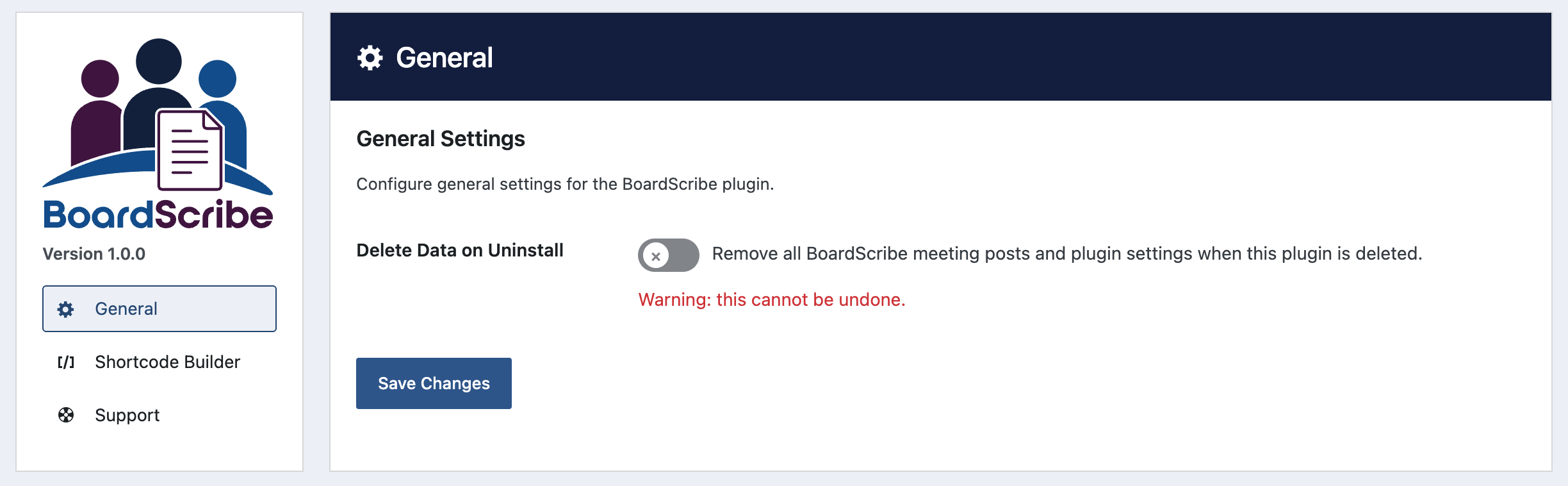
Delete Data on Uninstall
By default, BoardScribe keeps your meeting posts and plugin settings when you deactivate and delete the plugin from WordPress. This helps prevent accidental data loss and allows you to reinstall BoardScribe without losing existing information.
Enable “Delete Data on Uninstall” if you want BoardScribe to permanently remove its data when the plugin is deleted.
When enabled, deleting BoardScribe will remove:
- BoardScribe meeting posts.
- BoardScribe plugin settings.
It will not remove documents or other files uploaded to the Media Library.
After changing this setting, click Save Changes. Nothing will happen until you deactivate and delete the plugin from the plugins page.
Warning: This cannot be undone. Before deleting the plugin with this option enabled, make sure you have a backup or have exported any meeting information you need to keep.
Shortcode Builder
The Shortcode Builder settings page provides tools for creating BoardScribe shortcodes that can be added to pages or other areas of your website.
See the Shortcode Builder documentation for instructions on creating and using shortcodes.
Support
Use the Support page in BoardScribe settings to find documentation and support resources for using the plugin.
We provide support for the free version of BoardScribe via the WordPress.org support forums. Go to the BoardScribe support forum and start a new thread to request support.
Future Settings
BoardScribe is actively being developed, and we may add additional settings in future releases. When new options are available, they will appear on the settings page and will be documented here.