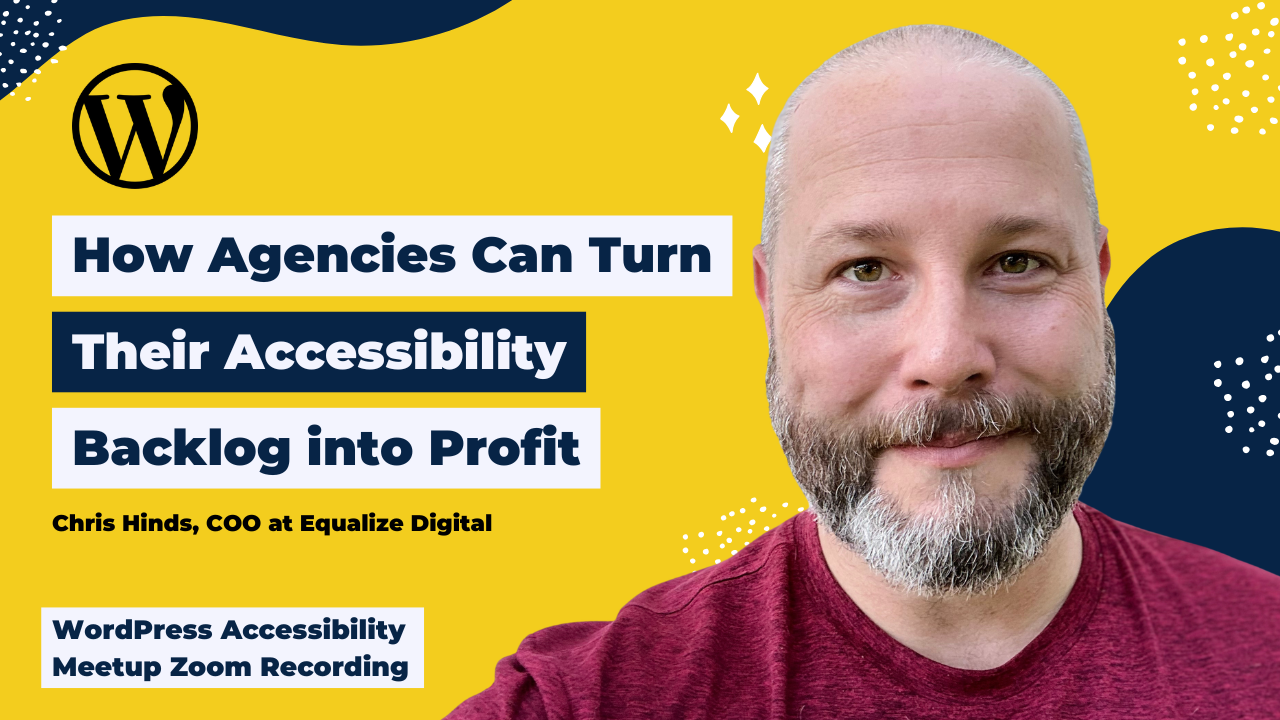
Accessibility is not just about compliance, and this session shows why it’s one of the most overlooked growth opportunities for agencies.
In this session, Chris Hinds, COO at Equalize Digital, shares a practical, agency-focused approach to website accessibility. From developer tools like automated scanners and linters to larger strategic decisions like rebuilds versus retainers, this session is packed with actionable ways to improve both user experience and business outcomes.
Chris covered how to build accessibility into every stage of a project and how to reduce accessibility debt before it becomes costly. Chris also walks us through real-world scenarios, common pitfalls, and helpful tools.
Thanks to Our Sponsor
Watch the Recording
If you missed the meetup or would like a recap, watch the video below or read the transcript. If you have questions about what was covered in this meetup please post a message in our Facebook group for WordPress Accessibility.
Read the Transcript
>> AMBER HINDS: Good morning and welcome to WordPress Accessibility Meetup, How Agencies Can Turn Their Accessibility Backlog Into Profit with Chris Hinds, who is my partner and COO at Equalize Digital. A few announcements before we get started. If you haven’t been before, it’s good to know that we have a Facebook group that you can use to connect between meetups. You can find that if you go to facebook.com/groups/wordpress.accessibility. It’s a great place to share what you’re working on, get feedback, help other people, generally discuss accessibility and making WordPress websites more accessible.
Everyone always asks, is this being recorded? The answer is yes, it is being recorded. It takes us about two weeks to edit the video, get corrected captions and a full transcript, and write up a summary post. Then we do publish that on our website. You can find upcoming events and past recordings in one place if you go to equalizedigital.com/meetup. The other way to get notified when the recording is available is to join our email list. We send out emails every Thursday with news from around the world related to accessibility, a bunch of different resources, and yes, links to the recordings and announcements when the recordings are available and for upcoming events. You can join that if you go to equalizedigital.com/focus-state.
Finally, if you prefer to listen rather than watch, we publish the recaps also on our podcast, which you can find at accessibilitycraft.com. If you have any suggestions for the meetup or you need any additional accommodations to make this meetup work for you, please contact us at meetup@equalizedigital.com. I am Amber Hinds. I am the CEO of a company called Equalize Digital. We are the lead organizer for this meetup. We are a mission-driven organization and a corporate member of the International Association of Accessibility Professionals focused on WordPress Accessibility.
We have a WordPress plugin called Accessibility Checker that helps you find and fix problems on your website. We also offer multiple online courses. We have courses for NVDA and voice-over screen reader testing, and not listed here, we actually have a course on selling accessibility and contracts and all kinds of stuff. Maybe Chris will talk about it later. I don’t actually know, but we have online courses. We do accessibility audits, remediation, and consulting. I’ve said our website about a million times already, but if you want to learn more, you can go to equalizedigital.com.
We have a sponsor who I want to thank today, and that is Kinsta. Kinsta is very generously covering the cost of our live captioner with our certified captioner who’s here today, and also post-event captioning and transcription. Kinsta provides managed hosting services for WordPress. It is powering 120,000 businesses worldwide. Based on the user reviews, it is the highest-rated managed WordPress host on G2. It has everything you need, including an unbeatable combination of speed, security, and expert support. It’s powered by Google Cloud and the fastest C3D and C2 servers combined with CDN and edge caching. Your sites are secured with Cloudflare Enterprise, protecting you from DDoS attacks.
All plans include free migrations. The first month of starter plans is completely free, so you can try the service risk-free. You can learn more about Kinsta if you go to kinsta.com. That’s K-I-N-S-T-A dot com. I always ask if you are willing, on whatever social media platform you use, to go post on their page or tag them in a comment and say, thank you, Kinsta, for sponsoring captions for WordPress Accessibility Meetup. It helps to encourage them to want to continue covering the cost of captions and supporting this event so that we can make it as accessible as possible. If you’re willing to do that, I would very much appreciate it.
We have two upcoming events you should be aware of. On Tuesday, June 16th at 10:00 AM Central Time for the US, this exact same time slot, just on Tuesday, June 16th, Emilio Dominguez will be giving a developer-focused talk, Building Your First Accessible Gutenberg Block. If you want to learn how to build native Gutenberg blocks, this is a great meetup to come to because it will help you see that code and learn the process, and I promise it will not be scary. He’s going to help walk you through simple steps to actually create a block. That’s Tuesday, June 16th.
Then I do want to note that our first Thursday meetup for July, we have decided to cancel because it is very close to the 4th of July holiday in the US, so we will not be meeting the first Thursday in July. We will be back again on Tuesday, July 21st at this same time, and Samantha Merrett, who presented earlier in the year, who works for the government in the UK, is going to be doing “From Inaccessible to Inclusive: A Practical PDF Remediation Demo.” There were folks that had follow-up questions during her presentation about how do you actually fix a PDF to make sure that it is accessible, and so she is going to walk you through the process of taking a PDF and remediating it for accessibility and screen reader users.
Now, I am very excited to pull up and introduce here my partner, Chris Hinds. Chris is the COO of our company at Equalize Digital, where he oversees business development, human resources, financial operations, but most importantly, he does all of our sales, and he is the primary point of contact whenever we get new clients and helps do a lot of those conversations and management and planning. He is the best person, I think, really, to talk about this from that agency perspective. Welcome, Chris. I am going to–
>> CHRIS HINDS: Hello, everyone.
>> AMBER HINDS: I’m going to stop sharing. I’m going to let Chris share. We will be back at the end to do questions. If you have any questions, there is a Q&A module in Zoom. Please try to put them there because sometimes they can get lost in the chat, and I will come back at the end to pass those along to Chris.
>> CHRIS HINDS: All right, thank you, Amber, for that lovely introduction. Hey, everybody, it’s great to be here, and I love seeing so many familiar names in the chat, people I’ve had meetings with, people I’ve exchanged emails with, even as recently as yesterday. Hi, Karen, I’m looking at you. It’s great to be here. It’s an honor to be here. I think it’s been over a year since I’ve last presented at a meetup.
This topic that we’re talking about today, which is how agencies can turn their accessibility backlog into profit, is something that has been front of mind for me for about two, three years now. I’ve had many different types of talks and presentations on things adjacent to this subject. What I’ve really tried to do with this presentation is try to crystallize all of those disparate pieces. The case of why accessibility is important, the actual methodology and tooling you can use to start to deliver this, and why you should really consider this as an agency, and even how to talk to your customers about their accessibility debt or their accessibility backlogs as their agency, as their fiduciary, the person responsible for their website.
I have tried to condense all of that into one presentation. What this won’t necessarily do is give you the exact tooling and method, step-by-step, super granular to do this. Some of that you’ll have to work out around your own internal processes. What I’m hoping I’m giving you is at least the scaffolding or the framework of how to approach this. I really want to begin this entire conversation with you today with why your accessibility backlog really might be your next revenue stream. I want to dive in because there is quite a bit to get through.
Starting high-level. Why do many agencies have these large accessibility backlogs? Well, there can be multiple reasons, and it isn’t necessarily the agency’s fault. In some cases, the concept of accessibility is totally new to that agency or that freelancer, and they’re still in the information-gathering phase. That may apply to some of you here today. Actually, any of these may apply to some of you here today, if I really think about it.
You’re aware of accessibility, but there’s no in-house champion on the team trying to build out a complete program, or accessibility is being championed, and there is either the beginnings of or a complete program, but there’s a lack of buy-in from customers. There isn’t the financial motivator, the fuel for the engine to make accessibility a major priority. Or there’s enthusiasm about accessibility at all levels. The customers have bought in, leadership and the team are all behind it, but there are knowledge or tool gaps that are introducing barriers.
To start us off as an illustrative tool, I would like to tell the story of two very different digital agencies, both of whom have bid on building the same accessible website. What we’re about to get into is a case study that’s been anonymized and tweaked to not identify any real-world organizations, but this is all based on real data and real numbers from two very similar projects. The agencies that delivered these two similar projects are what I would call archetypes of real-world agencies that I encounter frequently.
Imagine that we have these two agencies that are facing off on the same website project. We’re going to call one of them the Ostrich Agency and the other one, the Fox Agency, to keep things easy. As we go through this, I want you to think about projects that you’ve worked on or submitted proposals for recently and try to draw some parallels, and let’s try to learn from the results of these projects or the work that these two agencies do together.
For my accessibility veterans in the project, I don’t know that these illustrations that I’m about to go through are going to be particularly eye-opening for you because you’ve been doing this for a while and you’re like, “Yes, duh, I know that accessibility delivers amazing results.” For the skeptical, for the new people, I’m hoping this will tickle your brain a little bit and get you to really think about your processes and how maybe, just maybe, you’re leaving money on the table, and you’re delivering worse results for your clients by continuing to ignore accessibility.
I want to begin with both of these agencies to talk about what their general philosophy is. From there, we can dig into the website project itself. First up, we have the Ostrich Agency. They prioritize rapid execution. They’re there to get short-term wins, and they are business results focused, and they rely on automated tools for accessibility. They might do some automated testing, or maybe they use overlays. The Ostrich’s pitch can be summarized as, “We’ll get the same results as the Fox Agency in less time for less money. Let us help you check this off your list so you can get on to the next priority.”
By contrast, the Fox Agency, when they’re pitching this website project, they’re positioning themselves as an organization that starts with a good plan that focuses on creating long-term value. They have a user-centric focus, and they account for accessibility throughout the project. Their closing pitch is, “Smart planning today saves headaches tomorrow. It will take longer, and it will cost more, but that’s what it takes to do the job right.”
Here’s our client. This is again based on a real company, but some details have been altered. The client is Hearth and Harvest, or Harvest and Hearth, excuse me, Cafe, a specialty cafe and artisanal bakery in Fremont, California. They are a cozy, locally owned cafe and bakery. They specialize in farm-to-table ingredients, handcrafted baked goods, and the cafe has become a go-to spot for professionals, students, and families looking for high-quality coffee, fresh pastries, casual lunch fare.
The business generates around $700,000 in annual revenue and operates with a small but dedicated team of nine hourly employees who handle the day-to-day operations. They’ve been in business for a while, and they have a healthy profit margin for their industry, about 12.5%. They are approaching these two agencies for this website. That website will be a custom theme, four to five designed pages or layouts, a contact form. They want integrations with an off-the-shelf or online ordering or reservation system, so like they can go out and get OpenTable as an example or something like that. They want to integrate with that.
Their content includes 25 webpages, 10 PDF files that total about 30 pages. Those are like their event catering menus. They have one five-minute video that highlights their local partnerships with farmers. The website gets a respectable 20,000 visitors a month on average, and their best guess for converting a website visitor to a guest in their Fremont-based cafe is about 0.15% based on customer surveys at checkout that they did where the customer said, “Hey, I found you online, and I went to your website.” They have a $25 check average, and they have about a 12.5% profit margin.
Again, we’re getting into numbers here because we are going to actually do some ROI calculations later. Proceeding in the same order before, we’re going to start with the Ostrich’s approach to this project. The Ostrich, which is all about checking things off, getting things done, delivering those business results quickly. They utilize a popular no-code page builder to generate custom layouts for the client. Designs are actually done in browser and account for mobile screen sizes as well.
The primary criteria that the Ostrich Agency uses for the ordering and reservation system is that it has to integrate easily with their existing tech stack. This keeps the budget lower. The page builder’s built-in form solution is used for creating the web forms, and the content is migrated as is from the various PDF docs, and they’re adapted to approved layouts. The promotional video and the PDFs are embedded as is in their designated areas on the site, and no efforts are made to make them accessible. They check color contrast, and they make sure the images have alt text. They are putting good effort into accessibility, and they recommend for the rest of it, a popular accessibility overlay widget or front-end toolbar, assuming it will handle everything else.
The Ostrich’s budget for this work is about $8,000 for the base design and development. Then for accessibility, they are investing nothing in scanning tools, nothing in manual evaluation. They are spending about four hours remediating some basic accessibility and putting some consideration into color contrast and into image alternative texts. The very, very, very basics. They’re not doing anything with the video, and they are bringing in that overlay tool, which is going to cost about $1,500 a year to have on the front end of that website.
The maintenance costs for them is going to be about $600 per year for the total cost of $10,500. Basically, the overlay budget, we should highlight at this point, is being paid out to a different company and not to the Ostrich. We’re going to circle back to that later.
By contrast, here is the Fox Agency’s approach. They are collecting the content from the customer before design, and they’re reviewing that content to ensure that the structure of the content is clear and that the CTAs or the calls to action are also clear. Multiple options for the ordering and reservation system are evaluated, and they choose the option that can be used by the broadest audience possible. The primary criterion is user usability.
They design and they build from a set of boilerplate components that can be modified to fit the customer specifications, and accessibility is considered at both the design and the code level. This, of course, takes longer. The agency is using their standard form building solution, which they already know upfront has accessible outputs when it’s configured correctly. The Fox Agency also looks at that promotional video, and they make sure it receives captioning and transcripts. All of the PDFs are converted into webpages to improve their discoverability and search, except for two sample menus, which are remediated manually to ensure they’re accessible in document form.
Finally, the Fox Agency, in addition to those early-stage tests, they bring in an expert from outside to validate that the website’s major components conform to WCAG 2.2 AA, and an automated scanning and monitoring plan is put in place on this website going forward. The Fox’s budget in this case, their base design and dev is $12,000. The accessibility budget for their side of things is about $190 for the scanner, and that cost is per year. They invest about 18 hours or $1,800 of budget time in evaluation, another 12 hours in remediation time for about $1,200. These are assuming rates of $100 an hour. They put about $150 into multimedia remediation. They have zero budget for an accessibility overlay or toolbar.
I saw George asked, what am I rolling into overlay? Basically, what I actually did for this is I looked at the average cost based on traffic because with overlay or accessibility toolbars, you pay based on traffic. If your website has more traffic, you pay more money. If your website has less traffic, you pay less money because all of that stuff is being delivered from a third-party server. They have to pay for their infrastructure. Based on this organization’s traffic, the Harvest and Hearth Cafe, that is what they would pay, law of averages across three different overlay companies who posted public pricing. That’s how I arrived at that.
The maintenance that the Fox Agency is going to charge for is $1,200 per year. The total cost in year one for the Fox Agency is going to be $16,540. It is considerably more at face value compared to the Ostrich Agency. I want to look at direct costs over a five-year period for both of these agencies. This is the direct cost that would be paid by Harvest and Hearth Cafe. In scenario one with the Ostrich Agency, they would pay $10,500 in year one. Then in years two through five, they would pay $2,100 for the maintenance and for the overlay tool, for a total of $18,900 over that five-year period.
For the Fox Agency, they’re going to pay higher upfront costs. In year one, they’re going to pay $16,540. Then in years two through five, they’re going to pay $1,390. The ongoing maintenance costs are a bit lower primarily due to the lack of that overlay solution, which charges a considerable amount of money based on traffic. The total ends up at $22,000. Contrasting the two, there’s about a $3,000 difference over a five-year period. It’s $18,900 versus $22,100, or excuse me, about a $4,000 difference.
Now let’s look at ROI starting with the Ostrich Agency. For the Ostrich, the modern design actually does more than triple their conversions to a modest 0.5%. Remember it was at 0.15. There is a short-term dip in traffic in year one, unfortunately, due to some issues with the semantic page structure that gets corrected later. That stabilizes in years two through five, and a modest net increase over the five-year period of traffic is around 5%. New bookings and catering options, along with the increased traffic from years two through five ends up generating about $91,000 in additional annual revenue. Sounds good, right? That’s $9,000 in annual profit.
In year three, unfortunately, Hearth and Harvest Cafe is slapped with an accessibility lawsuit and is forced to settle. The average settlements for those is around $15,000, plus they pay out $5,000 in attorney fees. They still have to, as part of the settlement, pay to completely remediate their inaccessible website, which costs another $21,000. The project finishes three months sooner, though, compared to the Fox Agency. That’s sooner they’re collecting on the benefits of a redesign. That actually adds $22,000 to their new revenue because they finished sooner in that year one.
The base five-year ROI, calculating all of this out, and I have the spreadsheets for this, is around $5,576.56, negative. We calculate their ROI by taking the projected total increase to actual profit, including an increase from them finishing sooner over that five-year period. Then we subtract the Ostrich Agency’s costs that we outlined before, plus the unexpected audit remediation and lawsuit costs in year four. When we do that, we end up at this slight loss.
The Fox Agency looks a bit different. First of all, their accessible redesign increases conversions to about 2%. This is something that we see in the real world in the remediation projects that we do. Year-over-year traffic comparisons also show a near-immediate traffic gain of 15% post-launch due to structural improvements around accessibility. Again, this is something that we see repeatedly in remediation projects that we do. Massive traffic and conversion rate increases and the high usability of new features end up generating $269,000 in additional annual revenues. Again, we can calculate this because we know the conversion rate, we know the check average, we know what the customers are spending, and we know the Delta or how it’s changed. This is based on, again, real projects.
In year three, because again, reality exists. We don’t live in a perfect world, mistakes happen, problems come up. In year three, Hearth and Harvest Cafe’s automated accessibility scans under the Fox Agency’s maintenance plan end up detecting accessibility regressions. They have to engage in a proactive manual audit and remediation project that does cost them $15,000 to correct course, but they’re never sued. The base five-year ROI, real additional profit for the Fox Agency, is $125,700 that goes straight into the bank of Harvest and Hearth Cafe.
Again, we’re calculating this ROI by taking the projected total increase in actual profit over five years, subtracting what the Fox Agency charges plus the accessibility refresh in year three, where things went a little bit sideways. Totaling all that up, we end up with this base ROI. What does all this mean? That’s a lot of numbers, it’s a lot of information. Here’s what it means. The Fox Agency’s base five-year budget was just $3,000 more, but it is statistically likely, based on data that I have seen over and over and over again on accessible rebuilds, accessibility remediation projects where accessibility is prioritized, it is statistically likely to deliver a 5X return on that investment.
Talk about no-brainer. $10,700, what’s that number? That number is the base revenue that the Ostrich Agency abandoned over five years by choosing to automate accessibility with an overlay solution. Now, over a five-year period, that’s a couple grand a year, that might not seem like a big deal to outsource accessibility to a different company and not deliver some of that yourself in-house, maybe it’s just the remediation and you bring in that third-party expert to audit like the Fox Agency does, but what if you do that for 50 clients or 100 clients over that five-year period?
Ignoring or deferring accessibility or completely passing it off to a third-party automated solution doesn’t just cost your clients, it costs you. Even if you’ve been doing that for years, there’s an opportunity to start taking back that lost revenue and tackling the accessibility debt right now and unlocking some of that missed money. How does accessibility debt get introduced? If you read between the lines in my case study about the Ostrich Agency, maybe you’re already drawing some conclusions about how that happened, but accessibility debt can get introduced in, I think, four main scenarios.
The first one is the agency’s design, development, and content entry processes just don’t account for accessibility sufficiently, and work needs to be done there. Or maybe there are off-the-shelf tools that that agency prefers or uses, and the templates or layouts or functionality that comes bundled with those also come bundled with accessibility issues built right in that are outside the agency’s control. Or client decisions and action [sound cut] that’s their preference. We’ve talked ad nauseum about clients being closely guarded around their brand colors, even if they have super washed-out light palettes that don’t promote high contrast. That’s just one classic example.
Particularly non-technical clients I’ve found are the ones that will inadvertently make choices that hurt accessibility. Unless they are stopped and that’s really carefully explained to them, those can sometimes just fly under the radar, and then they become a big problem later. Or a lack of scope and resources is dedicated to automated and manual accessibility testing. The systems are maybe there, the knowledge is there that it’s important, but there’s just a lack of investment due to budget constraints on the customer side.
Here’s how accessibility debt really manifests in our agency world and for our clients too. The first one is lost time. It takes more time and effort, as we saw with the Ostrich Agency, to go back and fix accessibility issues after the fact. That loss of productivity from teams as they go back to correct entirely preventable problems later has a real bottom line impact. Deficient user experience. When we have decreased usability for all users, that user frustration and abandonment that results means lower traffic, lower conversions, and just general below-average performance.
If you see a site with declining traffic and low conversion rates, and it’s just not performing well, one of the first places I would look, honestly, is how accessible is it? Because accessibility touches all of those areas. What does that translate to? The lost time and the deficient UX? It translates to lost revenue. There’s loss of potential customers, reduced loyalty, less repeat business, and just negative impact on brand reputation. These are all things if you’ve been to multiple meetups and interacted with Equalize Digital on any level, these are messages you’ve heard us shouting from the rooftops before. What I’m covering here is nothing new for our veterans in the audience. If you’re new, I still think this is important information to share.
Then finally, increased risk. As we saw with the Ostrich Agency version of this project, in particular hotspots, California being one example, there are increased risk of lawsuits. In certain parts of the world, depending on what your legal positioning is, there’s risk of fines or regulatory actions or maybe straight up being banned from doing business in that area, in the case of some penalties around the European Accessibility Act, for example.
When someone says to you– I’m talking to the agencies in our audience and the freelancers in our audience. When someone says to you, “We just can’t fit accessibility into this,” what they’re actually saying– and I want you to translate this in your brain. What they’re actually saying is, “I’d like to take out a short-term loan for my future time, my future user experience, my future revenue, and my future risk profile.”
It’s equally important to stress that accessibility is not all or nothing. If you can only fix what automated scanners are finding, or if you can only manually evaluate the header and footer and homepage and not every unique layout on the site, that is substantially more than zero. People like me in the accessibility space will encourage you to do more as I’m doing right now, but we’re also going to cheer you on for doing something. Remember, it’s progress, not perfection, and every bit of effort to address accessibility debt is going to tangibly benefit you and your customers.
Here’s where the rubber hits the road, proverbially speaking. How can we turn this accessibility debt into sustainable, profitable service offerings that benefit everyone? Well, here’s the interesting thing. If you’re here and you’ve built dozens or maybe even hundreds or thousands of websites, it can feel really awkward to go back to your customers from months or years ago and say, “Hey, so remember that website I built you that I charged you potentially a lot of money for? Well, it turns out there were some best practices that I didn’t quite follow.”
You don’t have to approach it that way. It can feel like that in your mind. You can feel like they’re going to get mad at you or demand their money back or just freak out. There’s a certain way to approach this that I have seen firsthand works extremely well. We need to do some framing. We need to give our clients, including our past clients who may have this accessibility debt, a why that’s going to resonate with them. That aligns with an offer that we plan on making.
It can feel really intimidating to try to introduce this to existing customers. There are different strategies. You can do blog posts, webinars, drip campaigns, but for the purposes of this presentation and the idea of making this as actionable as possible now that we’ve illustrated the problem, I wanted to give you a quick idea of how to use just a simple framing technique in an email to start reaching out to customers with an offer. We want to keep it easy. We want to keep it to the point.
Here’s an example that you could tweak, season to taste, use it in your own practice. Basically, it’s a, “Hi, name, or Sally in this case. As part of my ongoing work, I’m always keeping an eye on how digital best practices are evolving. I wanted to share a really important trend that I’m tracking. In the last few years, digital accessibility has become a major strategic priority driven by both new legal standards and a growing awareness of how much it actually drives bottom line results for companies like ACME Co.
Because you’re a valued client, I was proactively reviewing your site through this new lens, and I’ve identified several key opportunities for us to level up your site’s quality to align with these new best practices. An upgrade in this area would help you reach a wider audience, improve your site search performance, and ensure all your customers have a great experience. I’ve put together a roadmap for what this looks like with specific milestones and the outcomes we’d expect. How does next Tuesday at 2:00 PM sound for a 15-minute primer on this? I’d love to walk you through what I found and discuss how we can keep your site ahead of the curve. James, agency owner.”
I’m going to share two different concepts you can frame around, both of which we’ve done at Equalize Digital hundreds of times. I’ve seen all sorts of different individual freelancers and agencies do successfully. We’re going to get into some offers here. This type of email. You can tweak this. In this case, maybe I know, as their fiduciary, as their agency, as their web professional, that they really care about search performance and reaching a wider audience, and ensuring all their customers have a great experience.
Maybe if I’m talking to a main street business or an e-commerce company, maybe that makes sense. If I’m talking to a nonprofit, maybe I’m going to be talking about their impact or their fundraising or other things that I know that accessibility can touch. If I’m going to be talking or sending this out to a state or local government, maybe I’m talking about legal compliance under ADA Title II because there’s major deadlines that were just recently pushed out a year, but they’re still coming, they’re still on the horizon.
You can tweak this, you can change certain parts of it to make it resonate with this person. The main thing I want to say here is don’t email blast this out to 5,000 people with a generic message. The way you’re actually going to get a response on this is if you tailor it based on what you know about that person. I just happened to glance out over a chat, and I have to stop myself because Eileen made a great point, which is for nonprofits, funding can rely on being compliant, AKA meeting accessibility standards. That’s absolutely true under Section 508.
The more you educate yourself about this as an agency, or as a freelancer, the more you can build these types of outreach to resonate. There are two main approaches for an offer I’m going to talk about today. I’m going to share some tooling around both of these types of offers that you could do that can be helpful. The first concept I want to talk about is a rebuild. Not fixing what’s there, replacing it. This may or may not be the right move depending on the age and performance of the current website and how the current website is built.
I have to shout out a previous presentation that Amber and our CTO Steve did called Remediate versus Rebuild. Maybe Paula can find a second to dig up the link for that if she’s able, but it’s a great walkthrough of the strategic thinking around that and helping people come to the right decision. I digress. For a rebuild, the result we’re trying to sell here is a high-performance lead gen engine if we’re talking to a standard business. It’s designed to capture most of their potential market.
By taking what they’re already doing well, dialing up the usability, current users are going to be more likely to engage longer and convert more, which creates a positive ripple effect across metrics that both AI and traditional search engines measure carefully. That ripple effect in turn boost traffic, which feeds back into even more conversions. Again, as I alluded to earlier, we’ve seen these 2% to 3% increases in traffic, or 2% to 3% increases in conversions, 15% increases in traffic post-remediation and post-rebuild when accessibility is prioritized. We’ve seen that time and again.
The pain points we’re looking for where a rebuild may be necessary is the owner and founder is talking about how their revenue is growing or how revenue is growing, but their inbound leads are plateaued or even declining. They want to be one of the most recognized local competitors. Maybe they have local competitors in their space that are a bit ahead of them in terms of website quality, or maybe an operations manager who says that their main competitor’s website is super impressive and it’s outranking them on virtually every keyword they’re talking about.
Maybe their ops manager or the general manager or a director-level person is saying that they just feel like the website is working against them and they’re falling further and further behind. These types of deep expressions of frustration with an existing website on top of accessibility concerns is a great sign that maybe a rebuild is appropriate because we already know that the website maybe isn’t even fulfilling the fundamental baseline needs of the people operating the business or the business’s needs to market itself and grow. Layering in accessibility with a rebuild might be the best move.
On average, as I mentioned, we have seen accessible rebuilds increase traffic by 15%, add 2% to 3% to the website’s conversion rates. This is because accessible websites are more usable both by humans and by search and AI crawlers. If you apply these figures, that 15% traffic, the increasing conversions to their revenue, and their start point for traffic and conversions, it is fairly simple to do some back-of-the-napkin math and project future returns. This works best for customers who rely on their websites heavily.
On this next slide, I’m going to recommend some tools that you can use as part of an accessible rebuild to make sure that accessibility is getting worked in in key areas. Now, it doesn’t mean that you have to use these tools. These are just some examples. Some key rebuild tools are– I would be remiss if I didn’t mention Accessibility Checker. It’s our software. You can use it to scan and fix while you build and monitor websites for accessibility post-launch. There are other tools out there like Wave that you can use to check for accessibility page by page, but it’s one that we definitely recommend if you’re going to build inside of WordPress.
The next one is Slickplan. We use this all the time in-house, and I know many other accessibility professionals who use it as well, but it’s great for planning out site maps and site structure, mapping out user journeys if you need to really carefully consider how a user is going to move through an experience and what the touch points are, and maybe identify where you need to test or maybe what could trip certain types of users up, maybe blind users or low vision users or deaf or hard of hearing users, users with cognitive disabilities. Mapping out how a user is going to move through a website and what the structure of the website is is absolutely essential to planning effectively for an accessible website build.
The next one is Stark Plugins. If you’re working within Figma or Sketch or XD, Stark has a suite of automated and semi-automated accessibility-related tools. Things like checking for color contrast, adding annotations to design around semantic structure, and a few other items. If you look up Stark, and if you’re already using Figma or Sketch or something like that, you can use their solutions to help basically catch accessibility issues before your developers build them into the website. That’s super important because it’s going to save you time later.
On the dev side, and I’ll be super clear, like I’m not a developer, so I can only speak to these next two to a very certain relatively low level of coherence. I know from the work our internal team does that Webhint is one that allows you to test as you code. I know we’ve used this and have recommended it in the past, and it includes accessibility tests. Then Axe Linter. Axe by Deque is obviously well-known in the accessibility space for a lot of their software and tools, but they have a linter that will allow you to test pull requests and automate some of those accessibility-related housekeeping items as you write code.
Again, these things are to save you time later to organize your thinking around accessibility and to make sure you don’t leave things by the wayside by mistake. Some other tips to make this easier include building with accessible WordPress products. If you have a particular stack, checking that accessibility documentation. If you have budgeted for a QA phase, which hopefully you are on any new website build, making sure that you’re not only saving accessibility considerations for QA, because that is a one-way ticket to a bad time. Trust me, I know from experience.
Having a professional manually test is incredibly important. Just remembering this mantra, which you can’t fix what you can’t control. Making sure that you have the necessary level of control to control accessibility outcomes based on the solutions you’re choosing and the options they make available for you to configure what’s happening on the front end. I’m primarily talking about WordPress plugins and themes here. Just remember, you can’t fix what you can’t control.
The other way to approach this is the retainer approach. There’s more ways than just these two, but I think these are the two that are easiest for agencies to get their heads around. I would look at the retainer approach as a viable alternative to rebuilding. This works well in situations where you feel like maybe there’s a solid foundation to build off of in terms of the existing website, maybe the website isn’t that old, and you know how it’s put together. For this particular offer, really the result we’re selling is ongoing performance optimization and brand insurance.
Again, talking small to mid-sized business type offer framing here. Really around this, we want to acknowledge that that website’s a key asset, and the service that we’re offering here, this accessibility-focused retainer that’s around optimization and brand insurance is designed to protect that asset and make sure it gets better every single month rather than getting worse. The result is a systematic removal of user frustration, so enhancing conversions and a documented proactive compliance strategy to help mitigate legal and compliance risks by proving progress over time, all for a predictable monthly cost.
Again, this framing here is assuming that the customers you’re talking to are maybe not public sector. Like big nonprofit, government, higher education, maybe they don’t know a whole lot about accessibility. You’ll notice the framing here, while it acknowledges accessibility and user needs, it is not using that word excessively. The reason for that is we need to position this offer in terms our customers can understand and wrap their heads around, using words that they get, because the fastest way to a hard no and we’re not going to budget for it is to start listing out WCAG criteria numbers and showing them a scan report and talking about how a screen reader user is going to move through their website.
I’m speaking from my own experience. I’m not saying that those things don’t matter. I want to be super clear. I’m talking purely from the standpoint of sales and getting someone to listen to you so that they buy into these best practices. It is helpful to frame accessibility in a way that they’re going to be able to wrap their head around, as long as it’s true. We can’t say that accessibility is going to make their laptop hop off their desk and levitate in the air. We can’t make ridiculous claims, but what we can do is we can make realistic claims based on data and frame those in a way that they understand.
The pain points that we’re looking for here is an owner or founder who maybe thinks they should be getting more out of the website they already have, and maybe they’ve expressed frustration around that, and they don’t want to break the bank with a massive rebuild. They’re okay with making incremental gains, or maybe they’re actually acknowledging accessibility, but maybe they’re acknowledging it from a standpoint of, “Hey, I keep hearing about these lawsuits. Maybe I had a couple of acquaintances in my business circles that got sued already, and it’s giving me this low-level anxiety.” Maybe they’re saying things like that, and they just want some peace of mind, or they just want to know that they’re continuously improving.
On the operations manager or general manager side, maybe they are fielding complaints from customers every month that are struggling to use the website, or they’re getting confused, or they can’t find things, can’t submit forms, and maybe it’s not some flood that makes it an emergency, but they’re just a steady, every once in a while they’re noticing this, and it’s leading that ops manager or that general manager to believe that they’re losing people. They’re losing potential customers, and maybe they even feel a little bit embarrassed when they have to apologize to a potential customer who couldn’t use their website.
These are just some ideas of what to listen for where that retainer approach, that continuous improvement approach might be a good idea. The ROI here is– Assuming they keep that existing website, the alternative to this continuous improvement plan is to wait for a problem. As we saw with the Ostrich Agency example earlier, that single one-time audit and remediation project or a big one-time budget bomb can cost between $15,000 and $30,000. I would think of this like preventative medicine versus emergency surgery. That’s a great way to position it to someone.
Over the time, the size of the retainer can go down as you run out of things to improve. You can sell to them this idea of steadily declining costs as the website moves up to standard. This really resonates with people. When you show someone a big monthly retainer, they immediately assume in their brain that they’re going to be paying that forever. Assuaging that fear of saying, “Hey, this is finite, this can change,” is incredibly helpful.
In this space of growing legal pressure, the lawsuits, the laws that are emerging in multiple parts of the world, really the best defense is a good offense. Again, these are things you can tell your customer. Every month you can give them a report showing the issues that were identified and the fixes that were deployed so that they have clear understanding of what you’re doing.
Key retainer tools. Again, I would be remiss if I didn’t mention Accessibility Checker as an option if you’re working in WordPress. There are other tools out there that can provide continuous reporting. Wave has an API, Axe has some automated scanning and platforms as well. We certainly aren’t the only solution out there. As far as WordPress-specific tooling, I’ve got to recommend Gravity Forms. As far as I am aware, based on our many years of experience working in the space, they are among the most accessible, if not the most accessible form builder, and they have built a reputation for that, which is well-deserved.
For block-based or theme-based builders, Kadence WP was, I believe, the only one to get a 100% score in our most recent page builder accessibility report that we did in the middle of 2025. Then Elementor was the standalone page builder, I believe, that got the highest score from that report. I wanted to share one in each category. Technically, Elementor scored lower than Kadence, but I know some folks really like the block editor and want to work in that system. Other folks prefer a page builder experience. I wanted to, based on our testing, share an option from each.
There are, I believe, some builders that ranked between these two in our list, and we’ll share a link later so you can check that list out. Then for better mega menus, Max Mega Menu is one that I can recommend. It is not perfect out of the box, but it is the de facto best and most accessible mega menu solution that currently exists in WordPress if you’re looking for something off the shelf.
Tips to make this easier. Automated tests first, then manual, is a great idea. Starting with the simpler, low-hanging fruit and identifying and fixing those global issues can let you show a lot of results very quickly. Then molding or morphing that into a manual testing with keyboards and with screen readers to catch those harder-to-find issues can be a great process for these types of retainers.
I would generally recommend, at a high level, to rely on WordPress Core where possible. If you’re not aware, WordPress Core has an amazing and dedicated accessibility team that reviews things and submits pull requests and is involved in all of the releases of WordPress Core. They do exhaustive testing of everything, and they provide feedback, and they provide direct solutions to make sure that WordPress stays as accessible as possible. Again, relying on WordPress Core where possible, I think, is generally a good idea from an infrastructure standpoint.
If you can’t fix something, going back to that idea from the rebuild of what you can’t control, you can’t manage, if you can’t fix something, try to replace it or swap it. Just for the sake of example, say you’re using some other form building plugin, and you have identified accessibility barriers inside the front end outputs of that form building plugin, and there is no native setting or configuration or thing you can do in that existing plugin to fix the accessibility problem you’re finding, maybe consider swapping whatever that form building plugin is to Gravity Forms or to another web form builder that has a stellar reputation for accessibility like Gravity Forms.
Making those swaps can save you a ton of remediation time and headaches if you’re able to do that. As I alluded to, and Accessibility Checker makes this super easy, identifying and fixing those global issues for the biggest impact. I actually posted about this on LinkedIn the other day. In the last, I want to say 90 days or so working with a children’s hospital, our team was able to take an Accessibility Checker report with an excess of 25,000 issues down to around 4,000 issues in 90 days. 90 days, 21,000 issues solved roughly.
This is the power of prioritizing global accessibility fixes first. Let me tell you, if you want to impress a customer, tell them, “I fixed 21,000 accessibility issues on your website in the last 90 days.” You want to talk about impressed, that’ll impress them. We’re getting towards the end here, and then I want to get to Q&A. I want to make a quick clarification before I share or shout out some additional resources. I know the chat’s been busy too. Maybe some of these have already been shared.
Before we get into that, on these retainers, on these remediation retainers, if you can fix something in the existing theme plugin or builder easily, you should prioritize doing that. It’s important to know that virtually anything can be made accessible with enough technical knowledge and custom code, but it is not always cost-effective to do it that way. The solutions that I’m recommending here are here because they can be used to do those swaps for a page or a component, or maybe even an entire builder if necessary, if something that has that current implementation is literally unfixable, or the fix itself would introduce so much additional technical debt or issues that it’s not worth fixing that existing solution.
There are more helpful resources at equalizedigital.com. Again, veterans that have attended our events are probably aware of some of these, but I have to shout them out. First is our page builder accessibility reports. Amber and our lead specialist, Maria, looked at what– was, Amber’s going to correct me in the chat if I’m wrong, but I think it was like the top 19 or maybe 18 page builders in WordPress by market share or number of installs, and basically did a standardized set of accessibility tests across all of them. All the data’s on our website, the report’s on our website. If you want to see which page builders scored best for accessibility, that is worth checking out.
We also have a checklist for shifting left with accessibility that is way more exhaustive than what I shared here. If you like this idea of considering accessibility earlier in a process and more often and launch more accessible websites faster with fewer remediation items left behind, that shift-left checklist is going to be a great value add for you. These are all free resources, by the way.
Accessibility Checker also has a free version. I’ve talked about that enough, but you can start for free. Go check it out. Then we do have online courses. You can– I mean, we have a repository of hundreds and hundreds of hours of free education too. If you’re looking to build up your skills with self-paced learning or knowledge on direct accessibility testing, say you want to learn how to test with screen readers, or you want to learn from me in a more in-depth way on how to build and sell profitable accessibility offers to your customers, we have a course on our website. These resources are just there for you. I do want to get to questions. Thank you all for being here. I think every attendee stuck with us through that. Thank you.
>> AMBER HINDS: Hey, I’m going to find myself here somewhere. There we go. Get myself up. Before you stop sharing, I actually posted a link to a screenshot that might be worth for you to click on and pull up on the topic of remediation and like what you can do over time. This is actually an audit history screenshot for that website you were talking about, but I actually went out six months instead of the three months that you had referenced before. They actually started with like 35,000 issues.
The big drops, we work on this particular site. I think they have about 24 hours of testing and remediation a month. We only work on it about one week a month for a few people working over several condensed days. Those big drops are typically when we’ve pushed a fix to like a template, and then we run a rescan, and it clears out a lot. I always think– to highlight what you were saying, that it’s really helpful to focus on those template areas and that global stuff that’s really going to impact a lot of users, and you can make big fixes.
Then, of course, you get on calls with clients, and they get real happy when they see graphs like this where the error count goes down real dramatically, and the percent passing rate goes up. I love the moment when they cross, and all of a sudden the percent passing is higher than the number of errors. That’s a good moment.
>> CHRIS HINDS: To tag on what you’re saying too, I also want to just create a realistic expectation for the new people watching. If you have a five-page website, you’re not going to have these numbers. This customer had a big website. That creates this dramatic effect. It’s a real effect too. It’s not just all drama. This is literally removing that many issues from a website that’s quite large. This is the power of prioritizing global fixes.
>> AMBER HINDS: I don’t know if you want to stop sharing. We do have some questions in the Q&A that we will run through. Brian said, “One thing we deal with, smaller businesses still do not seem to value accessibility. These are the ones who basically only have a website as a ‘point of presence’ on the web, i.e., their business does not depend on the website, no ecommerce, and they do not care about their SEO or stats. Your intro email is very helpful, but it is still a hill to climb.” He asked if that is available in a text document. It is definitely copyable out of the slides, right?
>> CHRIS HINDS: Should be. It’s text, it’s not an image.
>> AMBER HINDS: Not to be too salesy, but I think your Selling Accessibility course has a lot more extra templates available with it, right? Can you speak–
>> CHRIS HINDS: Covering different scenarios, yes. Please, what was his–
>> AMBER HINDS: Can you speak more to this, the smaller businesses, maybe a restaurant that gets foot traffic, and they get all of their visitors off of Yelp or Google Maps or something, and they don’t care about their website, and they don’t care about SEO? Do you feel like this is still worth broaching with them? If so, how would you do that?
>> CHRIS HINDS: I think it depends on the customer and their revenue. For instance, Hearth & Harvest Cafe or Harvest & Hearth, however I had it ordered, that always gets me, they were making like $700,000 a year. They’re not a massive business. They’re not making multiple millions of dollars. I think it also depends on how much insight you have into your customer’s revenue, how much business intelligence sleuthing you’ve done, but being able to put a number to something is incredibly helpful, particularly if you’re talking to the owner.
Where I’m going with this is, and I don’t know if this will directly address the question, what to do about this, but I think what I’m hearing is there are these customers who aren’t going to make this priority because they don’t feel like their website is an asset. I think to actually dig into that, improve or disprove that assumption that they’re making, you need more data. You need to maybe try to look at what their actual traffic is, try to help them figure out is the website actually doing anything, and try to ask some questions around, “Hey, about how many customers do you get a month? What do they spend on average?”
If you ask those questions casually, and you’re not doing this in a sneaky or a subversive way, what they may not realize is you can use those two data points they just gave you to backtrack and basically determine what their revenue is, because you can, customers per month times average spend per customer, times 12, that’s how much they make in a year. If you ask those questions casually, you can get to like some numbers about the business. You may be able to do some sleuthing around website traffic and everything else.
If there is truly no data to support that website, website presence equals business outcome, but the business is successful and feels good, maybe the bigger question is, why have a website that’s just exposing you to liability and potentially making you a target? Depending on what industry they’re in and where they’re at. I’ve heard more than one story about business owners who legitimately, for whatever reason, don’t need a website. Just having a Facebook page or just a profile listing on a few different industry-specific websites, and that’s all they have.
Maybe this is a counterproductive point I’m making. It’s one of those things where I don’t think that necessarily– I think most businesses probably need a website. Maybe if they think they don’t, they’re just kidding themselves. There may be some who legitimately don’t need one, but you need data to back up that assumption. If you can collect that data, go through the conversation with them, maybe you can build enough of a case to challenge that assumption and convince them to actually make an investment in accessibility because you can show them some numbers.
>> AMBER HINDS: This is making me think of, we had maybe last year, Richard Hunt, who’s an attorney who defends people and businesses who’ve been sued for accessibility issues. He gave a presentation, and then he also came on our podcast and walked us through what happens when a business gets sued, what do you do. He said something that I thought was interesting, was he’s had a few clients where their response was, “We’re just going to take our website offline.” They still had to pay something, but they literally were like, “We’re not going to fix it. We don’t actually think the website matters.”
I feel like that might be an interesting exercise to talk about with these clients. If you’re willing to accept the legal risk, what would happen if you got a complaint? Would you actually be willing to take your website offline? If they say yes, then I probably wouldn’t– I’m not of the mindset that we try and force our clients. I don’t like to guilt them into it. Now, I will say, we do secret remediation when we do other work on the old websites that we’ve built, or we have a few legacy marketing clients, some of whom actually are very big companies. One that comes to mind, I think, makes over $8 million annually.
They also don’t think their website brings them business in exactly that sense, because they are a partner with some other big entity. They’re like a gold partner, and that partner basically sends them all of their customers, but they need their website to prove legitimacy so that when company A says, “Go talk to them,” they have something to look at and get vetted with. They haven’t been super motivated in accessibility, but they’re super motivated in making sure their website looks polished and professional.
When we fix things to make it look more polished and professional, we also fix the accessibility, and we plan it in the budget. We don’t say to them, “This is an accessibility fix.” We’re just like, “This is what you need to do to make it more polished and professional.” Sometimes I feel like you can do that. I don’t know if you have additional thoughts on that, Chris.
>> CHRIS HINDS: I would say my only additional thought is if you’re able to dance around that objection of, “Well, we don’t even really care about our website,” and you’re actually able to prove like, “No, your website is important,” I’ve had those kinds of conversations, and usually the next– If you imagine just a queue of people standing in a velvet-roped line, the very next objection in line is usually, “Well, our customers don’t have disabilities.” You have to clear your urge to just immediately throw up with how offensive that is, since one in five people has an issue of some sort that they’re dealing with, or a limitation that they’re living with.
Beyond that, one of the scenarios that I like to ask when someone says, “Well, our customers don’t have disabilities,” because X, Y, Z reason that doesn’t matter, I always ask them, “Let’s say that’s true. What if one of the customers that you’re after has a sister who happens to be low vision, he’s asked her to research some things for him, she comes across your inaccessible website, and she’s not going to recommend you because maybe she can’t even access the information?” It’s not just your customers. It’s your customers, colleagues, friends, and their entire circle that should matter to you because you don’t know how they’re going to arrive at your doorstep.
>> AMBER HINDS: Sam had a question. What is the recommended tool for remediating PDFs? I know in July, we’re going to have an entire meetup that talks about that, but I’m wondering if you can take this from the agency owner’s sales hat and maybe talk about our approach to PDFs and what recommendations you give to our customers about PDFs.
>> CHRIS HINDS: Here’s my high-level feel on it. Unless you are willing to specialize or have a PDF remediation be a specialty of yours that you do a lot of work around and hire dedicated people for, it is better to just recommend a specialist to do that work and to have that be very clear and upfront. Another thing that I’ll be fully transparent about is, in our own legal terms, PDFs and docs are an exception to our accessibility guarantee because we don’t do them in-house. This goes back to that whole idea of make sure that you are only promising what you can have control over. You can’t fix what you can’t control. We don’t have in-house PDF accessibility experts.
Now, we know enough to be dangerous. I know Amber has manually remediated her fair share of PDFs because she is a superhuman accessibility person, but it’s not something we want to do ad nauseam. We would rather rely on an expert. I don’t know if it’s-
>> AMBER HINDS: Awesome.
>> CHRIS HINDS: -okay for me to shout them out. Grackle Docs is who we tend to point people towards. If you want to look them up, feel free to.
>> AMBER HINDS: Also, I’ll say, we are a small team. Maybe many people here in the audience are also small teams. If you get a client that has 50, 100, or 200 PDF documents, you could be like, “Okay, times three hours.” It depends on how long the document is. Maybe it’s an eight-hour PDF. I don’t know. Whatever that is. Then all of a sudden you’re like, “Is my entire job remediating PDFs, and do I want to do that kind of work?” I feel like you have to ask yourself whether that’s fun and interesting too, even if you have–
>> CHRIS HINDS: Some people it is super fun and interesting. I would say we don’t fall in that bucket. At least I don’t.
>> AMBER HINDS: Craig asks, “Can you talk about managing legal liability for agencies or freelancers when presenting and performing accessibility remediation to clients?”
>> CHRIS HINDS: I have a couple of very high-level recommendations. The first one, make it about the standards, not the laws. When you’re framing your offer, always frame it in terms of a standard or a subset of a standard if you’re not doing the whole service. That might be WCAG 2.1 AA, or it might be a specific list of criteria within WCAG if you’re just doing something really hyperspecific.
Make it as specific as possible for something that is measurable and provable, because what tends to not be measurable and provable are laws. We like to think that they are, they’re this immutable thing carved in stone, but once you start to get lawyers and judges involved and everything else, it gets incredibly cumbersome, incredibly expensive, and no one really knows what’s going on anymore except the lawyers make a lot of money.
Generally, that would be my advice for point number one. Point number two, I would consider building some sort of standardized exclusions list of things you don’t guarantee. That’s going to be specific to your particular workflow and what you’re doing. The final thing I’ll mention is that I teach a lot of this in my Selling Accessibility course as well, in far more detail.
>> AMBER HINDS: Awesome. Karen said, “Also want to know if agencies are getting sued.” They don’t make promises under the ADA, but they’re wondering. Have you heard of agencies being sued?
>> CHRIS HINDS: I have not heard of agencies being sued directly by the plaintiffs of the law firms doing these accessibility lawsuits. My understanding is they’re targeting the business because the website belongs to the business, not to the agency. Now, does that prevent the business from turning around and suing their agency? I don’t necessarily think it does. We’re seeing a version of that with the overlay companies, who are promising these wild accessibility promises for their solutions, and businesses and their customers, including, I think, some agencies, are turning around and suing the overlay company because the overlay isn’t working.
Just for clarity, these are the accessibility toolbars on the front of the website that promise you one-click compliance with ADA or whatever ridiculous claims they’re making. When they find out that’s not true, because they get sued anyway, now there’s class action suits against accessiBe, against UserWay, and some of the others, I’m sure. I think that ties back to, as a thread, the idea that you want to be hyperspecific with what you are promising them, and you want to have a good exclusions list that acknowledges the things you can’t control.
Chief among those would be, if you touch or update anything on this website after handoff and we’re not on some sort of maintenance retainer where the guarantee continues, your accessibility guarantee is void, because once I hand you this thing that is accessible, the second it leaves my fingertips and is in your control, if you change something about this, my guarantee no longer applies because you could go ruin the color contrast tomorrow if you wanted to, just by tweaking some stuff in the CSS.
>> AMBER HINDS: I threw a link to the one example that I’m aware of. On one of our podcast episode, we talked about–
>> CHRIS HINDS: Oh, yes. Thank you, Amber, for calling this one out. Sorry to interrupt.
>> AMBER HINDS: Do you want to talk about this?
>> CHRIS HINDS: No, please. You found it [unintelligible 01:14:21]
>> AMBER HINDS: There was an example of a developer in California that reached a $2 million settlement because they got sued. Now, note, this was on a, I can’t even remember the number, but like a $60 million website build, so a really big website build. It’s not like they got sued for $2 million and they’d only been paid $10,000. They were actually not even sued under accessibility laws. They were sued under fraud laws because they did not deliver what they had said they would in their contract.
I think that’s really what Chris is saying, having very clear language and good, solid contracts that say, “This is what’s in scope. This is what’s not in scope. This is my guarantee, and this is how long it lasts.” That’s what’s going to most protect you from getting sued by your client, I think.
I do think there’s been some possibilities in California. There’s been proposed laws about maybe making the developers responsible, but they’ve never moved forward. I haven’t heard of any anywhere around the world where the developer– It’s always the person who paid for the website, even if they didn’t build it because they hired an agency to build it. They chose to spend their money on this thing, and they signed off on it before launching; therefore, the laws make them responsible.
Let’s see. Andrea says, “We’re working on a flow where we offer a ‘snapshot’ using Accessibility Checker Pro, then give that and a quote for next steps, including manual testing and remediation. We’ve been offering an option where we can remediate just the automated results, but we’re considering nixing that since it will only get about 30%, is that correct, of the issues addressed? How do we help people understand that they really have to do both automated and manual in order to be accessible? Many still think that Siteimprove is good enough, for example.”
>> CHRIS HINDS: That’s a great point. Maybe I’m an outlier here, or maybe not. In my mind, if a customer is willing to invest in correcting the automated issues, I do think that still creates meaningful progress towards a more accessible website. It may not be the perfect thing, and there may still be total blockers that a scanning tool like Accessibility Checker can’t find, because they require manual tests.
I think it’s really important, as you’re doing, to be upfront with your customers about that. If a customer can afford to do a small subset of all the remediation they should do, I try not to get in their way and stop them from doing that because they can’t do the full package. I make sure that they’re super clear that they’re not doing the full package and what that ultimately means. In my sales conversations, I try to speak to this from a standpoint of progress over perfection.
One thing that I have done previously is I have spoken with many business owners who are concerned about potential litigation, getting sued. One thing I will talk to them about is the fact that a lot of these serial plaintiffs and law firms that are doing these thousands of lawsuits every year in New York, California, Florida, and others, they are using primarily automated testing tools to identify their targets, so if they can come up clean in automated reports, they are lowering, not eliminating, I never say eliminating, but they are lowering their risk threshold for being made a target for litigation.
Again, we’re trying to solve the customer’s problem that feels immediate to them while also advancing the cause of accessibility and framing accessibility in a way that they are more likely to care about it and more likely to invest. I don’t know how many people on this call know Anne Bovelett. She’s pretty well-known in the WordPress and accessibility circles. I have really appreciated, and somewhat myself adopted her mantra of “I don’t really care how I get you to invest in accessibility as long as I’m not outright lying to you, as long as you invest in accessibility in some fashion.” I stand behind that 100%.
If I can say or do something to get someone to invest, even partially, I’m going to do that because I can always try to sell them on more later.
>> AMBER HINDS: This is really interesting. In our agency, the way it works is they talk to Chris. He creates all the contracts, gets everything teed up, and sells. Then he hands off to me and my team, that does delivery, and our CTO that handles dev and that stuff. There’s always an interesting thing that happens. To Chris’s point, if I can get them to invest anything, then maybe I can sell them on more later. This mention of Siteimprove in this question is really interesting because this is something that came up recently. We’re working with an airport that has access to Siteimprove because their city uses Siteimprove and has been everything in the city is going to use Siteimprove.
They came to us, and they were like, “We just want you to make our Siteimprove score better.” Chris, of course, is like, “What about manual? What about all this stuff?” All he was able to sell them on was a set number of hours. It was just a fixed block of hours to make their Siteimprove score better. He’s like, “Okay, fine, whatever. We’re going to do that,” but then we have our kickoff call. Before the kickoff call, I’ve gotten access to Siteimprove, I’m looking at it, and there’s this one check.
It doesn’t flag anything about their menu, which is a hamburger-triggered menu, nothing at all, except for there’s like an ARIA attribute that’s unsupported on an element, which is basically they put an ARIA label on a div. Now, the div, I know, is supposed to be a button. It triggers a menu that opens in a modal, but it doesn’t shift focus. There’s all this stuff that I’m like, “This is literally a blocker.”
What I do on the kickoff call is I’ve looked at some of these things. I say to the person in the kickoff call, I’m like, “Are you okay with us going above and beyond for you? Because I can just remove an ARIA label from a div, but that is not going to solve your accessibility problem.” I’m like, “There’s a bunch of extra things that are actually here that Siteimprove can’t even see, but I can see because I’ve done some manual testing,” as my triage of what’s all in Siteimprove and what can we fix in X number of hours that they’ve paid for.
When I explain it, and I’m like, “Doing that won’t actually make this better at all,” she’s like, “Oh, yes. Actually, this is the kind of critical thinking that I would want team members on my team,” I don’t know, she’s like head of marketing or whatever, “to exercise. I’m so glad that you’re doing that. Yes, please fix extra things while you’re making the Siteimprove score better.”
In the sales conversations, they were like, “Only the Siteimprove score.” The kickoff happened, they’d already paid, they’d already invested, and we’re all like, “Great, we’re going to do manual testing, and it’s just a block of hours to fix things.” Of course, we have to make the Siteimprove score better. This is me being like, “I fix extra things in a sneaky way sometimes.” This is me being like, “I’m going to figure out how to fix extra things.”
>> CHRIS HINDS: Find the equivalent of Amber on your team on the delivery side, who is a relentless advocate for quality of accessibility outcomes. Put them on these projects where you’re concerned that scope is too limited because the accessibility sales pitch doesn’t stop when your salesperson leaves the room. It can continue during delivery.
>> AMBER HINDS: Let’s see. Jeanette said– Oh, we only have a few minutes. I’m going to stop talking, and I’m going to ask you questions real quick. We’ll see if we can do some live questions.
>> CHRIS HINDS: All right, rapid-fire session, let’s go.
>> AMBER HINDS: All right. Jeanette says, “I’m in the UK. Chris, you helped me get started with a client serving Europe, and we still haven’t started any real accessibility work for our clients. They do common-sense stuff and do some PSI accessibility warnings. I still feel the risk in the UK seems different than the US. Do you have any thoughts related to the UK?” It’s okay if the answer is no, but I don’t know if you do.
>> CHRIS HINDS: My short answer is, I think there’s different forms of risk that we talked about. You can refer back to that accessibility slide where we talk about all the different types of risk that not prioritizing accessibility exposes you to. If you can’t find a clear legal through line or lawsuit or some other type of risk, there’s also brand reputation to consider. There’s falling behind competitors. There’s declining traffic and conversions to consider, and just having a website that is increasingly falling behind the times in an age where it has never been more important to make sure that your website is understood by machines and people, because screen readers are basically AI crawlers.
They function fundamentally the same way. If you want to make sure that you’re getting indexed, that you’re getting discovered, you have to prioritize these best practices and make sure you have a quality website. It all comes back to quality, quality of code, quality of UI, and just overall structure.
>> AMBER HINDS: Awesome. Karen said, “So clients have to remove PDFs if they do not remediate them?”
>> CHRIS HINDS: Clients have to remove PDFs if they don’t remediate them?
>> AMBER HINDS: Is that true?
>> CHRIS HINDS: It depends on their risk threshold and what they’re willing to accept. What we generally advise in most cases is if it can be a webpage, it should be a webpage, and to not needlessly put PDFs out there. There are affordable solutions for most organizations to get PDFs that must be a PDF remediated.
>> AMBER HINDS: The other thing I will say, you didn’t touch on this as much in your remediation slide, there are exceptions for legacy content in most of these laws, like the European Accessibility Act, the Americans with Disabilities Act, that say really old content that has to be maintained for research record keeping but isn’t actually core to what you’re doing, and it was created before the compliance deadline, can be maintained without being remediated as long as it’s moved into a very specific archive, it’s not edited. There’s a lot of different criteria.
We made a plugin for this, ArchiveWP. We use it on a lot of our remediation websites. Sometimes it’s PDFs, but sometimes it’s like they had– I don’t know how many websites I’ve been on where they were sending Constant Contact email newsletters, and then they were just posting a screenshot of the email newsletter in a blog post. I’m like, “People aren’t going to these blog posts for your email newsletter screenshot from 2017.” If I can get them to trash it, I will. If not, then we just move it into the archive because– Ideally, throw it away, but sometimes people don’t like hitting that delete button. It’s one of my favorite buttons in the WordPress Admin: Move to Trash.
>> CHRIS HINDS: You have time for one more?
>> AMBER HINDS: I think that was actually the last question that we had, unless you saw something else or you have any closing thoughts. I did see there was a request to bring an attorney back for a presentation. We have not done that for a while, so we could reach out to some of our attorney friends and see if we can have an update.
>> CHRIS HINDS: Maybe that’s a good note to close on, get a legal pro in here again to talk about all the more recent stuff that’s been happening on the US side. Maybe that’d be interesting.
>> AMBER HINDS: Yes, or Europe as well.
>> CHRIS HINDS: Yes, or Europe. All right.
>> AMBER HINDS: All right. Thank you, everyone. We will be back in two weeks for a more developer-focused talk if you want to learn how to build accessible Gutenberg blocks.
>> [01:27:12] [END OF AUDIO]
About the Meetup
The WordPress Accessibility Meetup is a global group of WordPress developers, designers, and users interested in building more accessible websites. The meetup meets twice per month for presentations on a variety of topics related to making WordPress websites accessible to people of all abilities. Meetups take place on the first Thursday and third Tuesday of the month at 10:00 AM U.S. Central (5 PM CET).
Learn more about WordPress Accessibility Meetup.
Summarized Session Information
In this presentation, Chris Hinds, COO of Equalize Digital, explains how agencies and freelancers can turn accessibility backlogs into profitable, sustainable service offerings. Instead of treating accessibility as a last-minute QA task, an optional add-on, or something to hand off to an overlay tool, agencies can build accessibility into their strategy, sales process, rebuilds, retainers, and long-term client relationships.
The session uses a fictionalized case study of two agencies bidding on the same website project: the Ostrich Agency and the Fox Agency. The Ostrich Agency chooses a faster, lower-cost approach with limited accessibility work and an overlay subscription. The Fox Agency takes a more deliberate approach, accounting for accessibility in planning, design, development, content, multimedia, testing, and ongoing monitoring. Over five years, the Fox Agency’s approach costs only slightly more but produces a much stronger return for the client.
A major theme of the presentation is accessibility debt. Accessibility debt can be introduced through inaccessible design and development processes, off-the-shelf tools, client decisions, or a lack of budget for testing and remediation. Over time, that debt can cost clients in lost time, poor user experience, lost revenue, and increased legal or compliance risk. It can also cost agencies when they send accessibility revenue to third-party tools instead of building accessible services themselves.
The session also outlines two practical ways agencies can sell accessibility work: accessible rebuilds and accessibility retainers. Rebuilds are useful when a website is outdated, underperforming, or structurally weak. Retainers are a better fit when the existing site has a solid foundation and needs ongoing monitoring, remediation, and improvement. In both cases, accessibility can be positioned around business value, including better usability, stronger search performance, improved conversions, risk reduction, and long-term website quality.
Session Outline
- How Agencies Can Turn Their Accessibility Backlog Into Profit: Chris Hinds
- Why Agencies End Up With Accessibility Backlogs
- The Ostrich Agency vs. The Fox Agency
- The Client: Harvest & Hearth Cafe
- The Ostrich Agency’s Approach
- The Fox Agency’s Approach
- Five-Year Cost Comparison
- The Ostrich Agency’s ROI
- The Fox Agency’s ROI
- The Revenue Agencies Leave Behind
- How Accessibility Debt Gets Introduced
- How Accessibility Debt Shows Up
- Introducing Accessibility to Existing Clients
- The Rebuild Approach
- Tools and Tips for Accessible Rebuilds
- The Retainer Approach
- Tools and Tips for Accessibility Retainers
- When to Fix, Replace, or Swap Tools
- Q&A Highlights
- Key Takeaways
Why Agencies End Up With Accessibility Backlogs
Accessibility backlogs do not usually appear because an agency is careless or unethical. They often form because accessibility has not been built into the agency’s standard process.
In some agencies, accessibility is still a new concept. The team may be aware of it, but is still gathering information and trying to understand what standards like WCAG require. In other agencies, individual team members may care about accessibility, but there is no in-house champion responsible for building a consistent program. Without someone leading the effort, accessibility can remain optional, inconsistent, or dependent on who happens to be assigned to a project.
Another common issue is client buy-in. An agency may know accessibility matters, but clients may resist paying for it. Without a financial commitment from the client, prioritizing accessibility becomes difficult, even when the agency wants to do the work. That financial buy-in becomes the fuel for the engine. If clients do not understand why accessibility matters to their business, it is hard to build a profitable and sustainable service around it.
There are also cases where everyone agrees accessibility is important, but knowledge gaps or tool gaps get in the way. The agency may not know which WordPress products produce accessible output, how to test with assistive technology, how to evaluate third-party tools, or how to explain accessibility problems in a way clients understand.
These gaps are solvable. Agencies do not have to become perfect overnight. They can start by identifying accessibility debt, understanding its sources, and building offers that help clients make measurable progress.
The Ostrich Agency vs. The Fox Agency
To make the business case clear, Chris used an anonymized case study based on real project data. It introduced two fictional agencies bidding on the same website project: the Ostrich Agency and the Fox Agency.
The Ostrich Agency represents a common agency model focused on speed, lower upfront cost, and checking boxes. This agency prioritizes rapid execution, short-term wins, and business results. For accessibility, it relies mostly on automated tools, basic checks, and an accessibility overlay or toolbar. Its pitch is essentially: we can get the same results faster and for less money.
The Fox Agency represents a more strategic approach. It starts with planning, focuses on long-term value, centers the user experience, and accounts for accessibility throughout the project. Its pitch is more direct about the tradeoff: the project will take longer and cost more, but that is what it takes to do the job correctly.
These two agency types illustrate how different decisions at the start of a project can affect costs, risks, revenues, and client outcomes over several years.
The Client: Harvest & Hearth Cafe
The fictional client in the case study was Harvest & Hearth Cafe, a specialty cafe and artisanal bakery in Fremont, California. The business was modeled as a locally owned cafe serving high-quality coffee, fresh pastries, and casual lunch fare. It generated about $700,000 in annual revenue, had nine hourly employees, and operated with a 12.5% profit margin.
The website project included a custom theme, four to five designed pages or layouts, a contact form, and integrations with an off-the-shelf online ordering or reservation system. The site content included 25 webpages, 10 PDF files totaling about 30 pages, and one five-minute promotional video highlighting local partnerships with farmers.
The site received about 20,000 visitors per month. Based on customer surveys at checkout, the cafe estimated that about 0.15% of website visitors became in-person customers. The average check was $25.
These details matter because they connect accessibility decisions to measurable business outcomes. Since the example included traffic, conversion rate, average customer value, and profit margin, it was possible to compare the financial impact of each agency’s approach.
The Ostrich Agency’s Approach
The Ostrich Agency built the site quickly using a popular no-code page builder. Designs were created in the browser and accounted for mobile screen sizes. The ordering and reservation system was selected based on its ease of integration with the agency’s existing tech stack. The page builder’s built-in form solution was used for the contact form.
Content was migrated as-is from existing documents and adapted into the approved layouts. The promotional video and PDFs were embedded without accessibility remediation. The agency checked color contrast and added alt text to images, but it did not conduct deeper manual evaluation, remediate multimedia, or convert PDFs into more accessible formats.
For the remaining accessibility concerns, the Ostrich Agency recommended an accessibility overlay widget, assuming it would handle any remaining issues.
The first-year budget for the Ostrich Agency was $10,500. That included $8,000 for base design and development, four hours of basic accessibility remediation at $400, a $1,500 annual overlay cost, and $600 in annual maintenance. There was no budget for accessibility scanning, no manual evaluation, no multimedia remediation, and no meaningful accessibility strategy beyond the overlay.
One important business detail is that the $1,500 overlay fee was not revenue for the agency. That money went to a third-party overlay company. The agency was effectively sending accessibility revenue elsewhere.
The Fox Agency’s Approach
The Fox Agency took a more deliberate approach. It collected content before design and reviewed it to make sure the structure and calls to action were clear. It evaluated multiple ordering and reservation systems, choosing the option that could be used by the broadest audience possible. The primary selection criterion was usability, not just integration convenience.
The agency designed and built from boilerplate components that could be customized for the client while still accounting for accessibility at both the design and code levels. It used a form solution it already knew could produce accessible output when configured correctly.
The Fox Agency also addressed multimedia and documents. The promotional video received captions and a transcript. Most PDFs were converted into webpages to improve accessibility and search discoverability. Two sample menus remained as PDFs but were remediated so they were accessible in document form.
In addition to early-stage testing, the Fox Agency brought in an expert to validate that the site’s major components conformed to WCAG 2.2 AA. It also put an automated scanning and monitoring plan in place for the website after launch.
The first-year budget for the Fox Agency was $16,540. That included $12,000 for base design and development, $190 for annual scanning, 18 hours of evaluation at $1,800, 12 hours of remediation at $1,200, $150 for multimedia remediation, and $1,200 in annual maintenance. There was no overlay cost.
At first glance, the Fox Agency was more expensive. Its first-year price was $6,040 higher than the Ostrich Agency’s first-year price. But the long-term picture told a different story.
Five-Year Cost Comparison
The direct costs were compared over five years.
For the Ostrich Agency, the client paid $10,500 in year one. In years two through five, the client paid $2,100 per year for maintenance and the overlay. The total five-year cost was $18,900.
For the Fox Agency, the client paid $16,540 in year one. In years two through five, the client paid $1,390 per year for maintenance and scanning. The total five-year cost was $22,100.
Over five years, the Fox Agency cost about $3,200 more. The difference was not as large as it first appeared because the Ostrich Agency’s overlay subscription continued every year, while the Fox Agency avoided that third-party cost.
That relatively small difference became much more important when comparing outcomes.
The Ostrich Agency’s ROI
The Ostrich Agency’s modern redesign still improved the website. Conversions rose from 0.15% to 0.5%, more than tripling the previous rate. The new booking and catering options also helped generate additional revenue.
However, the site experienced a short-term traffic dip in year one because of semantic structure problems. Traffic later stabilized, and the site saw a modest net traffic increase of about 5% over the five-year period. The redesign generated about $91,000 in additional annual revenue, which translated to about $9,000 in annual profit.
The project also finished three months sooner than the Fox Agency’s project, which gave the cafe an earlier revenue lift of about $22,000.
But the accessibility shortcuts created major problems later. In year three, Harvest & Hearth Cafe was sued over accessibility issues. The company settled for about $15,000, paid $5,000 in attorney fees, and still had to spend another $21,000 to remediate the inaccessible website.
After accounting for the increased profit, agency costs, unexpected legal costs, and remediation costs, the Ostrich Agency scenario ended with a negative five-year ROI of $5,576.56.
The key point was not that a fast redesign has no value. It did create business gains. The issue was that the gains were wiped out by preventable accessibility debt.
The Fox Agency’s ROI
The Fox Agency’s results were much stronger. The accessible redesign increased conversions to about 2%. Similar traffic and conversion improvements have appeared in real remediation and accessible rebuild projects. The site also saw a near-immediate 15% traffic gain after launch because of structural accessibility improvements.
Combined with the higher usability of the new features, the accessible rebuild generated about $269,000 in additional annual revenue.
The Fox Agency scenario was not presented as perfect. In year three, automated accessibility scans detected new accessibility regressions. The cafe then invested in a proactive manual audit and remediation project costing $15,000. The difference was that the problem was caught through monitoring, addressed proactively, and did not result in a lawsuit.
After subtracting the Fox Agency’s costs and the year-three accessibility refresh, the five-year ROI was $125,700 in additional profit for Harvest & Hearth Cafe.
The takeaway is clear: the Fox Agency’s five-year budget was only about $3,000 more, yet it was statistically likely to deliver a roughly 5x return on the additional investment.
The Revenue Agencies Leave Behind
The conversation then shifted from the client’s ROI to the agency’s missed revenue. In the Ostrich Agency example, $10,700 represented the base revenue the agency abandoned over five years by choosing to “automate” accessibility through an overlay solution.
That number may not seem dramatic for one client. But it becomes much more meaningful when the same decision is repeated across 50 or 100 clients. At that point, the agency is not just failing to solve accessibility problems for clients. It is also giving away a service category that could have become a meaningful source of recurring revenue.
Ignoring accessibility, deferring it, or sending it to an overlay vendor can cost clients, but it also costs agencies. Accessibility work can be scoped, sold, delivered, measured, and maintained. Agencies that learn how to do that can create better client outcomes while building a more resilient business.
How Accessibility Debt Gets Introduced
Accessibility debt enters agency projects in several ways.
First, an agency’s design, development, and content entry processes may not account for accessibility. If designers choose low-contrast color palettes, developers build inaccessible components, or content teams migrate documents without structure, the site can launch with barriers already built in.
Second, off-the-shelf tools, templates, plugins, builders, and integrations can introduce accessibility problems. Even when the agency has good intentions, the tools in its preferred stack may output inaccessible markup or behaviors. This is especially difficult when the agency cannot easily control or modify the front-end output.
Third, clients can make decisions that harm accessibility. A common example is when clients are protective of brand colors, even when those colors do not provide sufficient contrast. Non-technical clients may not understand the accessibility impact of their choices unless someone explains it clearly.
Fourth, accessibility debt builds when there is not enough scope or budget for automated and manual testing. The team may understand accessibility and have some processes in place, but if the client does not fund the work, issues remain undiscovered until later.
How Accessibility Debt Shows Up
Accessibility debt affects time, user experience, revenue, and risk.
It costs time because issues are harder and more expensive to fix after launch. Problems that could have been avoided during design or development become remediation work later.
It hurts user experience because inaccessible websites create frustration and abandonment. When users cannot navigate, read, submit forms, access documents, understand media, or complete tasks, they leave.
It reduces revenue because poor usability can mean fewer conversions, fewer repeat customers, lower loyalty, and reputational harm.
It increases risk because inaccessible websites can expose organizations to lawsuits, fines, regulatory action, or, in some regions and industries, restrictions on doing business.
When someone says, “We just can’t fit accessibility into this,” they are really asking to borrow against their future time, user experience, revenue, and risk profile.
Accessibility is not all or nothing. Fixing only the automated issues is better than doing nothing. Manually testing only the header, footer, and homepage is better than doing nothing. Accessibility professionals will always advocate for deeper work, but progress still matters.
Introducing Accessibility to Existing Clients
One challenge agencies face is how to bring accessibility back to past clients. This can feel uncomfortable. Agencies may worry clients will ask why accessibility was not handled when the site was first built.
The conversation does not need to start with guilt or defensiveness. It can be framed around evolving digital best practices. Accessibility can be positioned as a strategic opportunity tied to business outcomes.
A sample outreach email might begin by noting that digital best practices are evolving and that accessibility has become a major strategic priority because of legal standards and growing awareness of its business impact. The email can then explain that the agency proactively reviewed the client’s site through this new lens and identified opportunities to improve quality, reach a wider audience, support search performance, and improve the customer experience.
This outreach should not be a generic email blast. It should be tailored to what the client values. A local business may care about search performance, conversions, and reaching more customers. A nonprofit may care about fundraising, impact, and serving its community. A government or higher education client may need to understand legal obligations and compliance deadlines.
The key is to give the client a reason that resonates with their actual priorities.
The Rebuild Approach
The first service model discussed was the rebuild approach. This is appropriate when the existing website is outdated, structurally weak, difficult to maintain, or already underperforming.
The core offer is not simply “an accessible website.” A stronger way to position it is as a high-performance lead generation engine designed to increase conversions and search visibility by improving usability and user engagement.
This offer works well when stakeholders are frustrated by stagnant inbound leads, poor search rankings, competitors with stronger websites, or a general sense that the website is working against the business.
On average, accessible rebuilds have increased traffic by 15% and added 2% to 3% to a website’s conversion rate in projects discussed during the session. Those figures can be applied to a client’s current traffic, conversion rate, revenue, and profit margin to create a rough ROI projection.
The rebuild approach works best for clients that rely heavily on their websites for leads, sales, bookings, applications, donations, or other meaningful business outcomes.
Tools and Tips for Accessible Rebuilds
Several tools and practices can help agencies build accessibility into rebuild projects.
For WordPress, Accessibility Checker can be used to scan and fix issues while building, then monitor accessibility after launch. WAVE is another option for page-by-page accessibility checks.
For planning, Slickplan can help with sitemaps, site structure, and user journey mapping. This helps agencies think through how users move through an experience and where different users may encounter barriers.
For design, Stark plugins for Figma, Sketch, and Adobe XD can help teams check color contrast, annotate semantic structure, and catch issues before they are built into the website.
For development workflows, Webhint and axe Linter can help developers test as they code and catch accessibility-related issues in pull requests or during development.
Beyond tools, agencies should build with accessible WordPress products, avoid saving accessibility until QA, bring in professionals for manual testing, and remember that they cannot fix what they cannot control. If a plugin, theme, or builder does not allow the agency to control accessibility-critical output, it may not be the right choice.
The Retainer Approach
The second service model was the retainer approach. This is a good alternative when a full rebuild is not necessary or when the existing website has a solid foundation.
This offer can be positioned as ongoing performance optimization and brand insurance. The idea is to protect the website as a key business asset and make it better every month through systematic accessibility improvements.
The retainer approach helps remove user frustration, support conversions, and create documentation of proactive accessibility work. That documentation can also help demonstrate progress over time if the organization is concerned about legal or compliance risk.
This model works well when clients know they should be getting more value from their current site but do not want a major rebuild. It also works for clients who are anxious about accessibility lawsuits or are receiving occasional complaints from customers who struggle to use the site.
The retainer model is similar to preventive medicine. Without ongoing work, the alternative is often waiting until there is a problem, then paying for a large emergency audit and remediation project. Those one-time projects can cost $15,000 to $30,000. A retainer gives clients a more predictable monthly cost and can decrease over time as the backlog gets smaller.
Tools and Tips for Accessibility Retainers
For accessibility retainers, Accessibility Checker can support scanning, reports, auto fixes, and progress tracking. Gravity Forms is one of the stronger WordPress form builders from an accessibility standpoint.
For block-based or theme-based building, Kadence WP was mentioned as a strong option because it scored highly in Equalize Digital’s page builder accessibility testing. For a standalone page builder, Elementor was discussed as one of the stronger options in that category based on the same testing. Max Mega Menu was also mentioned as a stronger off-the-shelf mega menu option, though it is not perfect out of the box.
Retainer work can start with automated testing, then move into manual testing. Automated scans can identify low-hanging fruit and global issues quickly. Fixing global components like headers, footers, templates, navigation, and repeated patterns can create a large impact across many pages.
One example involved a children’s hospital project where the team reduced more than 25,000 Accessibility Checker issues to around 4,000 in about 90 days by prioritizing global fixes. Over a six-month view, the site started closer to 35,000 issues. The team worked on the site for about 24 hours per month, and large drops occurred when template-level fixes were deployed and the site was rescanned.
Smaller sites will not show numbers like that, but the principle still applies. Global fixes are often the highest-impact place to start.
When to Fix, Replace, or Swap Tools
If an agency can fix something in an existing theme, plugin, or builder, it should usually do that first. Almost anything can be made accessible with enough technical knowledge and custom code.
However, custom fixes are not always cost-effective. If a plugin or component is difficult to remediate, or if the fix would create more technical debt, replacing it may be the better option. For example, if a form plugin outputs inaccessible markup and does not provide settings or hooks to correct it, swapping to a more accessible form solution may save time and money.
This connects back to one of the presentation’s recurring themes: agencies need enough control over the tools they choose. If they cannot control the output, they cannot confidently control the accessibility outcome.
Q&A Highlights
The Q&A portion of the session covered several practical questions about selling and delivering accessibility services:
Accessibility progress should be documented. Whether work happens through a retainer, audit, rebuild, or smaller remediation project, agencies can help clients by showing what was found, what was fixed, and what still needs attention. This documentation supports transparency, planning, and long-term improvement.
Small businesses may need accessibility framed around business value. Some smaller clients may not think their website is important, especially if they rely on foot traffic, referrals, Google Maps, Yelp, or social media. In those cases, agencies may need to ask questions about customer volume, average spend, website traffic, and business goals before deciding how to position accessibility. If the website creates risk but does not support the business, that is also worth discussing.
Accessibility can be part of a broader quality conversation. Some clients may not respond to accessibility as a standalone topic, but they may care about looking professional, improving search visibility, reducing friction, or creating a better customer experience. Accessibility improvements can be introduced as part of that larger effort.
PDF remediation should be handled intentionally. If content can be converted into a webpage, that is often the better option. PDFs that must remain PDFs can be remediated, but agencies should decide whether they want PDF remediation to be part of their services or whether it makes more sense to refer that work to a specialist.
Agencies should be careful with accessibility guarantees. Accessibility services are easier to define and protect when they are tied to measurable standards, such as WCAG 2.2 AA, rather than broad promises about legal compliance. Contracts should clearly state what is included, what is excluded, what the agency controls, and what happens after the client takes over the site.
Automated fixes are useful, but they are not enough on their own. Fixing automated issues can still reduce accessibility debt and lower some risk, especially when budget is limited. However, manual testing remains necessary because automated tools cannot identify every barrier users may encounter.
Key Takeaways
Accessibility backlog is not just an obligation to clean up later. It is a business opportunity agencies can act on now.
Agencies can lose revenue when they outsource accessibility to overlays or avoid accessibility conversations with clients. They can also create better outcomes by building accessibility into rebuilds, offering recurring retainers, monitoring sites over time, fixing global issues first, and using tools that support accessible output.
For clients, accessibility work can improve usability, conversions, search performance, brand quality, and risk management. It can also reduce the cost and urgency of future remediation.
Not every client will fund a full rebuild or complete manual audit right away. But every accessibility improvement reduces debt. Every better tool choice reduces future risk. Every global fix improves more of the website. Every honest client conversation creates an opportunity to turn accessibility from an afterthought into a sustainable service.
The session made a practical case for agencies to stop treating accessibility as a cost center and start treating it as part of quality, strategy, and long-term client success.