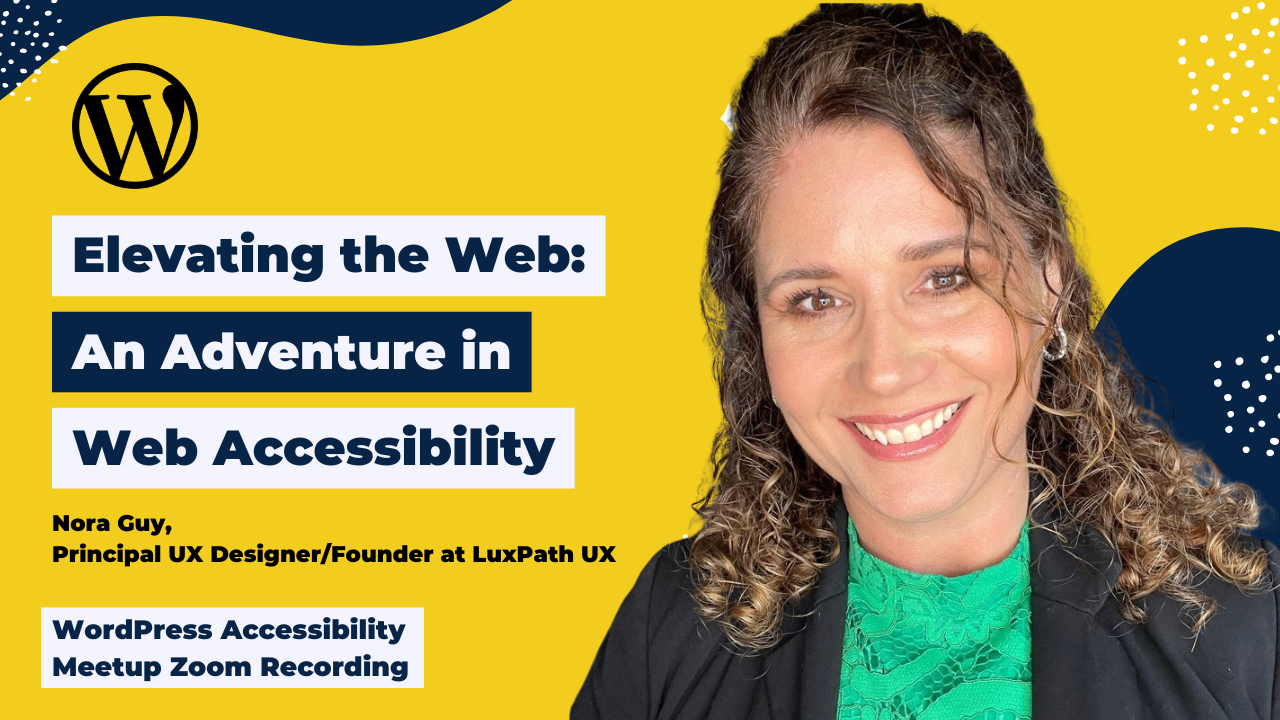
Nora L. Guy (CPACC) took us on a storytelling adventure, worthy of Charles Muntz, through the world of digital accessibility. Using the characters and themes of Pixar’s Up to guide you, Nora explained her “secret sauce” for helping ensure good UX: empathy-driven storytelling that helps stakeholders understand the very human need for accessibility.
Nora guided participants in understanding the principles of POUR and seeing accessibility not as a box to check off, but as a solid foundation for building a digital home that can soar to new heights.
Thanks to Our Sponsor
Watch the Recording
If you missed the meetup or would like a recap, watch the video below or read the transcript. If you have questions about what was covered in this meetup please post a message in our Facebook group for WordPress Accessibility.
Read the Transcript
>> AMBER HINDS: Now we are going to kick off with WordPress Accessibility Meetup, Elevating the Web: An Adventure in Web Accessibility with Nora Guy, Principal UX Designer, Founder at LuxPath UX. A few announcements. If you haven’t been before, it is good to know that we have a Facebook group that you can use to connect with one another between meetups. You can find this if you go to facebook.com/groups/wordpress.accessibility, or if you just search WordPress Accessibility on Facebook.
You can find upcoming events and past recordings in one place. Everyone always asks, “Is this being recorded?” Yes, it is being recorded. It takes us about two weeks to get corrected captions, a full transcript, and an edited video, and then we post those up on the website at equalizedigital.com/meetup. The other way to get notified of the recording when it’s available is to join our email list.
We send out news and event announcements so you can also stay in touch with what webinars are coming up, and you can join that at equalizedigital.com/focus-state. We do release the audio of these meetups on our podcast, which you can find at accessibilitycraft.com. If you prefer to listen while you’re washing dishes or folding laundry instead of watching a video, you can find that on the Accessibility Craft podcast. It’s on our website and in pretty much all the podcast apps.
If you are looking for any accommodations to help make the meetup work for you, or you have any suggestions, if there’s anything you want to learn and you want us to try and find a speaker for, then please email us. You can email myself and my co-organizer, Paula, at meetup at equalizedigital.com. Who am I? I haven’t introduced myself yet, but I am Amber Hinds. I am the CEO of a company called Equalize Digital, and we are the organizer of this meetup.
We are a mission-driven organization and a corporate member of the IAAP, or International Association of Accessibility Professionals, focused on WordPress accessibility. We have a WordPress plugin, Accessibility Checker, that helps you find and fix problems on your site. We also offer online courses for NVDA and voiceover screen reader testing and selling accessibility as well. We do accessibility audits for mediation and consulting, and of course, our website, as I said already, is equalizedigital.com.
We have a sponsor who I would like to thank today, who is generously covering the cost of our live CART-certified captioner, who is here today, and post-event transcription after the webinar is over. That sponsor is Kinsta. Kinsta provides managed hosting services for WordPress. It is powering 120,000 businesses worldwide, and based on user reviews, it is the highest-rated managed WordPress host on G2.
It has everything you need, including an unbeatable combination of speed, security, and expert support. Powered by Google Claude and the fastest C3D and C2 servers combined with CDN and Edge caching, your sites are secured with Cloudflare Enterprise, protecting you from DDoS attacks. All plans include free migrations, and the first month of starter plans is completely free, so you can try the service risk-free.
You can learn more about Kinsta if you go to kinsta.com, which is spelled K-I-N-S-T-A.com. I always ask, if you are willing, on whatever social media platform you are on, to tag them and say thank you for sponsoring captions for WordPress Accessibility Meetup. It helps them to know that this is a valuable service and that it’s important, and that we appreciate their support, which then means that they are likely to continue sponsoring. If you are willing to do that, that very much helps us out at ensuring that we can keep this meetup free and accessible for everyone.
Some upcoming events to be aware of. In May, we’re actually going to have two more events. Normally, we would only have one additional. On our normal time, Tuesday, May 19th, at 10:00 AM Central Time, our Accessibility Specialist, Maria, will be presenting Web Accessibility 101: Small Things That Make a Big Difference. Then later that week, on Thursday, May 21st, it will be Global Accessibility Awareness Day, otherwise known as GAAD, and we are doing a virtual Contributor Day, encouraging people to help contribute actively to accessibility in WordPress.
I will actually be running a workshop webinar, and I say workshop specifically because this is very interactive. You’re going to show up and learn by doing. We just totally rewrote all of the accessibility-ready requirements for themes, and there are 108 themes that need to be retested to see how they comply with the updated requirements to have that accessibility-ready tag. My hope is that we’re going to get enough people who are willing to show up on Thursday, May 21st, and help test those themes.
If you don’t know how to do an accessibility test, it is okay because I will walk you through how to do it during that webinar. It’s going to be at the same time, 10:00 AM US Central, 3:00 PM UTC, I believe, is what it is, and you can register for that on our website if you go to equalizedigital.com/GAAD2026. Then, the next meetup in this time slot in June, my partner Chris will be talking about How Agencies Can Turn Their Accessibility Backlog Into Profit.
One quick note before we dive in, this is my last announcement, I promise. We are putting together our Call for Speakers for the end of the year. If you are passionate about teaching others how to make the web more inclusive, we would love to have you. We’re looking for speakers for Thursday, July 2nd, August 18th, September 3rd, September 15th, and on through the end of the year. We will make sure that there is a link in the chat to our Call for Speakers, which is quite long.
If you can’t get it out of the chat, just because I keep forgetting to make a short link for this, then you can email us at meetup@equalizedigital.com, and we will send you a direct link if, for some reason, you can’t get this out of the chat. I am very excited to introduce today’s speaker, Nora Guy. Nora is a seasoned web and UX designer who brings two decades of expertise across public and private sectors to her craft.
She holds a CUA and a CPACC and is a huge advocate of lifelong learning. Nora has a BA in visual art from SUNY Empire State University, and when she’s not designing, she’s pursuing art, writing, and ballroom dancing with her husband, Eric. I’m very excited to have you here, Nora, because I know that this is going to be a really interesting creative presentation.
>> NORA GUY: Without further ado, good morning, everyone. My name is Nora. As Amber introduced myself, me to you, I am a CPACC, and I also hold a Certified Usability Analyst certificate and bring quite a bit of knowledge, including WordPress, to the web, and my talk this morning is about elevating the web and giving you ammunition that you’re going to be able to use when you talk with stakeholders about why accessibility is so vital and some tips and tricks for how to elevate further.
First of all, our why, our mission as to why website accessibility is something that we’re very passionate about, I think probably everyone in this room feels the same way that I do, that a website is really– it’s something that you want to take care of. It’s like a house, and when you are building a house, of course, you want people to be able to enter it and to enjoy your artwork and your furniture, but there can definitely be barriers to having people enter your home.
One billion or more people worldwide live with some form of disability, and that number varies, of course, from person to person as well, and it can be driven by a number of different things, including genetics and acquired disabilities. 95% of websites fill WCAG on first review, and we want to really try to do whatever we can to remediate website accessibility issues and perform empathy-driven design and stick to those standards.
I’m going to give you a little bit of a framework. We’ll call it the balloon strategy. If you’ve seen the movie Up, you know that the film is about a man named Carl who attaches a whole bunch of balloons to his house and rises above it all and floats to Paradise Falls, which is where he and his wife, Ellie, had planned to go for decades. The balloon strategy is going to help me explain, and will help you to explain the concept of POUR, P-O-U-R, and the framework of POUR really is the framework for how to determine if your website is accessible to users.
POUR stands for Perceivable, Operable, Understandable, and Robust, and I will go over each of these in the slides to come. Perceivable stands for the concept of, can they see the balloons? Basically, perceivable really refers to the concept of “Can users perceive information not only visually, but can they perceive information being presented, which includes reading it, or hearing it, or just somehow or other taking it in in a sensory manner?” Okay.
The ways to honor the P in POUR is through things like adding alt text to your images, ensuring that you have good color contrast between your text and your background or between your icons and your background, a ratio at least 4.5 to 1 for most text sizes, according to WCAG AA 2.1, 2.2. Do your videos need captions or audio tracks or transcripts? Do you provide responsive design, which means that your content can adapt to different screen sizes, devices, and zoom levels for whatever the user happens to be using?
The concept of Operable, this is asking the question, “Can Carl steer the house?” This is enabling users to navigate and interact with the web, and this includes things like keyboard navigation, ensuring that users don’t get trapped in anything like a dropdown or a modal window, anything like that. They can use their keyboard, they can use the escape key, back buttons, things like that.
Can they avoid any issues with timing, such as auto advancing or any time limit forms that don’t allow for enough room and space for them to fill up form fields? Also, things like seizure prevention, which includes things like flashing content and things like that, that blink more than three times per second. The concept of understandable is the map. As if you’ve seen the movie, you know that Carl and Russell start out with GPS and then they go to other ways of finding their way around as they float through the air.
Carl’s map guided him and Russell to Paradise Falls, and your interface must similarly provide clear direction. This can include things like clear labels, predictable UI and error recovery, and just really helping your users to get there. Of course, Understandable also pairs with the other concepts, especially Perceivable, in getting them to where they need to go. The concept of Robust is asking the question, will the house hold together in the storm or in a storm?
The way to get to a robust structure is by using things like semantic HTML, using the proper structure for things like buttons and for other HTML blocks. You can use ARIA landmarks to bridge gaps where HTML can’t, and also ensure things like cross-browser functionality. Make sure that your content works with all vessels, again, all devices, phones, browsers, and also with screen readers like NVDA or JAWS.
Moving on to what we do with POUR, and we’re going to jump right in and really grab onto the spirit of adventure and looking at what is new and really just big in the world of tech. Of course, everyone is talking about AI, and I feel like this is one of those things where we’re flying the plane as we’re building it because we’re constantly hearing about different types of AI. I think agentic AI was one of the later iterations that’s out and about now, and really, everyone is figuring out what we’re going to be doing with it.
Some programs, I know that some of you work in the public sector, and I’m currently on assignment with the state of California, so I know that Siteimprove is really a big deal in the world of public sector. I also used it in my last private sector job, and it does use a little bit of AI to help guide the designer or the developer in identifying accessibility errors, issues, and helping to figure out how to remediate them.
I would call that like a lift, a little bit to use the balloon metaphor, but we also have to think about “What are good uses of AI and maybe not so optimal uses of AI?” Good AI can include things like agents acting as personas, not to take the place of testing with actual users, but really just trying to predict how that may go, or using LLMs to assist with code remediation. Of course, we’re always going to have to, if you do write code, really test and ensure that nothing breaks, and then the opposite side of that is what I would call the squirrel distraction, which are things like AI overlays.
I know that things like accessiBe can be a little bit of a topic that comes up. I’m trying to be not too precise with what I’m saying here, because I know that there’s arguments on both sides, and also over-reliance on AI, because it really is something that’s constantly being in flux and constantly being redeveloped. We’re going to think of AI as– I almost think of it as a junior member of the team, or just something that really takes a lot of information and spits it back.
It’s a little bit like Dug the dog. It’s enthusiastic and it says, “I have just met you, and I love you,” but it really just needs a lot of training, translation, and also the human touch, so the Human in the Middle is something that I would advocate for AI. Navigating the storm is something that we will all have to do at some point or other as we’re going through this whole journey of accessibility.
Some of the things that I’ve noticed in my career in both public and private sector that you come up against are things like the “Make it look pretty” approach, which is where you will have a stakeholder that they have a specific brand color. For example, my last corporate job, our brand color was lime green, and there was a lot of discussion about lime green buttons with white text over them, and we had to make the argument for being true to the brand, but also following WCAG standards that comes up quite a bit, or there’s the perception that that’s what designers do, and we really have to be advocates for functionality as well as form and make that case to not only stakeholders, but also to our team members that we work with.
If you’re a designer and you work with developers that are not as familiar with ADA or WCAG, we’ll have to educate a little bit. Form errors can be a a big trap for a lot of users, especially if there are things like error messages that don’t necessarily show them how to move forward or unclear labels, “What am I supposed to enter here?” or validation that happens that maybe doesn’t give them enough guidance that they need to be able to enter the information correctly.
Videos can be a big accessibility issue if you have videos on YouTube that you embed on your site, or even just straight MP4 file formats that you’re embedding onto a page, and you may have to look to see where you can add things like closed captioning or audio tracks or anything like that, and closed captioning, of course, it’s beneficial for hard-of-hearing and deaf users, but also neurodivergent users.
People with ADHD like to watch videos with captions on, and they can be just really beneficial. Also for people in noisy spaces that watch videos while on mute, they can really be helpful. PDF, we call this PDF hell on the slide. I’ve been living in the world of PDF for the last few weeks, and it’s not only PDFs, it’s really all documents that need to be made accessible. This includes Word or PowerPoint slides, but PDFs in particular can sometimes be prone to just really being scanned images, and then, of course, NVDA can’t read that, so you have to go back and do optical character recognition to get your document to a place where it is actually text that can be scanned and tagged.
We use a tool. There are tools out there on the market, like PDFix, that can help you put in the proper tags so that NVDA or JAWS can read the document, and just something that can easily be bypassed if you have a lot of documents on your website, so that’s another quick gotcha there to watch out for as you’re navigating your way through. Of course, ADA lawsuits are increasingly something that has become a more visible deal in the world of websites.
Of course, in 2025, there were thousands of them, and they can cost tens of thousands of dollars each, so we’re going to try to find some way to shield ourselves from the lightning and the thunder clouds that roll in. Once you’ve gotten to a place where you feel like you are able to get your website more or less remediated, you’re going to feel like you’re heading to Paradise Falls or that you’ve made it to Paradise Falls.
The slide says it’s the final destination, but we all know that websites are never completely done, and there is no way to say, “Oh, this is 100% accessible,” because we’re dealing with humans, and humans are all different, but you can get to a place where things are better and clearer for your audience and for your users. Really, what you would want to impart to your line of business owners or anyone else that you’re working with is that this is not a burden.
This is not something that it is put upon us; depending on whether you work in the public sector or private sector, it could be something that you have to do, but it’s not a burden. It’s not going to negatively impact your site if you make it accessible, or at least in theory, it shouldn’t. It’s what enables your content to soar and to really help you to get to a better place with expanding your reach.
You’re going to be able to serve over a billion people that live with disability, and this includes the aging. There’s your population that exists in all sectors, and they are consumers. They use agency services, and it’s really in your best interest to serve them. For everyone, you’re going to have better SEO. If you are able to remediate your content to where it’s well-structured for accessibility, you’ll rise higher in Google web search results and get better rankings, as well as your content being able to be read by NVDA.
Of course, you will have legal protection if you are proactive and you are able to, also in addition to remediate, but build content accessibly from the beginning, and of course, you will have enhanced user experience if you build everything with accessibility in mind. I think of accessibility as under the big umbrella of user experience design, and of course, all the concepts play against each other.
They exist hand in hand, and really, accessibility benefits everyone, not only those that live with disability, but you and me and anyone else who may be a part of your user base. The call to action here is, “Don’t wait for a lawsuit. Don’t wait for anyone to raise a concern, but really start building accessibility into your process today.” The last corporate job that I was at started building accessibility at the design stage where mock-ups were created with accessibility and user experience in mind, and then would be handed off to developers, and I think that’s a step in the right direction.
I want to encourage you all to really become a good steward of the web by becoming a senior wilderness explorer of accessibility and to earn your Grape Soda Merit Badge, and some of the ways that you can really do this, particularly if you’re starting to think about creating an accessibility program is look at running audits and think about your cadence for running an audit. Are you going to be running these tests automatically or manually?
Will you be doing it monthly or biweekly even? Just think about how that will enable you to also to show progress over time. Make sure that you are completing manual tests. Of course, use your keyboard to test keyboard navigation. Make sure to review all your video content for things like captioning and also audio tracks or whatever else can be needed. Test using your screen reader if you have one available. If not, NVDA is free or even voiceover can be super helpful.
Ensure that you have proper alt text on all images and just making sure to follow the guidelines for alt text and making sure that it’s descriptive, not too long, but also just really think about from the perspective of someone who is listening to the web. Look for your color contrast, of course, the 4.5 to 1. Look at the semantic structure of your HTML or the structure of your HTML to ensure that it’s semantic, and then, of course, test with real people.
I know we’re all pressed for time, but whenever possible, see if you can recruit a couple of people to test. Maybe run, this is something that I’ve done in my past, run two sets of user testing, one with a general user base, but also one where I’m specifically asking “Do people use any assistive device?” because that will help me know if I need to adjust anything in my code, and also just anyone else, grab a coworker and see what you can find out by talking to people.
When we’ve done all of our work and we make it to Paradise Falls, or we even just have a great adventure with Russell and Kevin and our balloons, we will really just have an adventure book that we can then refer back to. We know that we’ve met the Perceivable, Operable, Understandable, and Robust concepts of the web, and we’ve earned our Grape Soda Merit Badge, and you can see that we have it tagged to the top corner of our book here, and can add that badge along with our other badges to our hat, and we know that we can refer back to it when we move forward in our careers as UX designers and as developers.
What I want to leave you with is that accessibility is out there, and also adventure is out there, and when you are looking at accessibility through the lens of an adventure and one that’s also really never truly complete, you know that it’s ongoing and can always be revisited time and time again. I’ve really appreciated and enjoyed speaking with all of you today. I don’t know if you have any questions, but if you would like to keep in touch, I’m on LinkedIn and happy to talk with anyone that has questions or comments or just wants to connect. Thank you.
>> AMBER: Thank you. I do think that we definitely have a few questions. I wrote a few, and I see one. For anyone else who wants to dive deeper into this, if you want to post anything in the Q&A, that would be helpful, and we can go through them. Someone had asked, they said, “I have seen where only the English portion of a video is captioned, and other languages ignored or have a generic placeholder.” They said they even saw this during the Olympics. “Shouldn’t all of the verbal be captioned even if it’s not in English?” Do you have any thoughts on that?
>> NORA: I think I mentioned at the beginning of the presentation, I’m on contract with the California Judicial Council right now, and I can tell you that there’s content that exists in English and Korean, and there’s at least five or six different languages, and I would say if documents exist in all of those languages, why wouldn’t you also remediate your video content that exists in other languages as well, whatever they may be?
>> AMBER: Yes, I know when we are working with anyone who has multiple language videos, we will always require them to caption those videos. I would generally say if you are creating content that you expect people to need to consume in a language other than English, that it should also be captioned in that language, and I would just build that into the budget for the video, whether you’re producing them in-house, or whoever vocalized or wrote the script for the video in theory can help with captioning, and then you just need to make sure that you have someone that can check the timing to make sure that it’s appropriately paced.
>> NORA: I agree.
>> AMBER: I did actually have a question. I liked your comparison of AI to Dug the dog from the Up movie, which I thought was really interesting, and I think it’s worth diving just a little bit more into how AI can act as personas, because you had mentioned that as an example of good. Can you describe any concrete examples of that or any recommendations for how an AI agent can act like a person with disabilities?
>> NORA: Yes. AI is one of those things where its output is only as good as the input, and obviously, for people that have been using AI, you know that the more input you give it, the more content that it has to pull from. What I’ve done is, and I had access to Copilot at the time, so I was asking Copilot, and you have to be very precise too, because it’s very literal. In this one example, I said something like, “Pretend that I am presenting this auto services website to you and you are–“
I think I gave it a name, like “Your name is this, and you are visually impaired, and you are trying to buy a car and find financing, and what you’re going to do is,” and then I walked it through a user testing scenario, “You’re going to go to this page. You’re going to find the button for Apply for a Loan. You’re going to fill out your information.” When I do user testing, I’ll even say, “Your credit score is this. You work this job. Your budget is this for this particular car, and I want to see how you are going to go through and navigate this specific task that I’ve given you,” and you have to be that precise.
I think with personas, you really just have to look at, and particularly if you’re looking for something where maybe there’s a challenge there, “This is your specific challenge, and here’s the whole backstory for this persona,” so then it can try to predict how an actual person would tackle the task.
>> AMBER: Yes, I wonder if some of that aligns a little bit with creating specific skills, and so you could generate these as skills that you could feed into AI.
>> NORA: Yes, for sure.
>> AMBER: I definitely have seen. Actually, yesterday, my partner Steve. He posted in our company chat that he used a whole bunch of his credits trying to get AI to click a Close button in a model, and he’s like, “Why won’t it do it?” and then he inspected, and he’s like, “Oh, it’s not actually a button.” It is interesting that I think some of these semantic HTML failures can also cause issues for the AI, but I don’t know if I have explored as much how to train an AI to respond as if they were using a certain type of assistive technology. I thought that was an interesting concept that you proposed.
>> NORA: Yes, it’s definitely something to play around with, and maybe there’s also the possibility there, of training it to use a specific technology like NVDA to navigate a page or anything where it’s like technology talking to technology is still being built out. My partner and I do. On weekends, we’ll have a little hackathons where we play with doing vibe coding of different apps, and one of mine is an app that tests against WCAG and PDF/UA 1 and all the other, just looking at how accessible websites and mobile apps are, and I had to be very precise about, “Okay, this is what you’re looking for, and I want you to give me these results.” It had to go and fetch the WCAG standards from somewhere else and then find a way to process them and give the data back to me.
>> AMBER: Is there a certain language model that you have found does a better job of testing against web content accessibility guidelines, and actually finding issues when you give it the right instructions? I know that Claude is the one that everyone is using for development, and to be quite frank, I haven’t dove as much into that one. I like to use Lovable for my app coding adventures for now, but definitely still exploring all the others.
Definitely looking at the different chat models that are out there now, I feel like Gemini is the one that I go to for all things technical, just on a day-to-day basis, and then, of course, Claude Code is something that I’ve heard more and more about Claude as time goes by, and I know that they just had a big release earlier this week, so definitely excited to jump in when I have a little bit of free time.
>> AMBER: Someone had asked if you could give some more examples on how to turn things into more like empathy-driven storytelling. Do you have, maybe, any concrete examples where you’ve been talking to stakeholders or trying to help them see outside of their own personal perspective?
>> NORA: My last private sector job, most recent one, was working for a credit union where I just happened to also be a member, and I just happened to have multiple family members who live with some form of disability, so I had the perspective of an actual user, but also could tell the story of, “Okay, you have a member,” because in credit union world, you call people members, not customers.
“We have a member, and they have ADHD, and they were trying to check the rate on their credit card, and none of the labels on the credit card page in digital banking really got them there. Maybe, could we look at the labels for the tabs, or could we look at adding either a link or a button, or something like that, to help get them there?” We had to write out sometimes user stories or journey mapping to figure out and predict what the user may do.
This is also a great argument for recruiting some users and seeing how they interact in real life, but also because I had that perspective of watching my son try to figure out how to use digital banking for the first time, and seeing his perspective as someone who is neurodivergent, of “Oh, what does this mean, and what does this mean?” I could gather from that background, and I could take that information distilled into a little story to tell to my stakeholder, “Hey, I actually saw this happen with a member.”
I could give my stakeholders detailed information about what I thought could help the user in that case. Also, in the credit union industry, you get a lot of feedback, right? Because people are trying to do their banking, and they’re very open about that, and it would be great if that existed across all sectors and all types of business, where people just tell you what they were trying to do or what they wish they had. That could be, really, a great source of information, and then you could tell those stories based on the feedback that you get.
>> AMBER: Yes, I think there is probably no replacing having somebody who is skeptical actually watch a real person with disabilities try to use a website, not use a website with instructions, like “Go here, click this; go here, click this,” but more like you were describing before. You want to buy XYZ, or you want to open a new checking account, and you want it to be the one with the highest interest. What would you do, right? Then just watching them actually go through the website.
I think it’s been interesting because we’ve had people come to us occasionally, and they were like, “Okay, we’re going to do user testing because we have to check a box.” There was one customer where they literally said in their service call, “We’re doing this because we’ve gotten sued, and we want to prove that it’s usable,” and then that person sat in on the user testing session and they’re like, “Wow, I’m frustrated watching you do this,” and it totally changed their perspective, because they entered it thinking, “Eh, this is going to prove that the lawsuit is wrong,” and then they were like, “No, actually, I think the lawsuit might’ve been right,” right? I really think the best way to create that empathy is actually showing or maybe drawing parallels to real people, like you were talking about.
>> NORA: Yes, what you just said is a perfect example and a perfect argument for doing user testing because I think we’ve probably all seen this, where people will say, “This is how I would do this,” and then when you watch them actually use the app, or whatever they’re trying to do, they do things differently. They have a different perception of how they would do things than they actually end up doing them.
>> AMBER: Someone had asked, “What are your thoughts about giving violators a 30-day timeline for remediation of ADA violations?”
>> NORA: Ooh, that’s an interesting topic.
>> AMBER: I wonder if this goes a little bit towards the proposed laws in California, and I don’t know if you know a lot about those, but they have been trying to deal with the fact that there’s so many lawsuits under the Unruh Civil Rights Act, and they’re trying to be like, “Okay, maybe we need to create a better process around this for small businesses,” but yes, do you have thoughts on this whole giving people a 30-day timeline?
>> NORA: I will just say, well, the team sizes that I’ve been on, the team I’m on right now, I think, is about 15 people, something like that.
>> AMBER: 15 people that work on the website or 15 people total?
>> NORA: ADA, specifically ADA. I forget how large the IT department is, but our little section is 15, and in my previous experience, it was three people that worked on the web, and I was the ADA person. That would be a really steep timeline. 30 days is a lot. I know when we thought the deadline was April 24th, and everyone was pulling up, pulling together, pulling in people from other teams to try to get there, working on weekends, working evenings, and then when they gave us the respite, we always went, “Oh, thank God,” but that would be very tough.
It’s tough. It’s interesting to see how that is at a state agency where everyone’s pulling together. I personally think financial services, education, legal, healthcare, if they’re not already going, “Oh, we need to do this,” they’ll get further along the path of “We need to do this” sooner than later, or sooner than other industries, just because those highly regulated fields, I can 100% see that becoming a bigger and bigger barrier and a bigger, bigger deal over time.
>> AMBER: Yes, it’s interesting. I’m like, “30 days is definitely enough time to fix some critical issues.” Like, if your navigation menu doesn’t work, of course, you could fix that, but expecting a whole website, especially some of these very complex websites with advanced search and filters and all kinds of stuff to be 100% remediated or millions of pages, lots of PDFs, that is definitely a tough timeline, but it’s a weird dance, right? Because the ADA itself has been around for decades, it’s not like this is new; it’s just people have been ignoring it to a degree.
>> NORA: Yes. We just started paying more and closer attention to it, and I’ve noticed that there are things in, I mentioned the PDF world, the standards for testing PDFs. There’s WCAG 2.2 that you can test against, WCAG 2.1, all those, PDF/UA-1, PDF/UA-2, and just the standards test against different things and the different tools test against different things, and everyone’s learning, “Oh, Acrobat tests for these things,” but you really need other tools and other testing methods, and it’s almost like a game of whack-a-mole where you remediate one thing and then you find other things that you need to, and you can also fix one thing and then cause other issues other places, of course. Yes, a month is a very short period of time.
>> AMBER: Yes. I noticed in the chat earlier, while you were presenting, Craig had said that he’s on a mission to get people to STOP, he put all caps, “using PDFs. Just go another route. Why are we still using something made for print in 1993?” Because I guess that’s when PDFs were invented to make documents for the web, and I definitely feel like that is, really, the approach that I tend to try and take as well.
I think it makes it easier, because if you’re like, “Well, if we can get all the content on the website and we can fix the website,” then you’re not also having to fix all these documents and sometimes remediate them if they have to be edited later. Is that an approach that you’ve taken as well?
>> NORA: Quite frankly, recently I have just been given, “Okay, here are the documents, let’s fix them,” but I have been on a previous session at– I think it was one of the sessions that Equalize gives where the presenter made a really good case for “Move away from PDFs, move toward Word documents whenever possible. They’re much more accessible, easier to remediate, and here’s all the reasons why.”
PDF, I think when I first started doing accessibility work, which is like 2005, I thought PDFs were more accessible, and also the fact that the content was locked down made it more safe or more secure for the web, but I can definitely see the argument being made for moving away from that format, or even just if it’s a form, use an HTML form if you can. You can make those accessible via HTML a little bit easier. We used something called Formstack at my last job, and you could talk to the developer if you run into any issues that they can remediate on their end.
>> AMBER: Yes, way easier than fixing a PDF form. I agree, no form should be PDFs. I feel like if it has to be, there’s this weird thing with state, federal government, where sometimes it’s like, “But it has to output on the PDF,” but I’m like, “That does not mean the person has to fill it in on the PDF. You can still take everything they gave you, put it on the PDF that–” We’ve worked with some things where they’re still like, “We print these out, and we stick them in a manila folder.”
I’m like, “Do you know what year it is?” [laughter] Sometimes, especially in government, it moves slow, and this is how they approach things, but I’m like, “It doesn’t mean they have to fill out the PDF. You can still get that info there programmatically.”
>> NORA: That 100% resonates. I’m laughing because, back years and years ago, I worked for one of the counties here in California, and there were printed documents of everything. I had file folders on my desk, and then old– It was a parks department. It was a huge parks department out here in the Bay Area, and I remember taking boxes and boxes of files and bringing them to a specific department that dealt with all of those and put them in storage, like physical files. That is so reminiscent of those days, and I think agencies probably still work that way, but it’s something that we’ll have to look at evolving over time.
>> AMBER: We have two questions that are related on the topic of how people think. The first one is, how do you respond to someone who says, “We don’t need to be ADA-compliant, people with disabilities are not our target audience”?
>> NORA: I would say, well, for one, if you live long enough, you’re eventually going to acquire some sort of difference in how you experience the world. It’s inevitable, but also just thinking about, “Okay, it’s not only a box that you check off; it’s doing the right thing.” I think all companies, whether you’re Credit Union or Parks Department or whoever you are, you want to do the right thing, I would guess, but also, you just really want to do right by whoever your user base is.
If that argument doesn’t seem to sway them, you will make more money if you are able to provide services and goods to your target user base. The disability community, I think I read they have a buying power of a trillion dollars or something like that. These are people. This goes back to empathy. Just because you don’t know anyone that happens to have a specific disability, that doesn’t mean they don’t exist, and it’s just one of those things.
>> AMBER: Sometimes you just don’t know people have disabilities. One of our team members, I learned after he’d worked for us for a couple of years, that he’s colorblind. I didn’t know. [crosstalk] Because it’s not like in his job interview or on his first day, he’s like, “By the way, I’m colorblind.” It just came up during conversation at one point, and I was like, “Oh, well, it’s a good thing that we try really hard internally, even in our own practices to follow what we preach, because you can’t tell the difference between red and green, and if that’s the way we’re color-coding good and bad things, we’ll use emojis and stuff.” Because I was like, “We should do this, right?” It turned out that he really needs those emojis. It’s an interesting thing.
>> NORA: Yes, the invisible disabilities that people have. I can resonate. Two of my stepkids are colorblind. In my last corporate job, our corporate colors were lime green and forest green, and we had a billboard on the 101 Freeway out here that was lime green background, dark green text, and my stepson was asking his dad, “What’s that say?”
>> AMBER: Oh, because he couldn’t differentiate between the two colors. The contrast wasn’t high enough.
>> NORA: Yes. He just couldn’t differentiate, or was having a really hard time. It also had to do with, of course, the brightness and darkness of the colors, but yes, to your point, and also that goes back to WCAG, where you really want to look at, “Okay, how do you express that this is a link that you can follow?” Color difference, underline, and also for people that scan quickly, people that don’t read your whole page, or again, ADHD, you may look through really quickly to see, “What elements can I follow as a link, or what can I interact with?”
>> AMBER: The second question along this line was, many people think that accessibility is a separate concept where the “regular developers” build it in the “traditional way,” and then an accessibility-trained person is supposed to come after and add accessibility. How do we change that way of thinking?
>> NORA: That’s a great question.
>> AMBER: It really is.
>> NORA: I really like the idea of design-first development, where you really just ask the UX designers to– I think a lot of people think of it as reverse engineering, how would someone, but this is actually the way it should be. This is the forward thinking, the correct, the non-reverse way. You have a user; they need to do this. How are we going to get there? Then build around the user, and accessibility is just part of that.
>> AMBER: I think too, on that, we talk a lot about “How can organizations reduce cost?” The earlier you get it in the process, and even if you’re investing upfront in training your “traditional developer,” or your design team or whatever that is, you have to invest in that training, and yes, it might slow them down in the beginning because they have to maybe spend more time checking their work for things that they never checked for before, but in the long run, that significantly can reduce costs because, as they build up those muscles and it just becomes intuitive, think about–
Most of us, I’m assuming here, there might be some young people who weren’t here for this, but listening, but all of us had to learn how to make things mobile-responsive because we started never doing that, and then there was this whole thing of, “Oh, wait, I have to make my window more narrow, more narrow, more narrow, and make sure that the code I wrote actually looks good on all these different sizes,” right?
We had to learn to do that, but now you would never hire a developer who’s like, “Oh, I don’t look at it outside of desktop.” I think it’s just a matter of building that skill up, and then once you do, it does really save money. I think if you can get organizations, I always like to tie it to “What are their KPIs?” Right? If you want your website to be launched faster with lower risk and lower cost, then you have to include accessibility at the beginning and not as this add-on after the fact.
>> NORA: Yes, 100%. Yes, to your point about the responsiveness, you probably remember this, too. We would build websites, at least this is my experience, we build them for desktops and laptop devices, and then we had a whole separate website that was more responsive, like a whole separate thing.
>> AMBER: Then you were maintaining two websites. You had to update content on two of them.
>> NORA: Yes, you just don’t do that anymore.
>> AMBER: Which is the answer on “Why can’t we just make a separate accessible website?” and I’m like, “Because that also increases your cost.” For a very long time, you’re going to pay people to update content in two places, not a good idea. Who knows how that hurts your SEO?
>> NORA: It hurts your SEO. You can use your CMS. You can use WordPress to try to maintain images and whatnot, but your developers are not going to be happy if you’re making them maintain two different things.
>> AMBER: We had one other question that I’m just going to address real quick, only because it’s technical and a little bit off-topic, but someone did ask about making Read More buttons accessible, and I want to let you know, to the person, because it was anonymous, so I don’t know who it is, that I just posted a written response with a link over to our documentation that actually shows how to do this with screen reader text or ARIA labels or that kind of thing.
We could vaguely talk about it here, but I feel like it’s better to see actual examples, so I wanted to say that. I didn’t see any other questions from folks, so we may be able to wrap up a little early. Can you remind people? You said LinkedIn is the best place to get in touch with you?
>> NORA: Yes, LinkedIn is a really good place. I’m there, haven’t been posting as frequently lately, but definitely feel free to reach out and message me if you have any questions or any thoughts, or just want to go, “Oh my God, I totally get what you were saying.” Happy to connect with folks, always.
>> AMBER: Well, thank you so much, Nora, and it was great to see the parallels that you made with the movie and hear about all of your thoughts afterwards. I appreciate you staying for this extra Q&A.
>> NORA: Yes, thank you very much for having me.
>> AMBER: All right, everyone, please go check out upcoming events. Don’t forget, we will have two events, one on the 19th and then Global Accessibility Awareness Day on May 21st. If you want to get involved and actually make a difference for WordPress, the CMS, that would be great. Someone said, wait, they have more questions, but I would say if you want to follow up with us, I can pass those along to Nora, or you can reach out to her on LinkedIn. Thanks so much.
>> NORA: Great, thank you.
About the Meetup
The WordPress Accessibility Meetup is a global group of WordPress developers, designers, and users interested in building more accessible websites. The meetup meets twice per month for presentations on a variety of topics related to making WordPress websites accessible to people of all abilities. Meetups take place on the first Thursday and third Tuesday of the month at 10:00 AM U.S. Central (5 PM CET).
Learn more about WordPress Accessibility Meetup.
Summarized Session Information
In this WordPress Accessibility Meetup presentation, Nora Guy explored web accessibility through the creative lens of Pixar’s Up, using memorable storytelling and metaphors to explain foundational accessibility concepts. Nora framed accessibility as an ongoing adventure and introduced the POUR principles — Perceivable, Operable, Understandable, and Robust — as the framework for building inclusive digital experiences. She explained how techniques like alt text, keyboard navigation, semantic HTML, captions, and responsive design all contribute to making websites more usable for everyone.
The presentation also examined how accessibility intersects with emerging technologies, such as artificial intelligence. Nora discussed both the opportunities and limitations of AI in accessibility work, describing how tools can assist with code remediation, persona-based testing, and identifying accessibility issues, while also cautioning against overreliance on AI overlays and automated fixes. Throughout the session, she emphasized the importance of maintaining a “human in the middle” approach and ensuring accessibility decisions are grounded in real user experiences.
Nora shared practical examples from her work in both the public and private sectors, highlighting common accessibility barriers, such as inaccessible forms, poor color contrast, missing captions, and challenges with PDF remediation. She explained how stakeholder resistance often centers around aesthetics, branding, or misunderstandings about accessibility, and encouraged attendees to advocate for empathy-driven design that prioritizes both functionality and usability. She also stressed that accessibility improves SEO, reduces legal risk, and creates better user experiences for all audiences, not just people with disabilities.
The Q&A portion expanded on several important topics, including multilingual captioning, AI-generated personas for testing, empathy-driven storytelling with stakeholders, remediation timelines for accessibility lawsuits, and the ongoing challenges surrounding PDF accessibility. Nora and Amber Hinds also discussed how organizations can shift away from treating accessibility as an afterthought and instead integrate it directly into design and development workflows from the beginning. Together, they reinforced the idea that accessibility is not a one-time checklist, but a continuous process that benefits users, organizations, and the broader web ecosystem.
Session Outline
- Why Accessibility Matters
- The “Balloon Strategy” and the POUR Principles
- Accessibility and Artificial Intelligence
- Common Accessibility Challenges
- Accessibility as a Better User Experience
- Practical Accessibility Recommendations
- Q&A Discussion
Why Accessibility Matters
Talking about the “why” behind web accessibility, Nora compared websites to homes, explaining that just as you would want guests to comfortably enter and enjoy a home, websites should also be welcoming and usable for everyone. More than one billion people worldwide live with some form of disability, whether temporary, permanent, genetic, or acquired over time. Despite this, the vast majority of websites fail WCAG accessibility checks during initial reviews.
Accessibility is not merely a compliance requirement or a legal obligation. Instead, it is an essential component of creating better experiences for real people. By designing with accessibility in mind, organizations improve usability for everyone, including aging populations, neurodivergent users, and people using assistive technologies.
The “Balloon Strategy” and the POUR Principles
Using the imagery of Carl’s flying house from Up, Nora introduced what she called the “balloon strategy” to explain the four foundational principles of accessibility: Perceivable, Operable, Understandable, and Robust (POUR).
Perceivable: “Can They See the Balloons?”
Perceivability is the ability of users to take in information through different senses, whether visually, audibly, or otherwise. Several important techniques for making content perceivable include:
- Adding meaningful alt text to images.
- Maintaining sufficient color contrast ratios.
- Providing captions, transcripts, and audio descriptions for videos.
- Creating responsive layouts that adapt across screen sizes, zoom levels, and devices.
Accessibility extends far beyond visual design alone and requires considering how all users consume content.
Operable: “Can Carl Steer the House?”
For the Operable principle, you should focus on how users interact with websites and applications. Users must be able to navigate interfaces using keyboards and assistive technologies without becoming trapped inside modals, dropdowns, or inaccessible interactions. It’s also important to highlight:
- Keyboard navigation.
- Escape and back-button functionality.
- Avoiding restrictive time limits.
- Preventing flashing or seizure-triggering content.
Websites should allow users to control their own experience without unnecessary barriers.
Understandable: “The Map to Paradise Falls”
Understandable content can be compared to the maps Carl and Russell used during their journey in Up. Just as a map provides direction, interfaces must clearly guide users through websites and applications. Understandable design includes:
- Clear labels.
- Predictable navigation and interface patterns.
- Helpful error messaging.
- Effective recovery guidance for forms and workflows.
Understandability works closely with the other POUR principles, particularly Perceivable, to ensure users can successfully complete tasks.
Robust: “Will the House Survive the Storm?”
The final principle, Robust, focused on building websites that work reliably across devices, browsers, and assistive technologies. It’s important to keep in mind:
- Semantic HTML.
- Proper button and form structures.
- ARIA landmarks where appropriate.
- Cross-browser compatibility.
- Testing with screen readers like NVDA and JAWS.
Robust websites are resilient and capable of supporting users regardless of the technologies they rely on.
Accessibility and Artificial Intelligence
Artificial intelligence has been playing an increasingly important role in accessibility work. AI is an exciting but rapidly evolving technology that still requires strong human oversight. Using another Up reference, we can compare AI to Dug the dog: enthusiastic and eager to help, but still needing guidance and training.
Some accessibility tools, such as Siteimprove, already incorporate AI-assisted features that help identify issues and suggest remediations. This is a positive “lift” for accessibility professionals, especially when AI is used to:
- Simulate personas during testing.
- Assist with code remediation.
- Help predict user interactions.
- Accelerate repetitive accessibility tasks.
At the same time, you shouldn’t overly rely on AI. For example, accessibility overlays are sold as “AI quick fixes,” which can be problematic implementations. It’s best to maintain a “human in the middle” approach where AI supports accessibility work rather than replacing genuine testing and expertise.
Common Accessibility Challenges
Nora shared several recurring accessibility problems she has encountered throughout her career in both public and private sectors. One common issue involved stakeholders prioritizing aesthetics over usability, particularly when strict brand guidelines conflict with accessibility requirements. She recounted experiences working with bright corporate brand colors that failed color contrast standards and the need to advocate for balancing visual identity with accessibility compliance.
Some frequent usability and accessibility pitfalls can be:
- Poorly labeled forms.
- Inadequate validation messaging.
- Videos without captions.
- Inaccessible embedded media.
- Non-semantic page structures.
A major portion of this discussion focused on PDFs and document accessibility. The challenges of working with scanned PDFs that are unreadable to screen readers until OCR processing and proper tagging are applied.
Tools like PDFix that help remediate documents. Inaccessible PDFs remain one of the biggest hidden barriers on many websites.
Accessibility as a Better User Experience
Accessibility should not be viewed as a burden. Instead, it should be seen as a way to improve SEO, expand audience reach, reduce legal risk, and create better experiences for all users. Stop thinking about accessibility as something organizations are “forced” to do and instead see it as an investment in better digital experiences.
It’s important to integrate accessibility into workflows from the beginning, particularly during the design phase. By considering accessibility in wireframes, mockups, and development handoffs, organizations can avoid costly retrofits later in the process.
Practical Accessibility Recommendations
Some practical recommendations for organizations looking to improve accessibility:
- Run regular accessibility audits.
- Combine automated and manual testing.
- Test keyboard navigation.
- Review video captioning.
- Use screen readers like NVDA.
- Check color contrast.
- Write meaningful alt text.
- Ensure semantic HTML structures.
- Conduct testing with real users whenever possible.
It is extremely valuable to run usability testing with people who use assistive technologies. This helps you observe real users, which often reveals issues that automated tools and internal assumptions miss entirely.
Using one final Up metaphor, you can become “senior wilderness explorers” of accessibility and continue treating accessibility as an ongoing journey rather than a one-time task.
Q&A Discussion
- Captioning multilingual videos: An attendee asked whether videos should include captions for non-English spoken content instead of only captioning English dialogue. Nora explained that if organizations already provide multilingual documents and resources, they should also caption videos in those same languages. Amber added that multilingual captioning should be incorporated into video production budgets and workflows from the start.
- Using AI personas for accessibility testing: Amber asked Nora to expand on her idea of using AI as personas during testing. Nora described experimenting with AI tools like Copilot by creating detailed fictional users with specific disabilities and assigning them tasks, such as navigating a financing application on a website. She explained that highly detailed prompts produced more useful testing scenarios and helped surface usability issues. The discussion also touched on how inaccessible semantic structures can interfere with AI navigation.
- Empathy-driven storytelling with stakeholders: One attendee asked how to help stakeholders better understand accessibility concerns through storytelling. Nora shared examples from her experience working at a credit union, where observing neurodivergent family members and users interacting with digital banking helped her communicate accessibility challenges to leadership. Amber added that watching real users with disabilities attempt to complete tasks on a website can completely shift skeptical stakeholders’ perspectives.
- 30-day remediation timelines for accessibility issues: The conversation explored proposed legal timelines requiring accessibility violations to be fixed within 30 days. Nora explained that while some critical fixes can be completed quickly, fully remediating large websites, PDFs, and complex systems in that timeframe can be unrealistic for many teams. Amber agreed that accessibility remediation is often an ongoing process, especially for organizations with legacy content and large document libraries.
- The ongoing problem with PDFs: Nora and Amber discussed the challenges of making PDFs accessible, especially in government environments where document-heavy workflows still dominate. Nora explained that scanned PDFs often require OCR processing and extensive remediation, while Amber advocated for moving toward HTML forms and web-based content whenever possible because they are significantly easier to maintain accessibly.
- Responding to “people with disabilities are not our target audience”: An attendee asked how to respond when stakeholders claim accessibility is unnecessary because disabled users are not part of their audience. Nora emphasized that disability affects people across all demographics and often becomes more common with age. She also highlighted the significant purchasing power of the disability community and framed accessibility as both a business advantage and the right thing to do. Amber added that many disabilities are invisible, making assumptions about users especially problematic.
- Changing the mindset that accessibility is an afterthought: Another attendee asked how to move organizations away from the idea that accessibility should be added after development. Nora advocated for “design-first development,” where accessibility considerations are built into user flows, mockups, and design systems from the beginning. Amber compared this shift to the industry-wide transition toward responsive design, noting that accessibility becomes easier and less expensive when teams incorporate it into standard workflows instead of retrofitting it later.